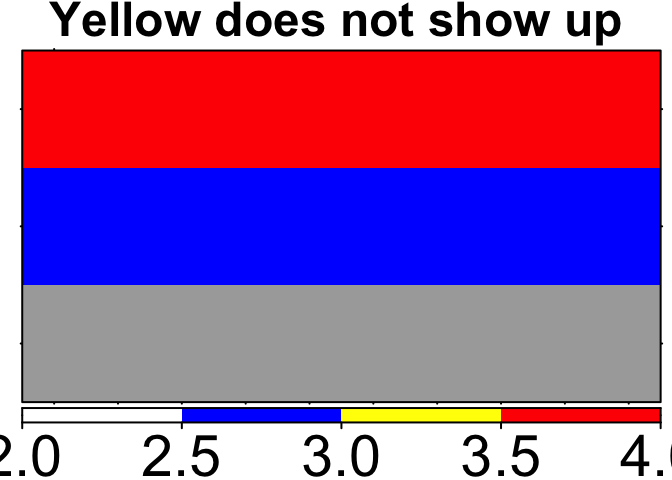
There is a bug when input.colours = TRUE and there are missing values (NA) in the input x, then the colours will not display correctly in the heatmap.
It seems one of the desired input colours is completely replaced with darkgray (the default missing value colour):
Solution
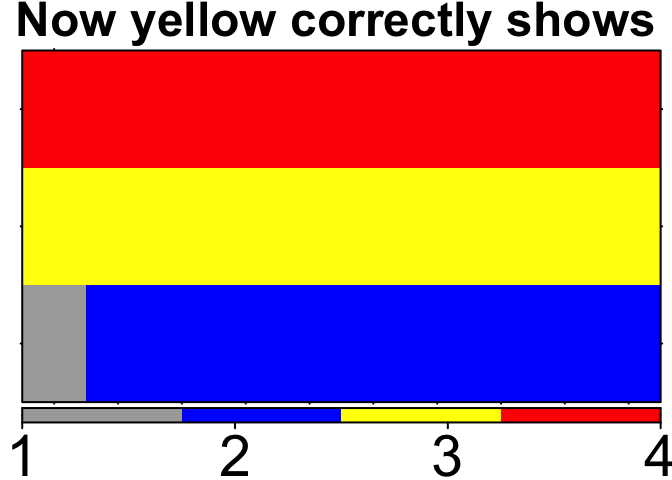
One can simply replace the NAs with a desired color beforehand (e.g. darkgray). Alternatively, we could make this change directly within create.heatmap where if any missing values are detected, they are replaced with fill.colour.
Example
suppressPackageStartupMessages(library(BoutrosLab.plotting.general));
n <- 10;
heat.data <- data.frame(rep('blue', n), rep('yellow', n), rep('red', n));
heat.data[1,1] <- NA;

# Notice yellow doesnt show up
create.heatmap(
    x = heat.data,
    input.colours = TRUE,
    clustering.method = 'none',
    main = 'Yellow does not show up'
    );
# once you replace NA's with a color, then the yellows will show up
ind.miss <- which(is.na(heat.data), arr.ind = TRUE);
heat.data[ind.miss] <- 'darkgray';
create.heatmap(
    x = heat.data,
    input.colours = TRUE,
    clustering.method = 'none',
    main = 'Now yellow correctly shows'
    )
Created on 2024-05-22 with reprex v2.0.2
There is a bug when
input.colours = TRUEand there are missing values (NA) in the inputx, then the colours will not display correctly in the heatmap.It seems one of the desired input colours is completely replaced with
darkgray(the default missing value colour):Solution
One can simply replace the
NAs with a desired color beforehand (e.g.darkgray). Alternatively, we could make this change directly withincreate.heatmapwhere if any missing values are detected, they are replaced withfill.colour.Example
Created on 2024-05-22 with reprex v2.0.2