Polygon permanently "Sketch" when closing window with "Esc" #8

Description

When selection a polygon with the Plain Geometry Editor tool, and the checkbox "Sketch geometry" is checked, then the dialog window is closed using the "Esc" key, the polygon "blue" sketch do not go away.
- Selecting another polygon do not get rid of the previous "blue" sketch.
- Deselecting the Plain Geometry Editor tool do not get rid of the "blue" sketch.
- Deleting the polygon do not get rid of the "blue" sketch.
- Hiding the layer do not get rid of the "blue" sketch.
- Uninstalling / re-installing the Plain Geometry Editor tool do not get rid of the "blue" sketch.
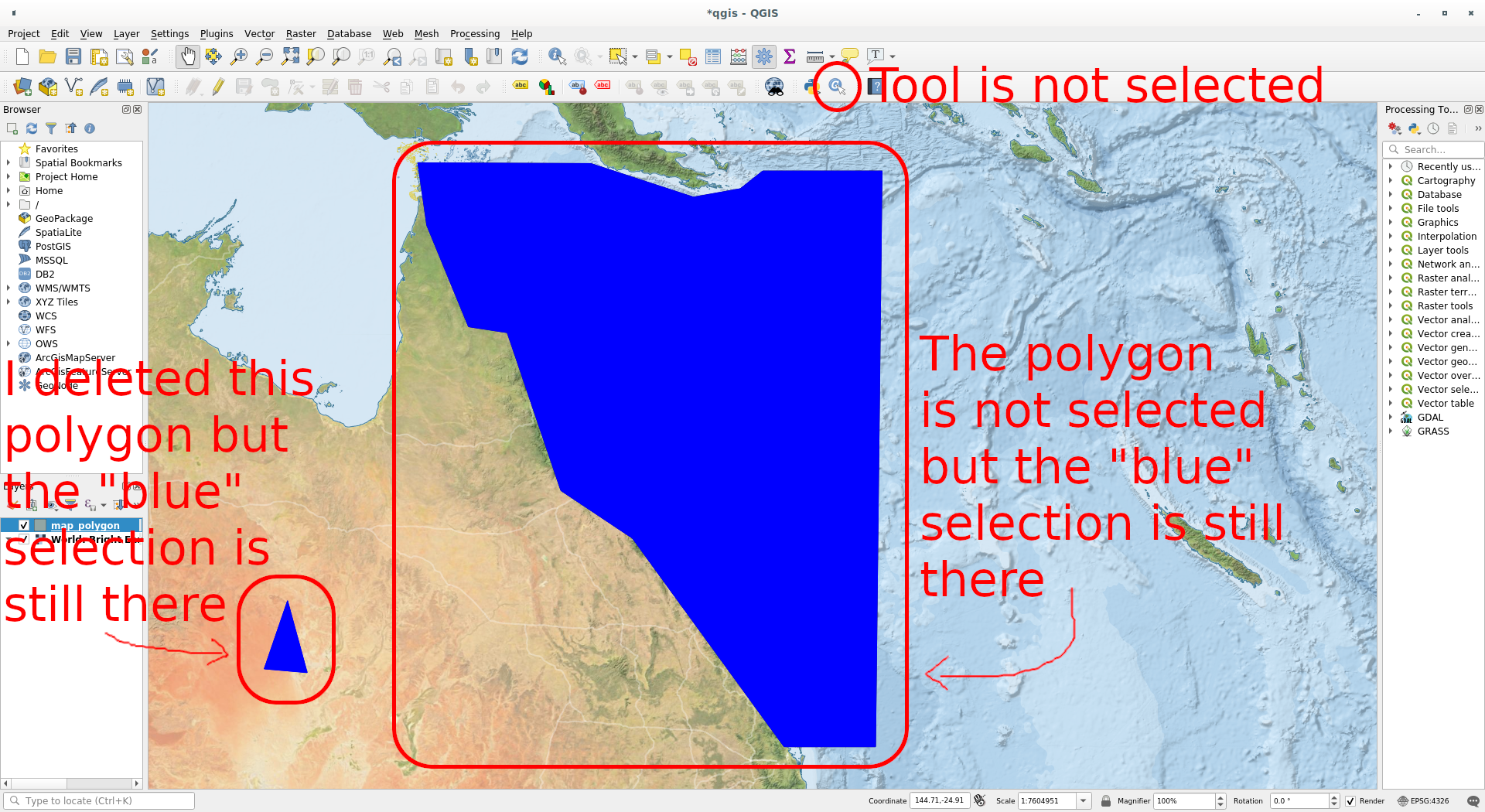
NOTE: I was not aware that the blue fill was caused by the "Sketch" feature, so I called it "selection" in the screenshot.
The only way to get rid of the "blue" sketch is to quit and reload QGis.