"Favorites" is displaying workers on the right
Issue:
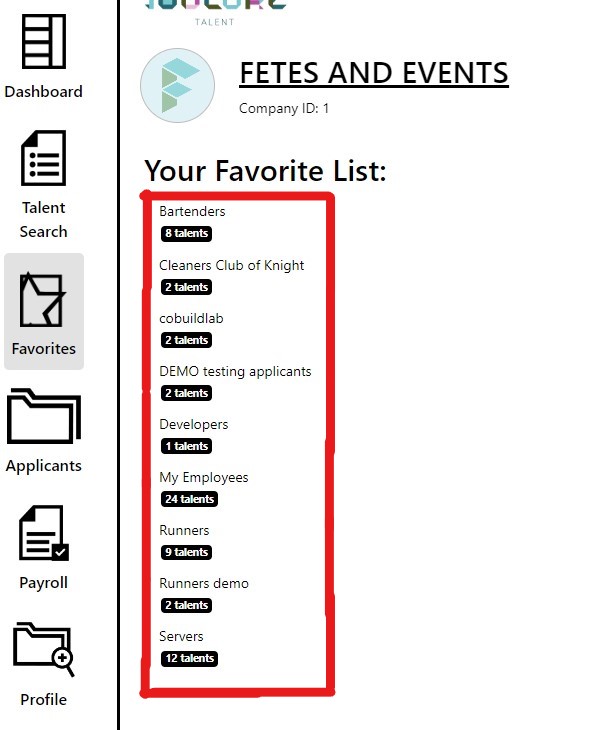
When you open the "Favorites" page, you see all of your created lists, showing their titles and how many workers are in each one.
The problem is, that when you click any of the lists, a menu pops on the right side of the screen, showing basic information about each worker in the list.
We want the list of workers to be displayed horizontally, as a dropdown when you click any of the lists.
For reference, the code for this issue exists between lines 83 and 157 of /workspace/employer-web-client/src/js/views/favorites.js
Solution:
A developer should make it so that the page displays workers in a dropdown when a list is clicked.
Solution Steps:
- First, see where the data is coming from, then change how it's being rendered using Bootstrap 4.1
- Once finished, run all the tests provided in the repo to make sure that your integration was successful
- Create a pull request so that your code can be evaluated by the Lead Developer before deployment.
- Keep an eye out for any new bugs that arise after the change is deployed to the code.
"Favorites" is displaying workers on the right
Issue:
When you open the "Favorites" page, you see all of your created lists, showing their titles and how many workers are in each one.
The problem is, that when you click any of the lists, a menu pops on the right side of the screen, showing basic information about each worker in the list.
We want the list of workers to be displayed horizontally, as a dropdown when you click any of the lists.
For reference, the code for this issue exists between lines 83 and 157 of /workspace/employer-web-client/src/js/views/favorites.js
Solution:
A developer should make it so that the page displays workers in a dropdown when a list is clicked.
Solution Steps: