LEDs not working #203

Replies: 32 comments 2 replies

-
|
Beta Was this translation helpful? Give feedback.
-
|
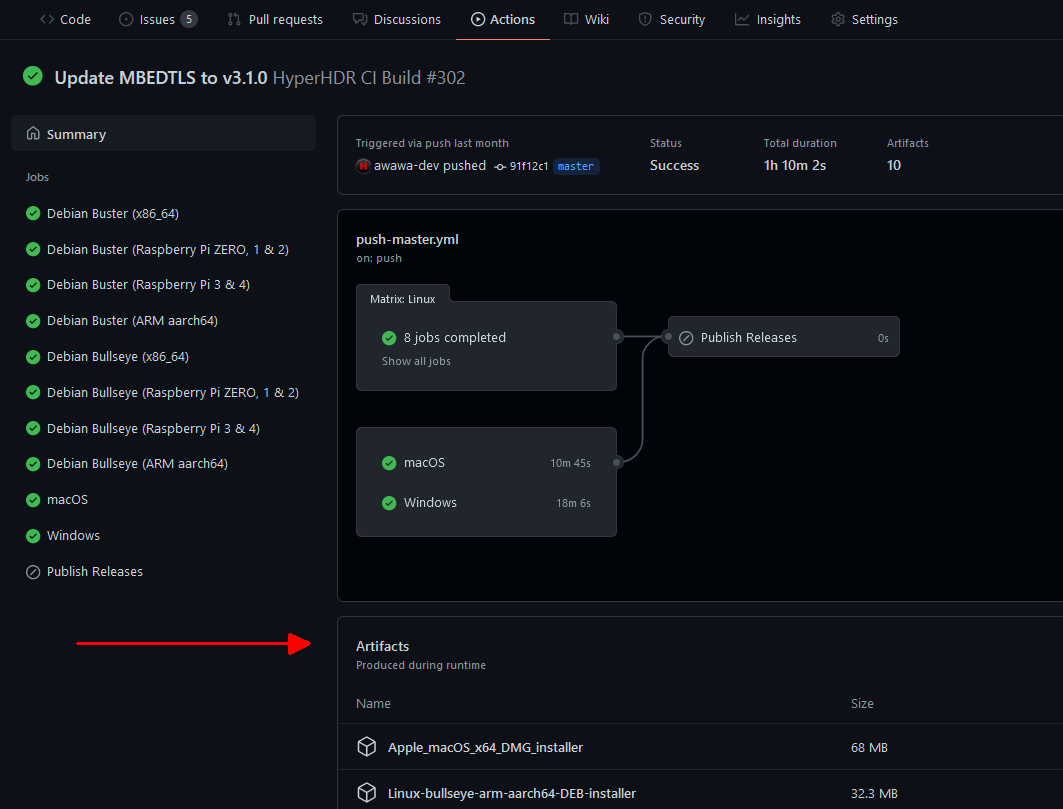
And Pi zero 2w platform is supported only by v18beta. You can find installers in latest https://github.com/awawa-dev/HyperHDR/actions |
Beta Was this translation helpful? Give feedback.

-
|
Thank you for your response. I am using the SK6812, not the WS281x. So what I'm understanding is the only way to make it work is via ESP board with WLED? I'm trying to do that but I'm having a huge delay and I can only make it work with about 3 fps which makes it looks really bad. in all of the vids I saw on youtube people connected the LED directly to the PI. |
Beta Was this translation helpful? Give feedback.
-
|
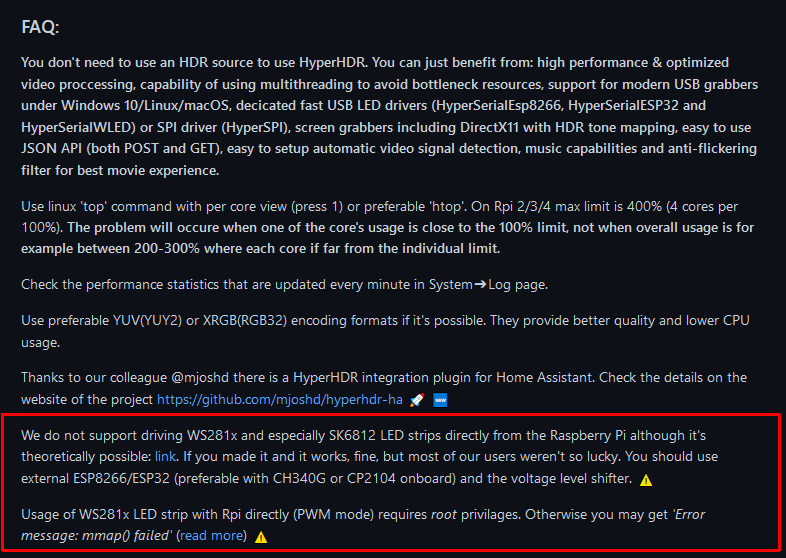
No, HyperSerialEsp8266/HyperSerialEsp32/HyperSerialWLED or recommended for Rpi: HyperSPI are cable solutions so extremely reliable and fast. You can find more details on their project homepages. SK6812 is using same WS281x library (SPI driver version never worked for me so can't recommend it). You have it on the previous link with example configuration #111 v18 beta installers are in the latest action tab. So for today that's one: |
Beta Was this translation helpful? Give feedback.
-
|
First of all, I really appreciate your help. Thank you very much. I've been trying to make it work for weeks now. |
Beta Was this translation helpful? Give feedback.
-
|
Did you look for these projects? For HyperSPI there are even screenshots how to connect ESP to Rpi: https://github.com/awawa-dev/HyperSPI works with every generic ESP. For HyperSerialEsp8266/HyperSerialEsp32/HyperSerialWLED you need first determine using your eyes (search for chip markings, they are barely visible) which serial port chip you have on your ESP board. Only fast 2Mb speed chips like CH340G/C, CH9102x or CP2104 are supported. Connection is very simple: USB. |
Beta Was this translation helpful? Give feedback.
-
|
Thank you again, I have Esp8266 CH340G, I installed the HyperSerialWLED and you say I need to connect them both via USB? I only have one USB on my pi zero and it is connected to the capture card |
Beta Was this translation helpful? Give feedback.
-
|
CH340G is good.
|
Beta Was this translation helpful? Give feedback.
-
|
Again, I really appreciate your help. I know I might be annoying nob, but that's the only way to learn is by asking questions. I REALLY appreciate your help. |
Beta Was this translation helpful? Give feedback.
-
|
You are too fast, jumping from one solution to another without deeper diagnostic ;)
|

Beta Was this translation helpful? Give feedback.
-
|
make sure to select proper USB serial port in the 'output path'. Your CH340G should be visible in the list there. |
Beta Was this translation helpful? Give feedback.
-
|
(still using V17 cause I don't really know how to install the 18beta) |
Beta Was this translation helpful? Give feedback.
-
|
Great! In my case it worked when USB grabber and ESP8266/ESP32 were connected through USB hub (and USB hub was transparent for my setup). But you must have SOLID 2A USB power supply for Raspberry Pi AND solid USB power cable to provide the current from the power supply to the Raspberry Pi. Same power supply for Raspberry Pi and LED strip is not a good prognostic at all: Raspberry Pi should always have dedicated power supply. Sooner or later you may end up in troubles. |
Beta Was this translation helpful? Give feedback.
-
|
Everything is connected through the 5v 60A power supply, do you think I need another power supply for the Pi? I am having some weird problems that the capture card just disconnects and I need to restart the Pi and it happens a lot. |
Beta Was this translation helpful? Give feedback.
-
|
It's not about max amperage: 60A should be fine for your setup. But such LED power supplies are stable enough for LED strip, not for raspberry pi. Especially when scene changes from dark to bright the load could from jump few percent to over 50-100% depending on the setup. The voltage won't be stable for Raspberry Pi, it only works stable in range 4.75 - 5.25V.I have never managed to provide such a stable system all the time when I use a shared power supply. Under-voltage can be detected in dmesg log (search for 'under-voltage detected' messages). Over-voltage could trigger self-resetting fuse if Raspberry Pi is powered by USB (when it is powered by GPIO it will get damaged since it's not protected). |
Beta Was this translation helpful? Give feedback.
-
|
As I said: verify |
Beta Was this translation helpful? Give feedback.
-
|
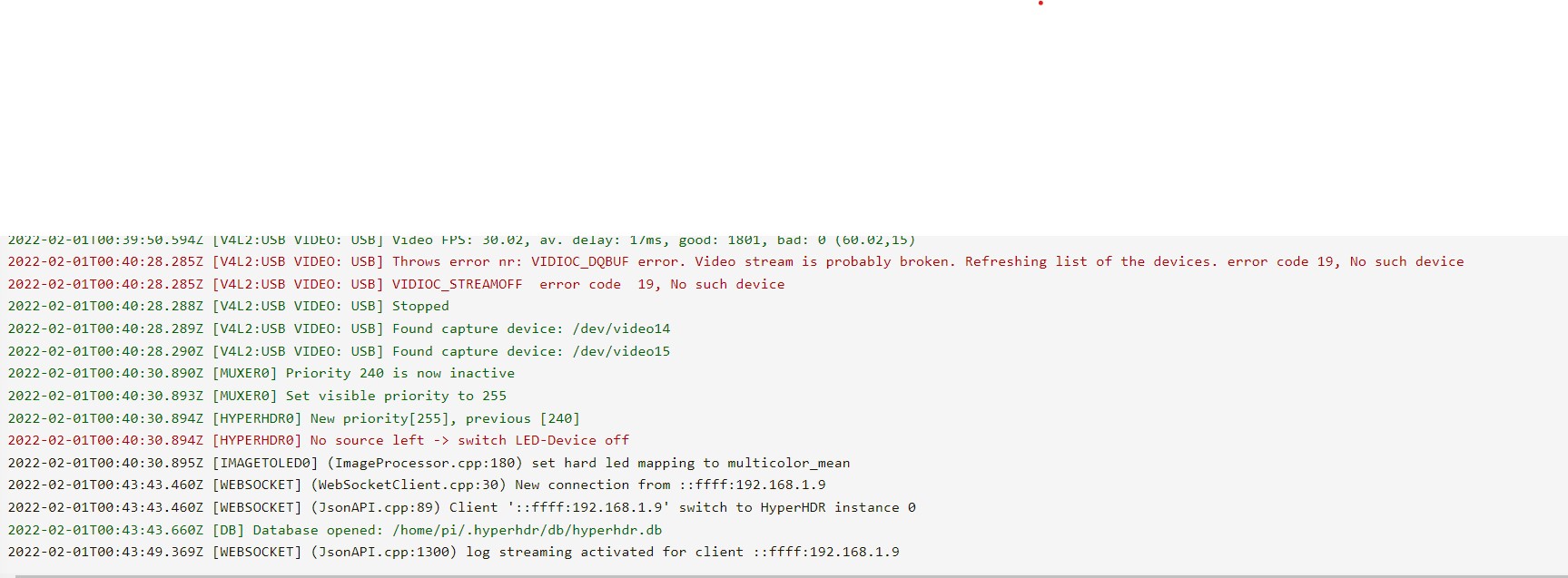
I added a pic with the errors. I don't see anything about voltage errors. And do you have a pic of what common ground is? I'm not sure I understand it completely. |
Beta Was this translation helpful? Give feedback.
-
|
1 Did you something to the video signal when that happen? Stopping the video, changing the video resolution that could break video streams that grabber were capturing? |
Beta Was this translation helpful? Give feedback.
-
|
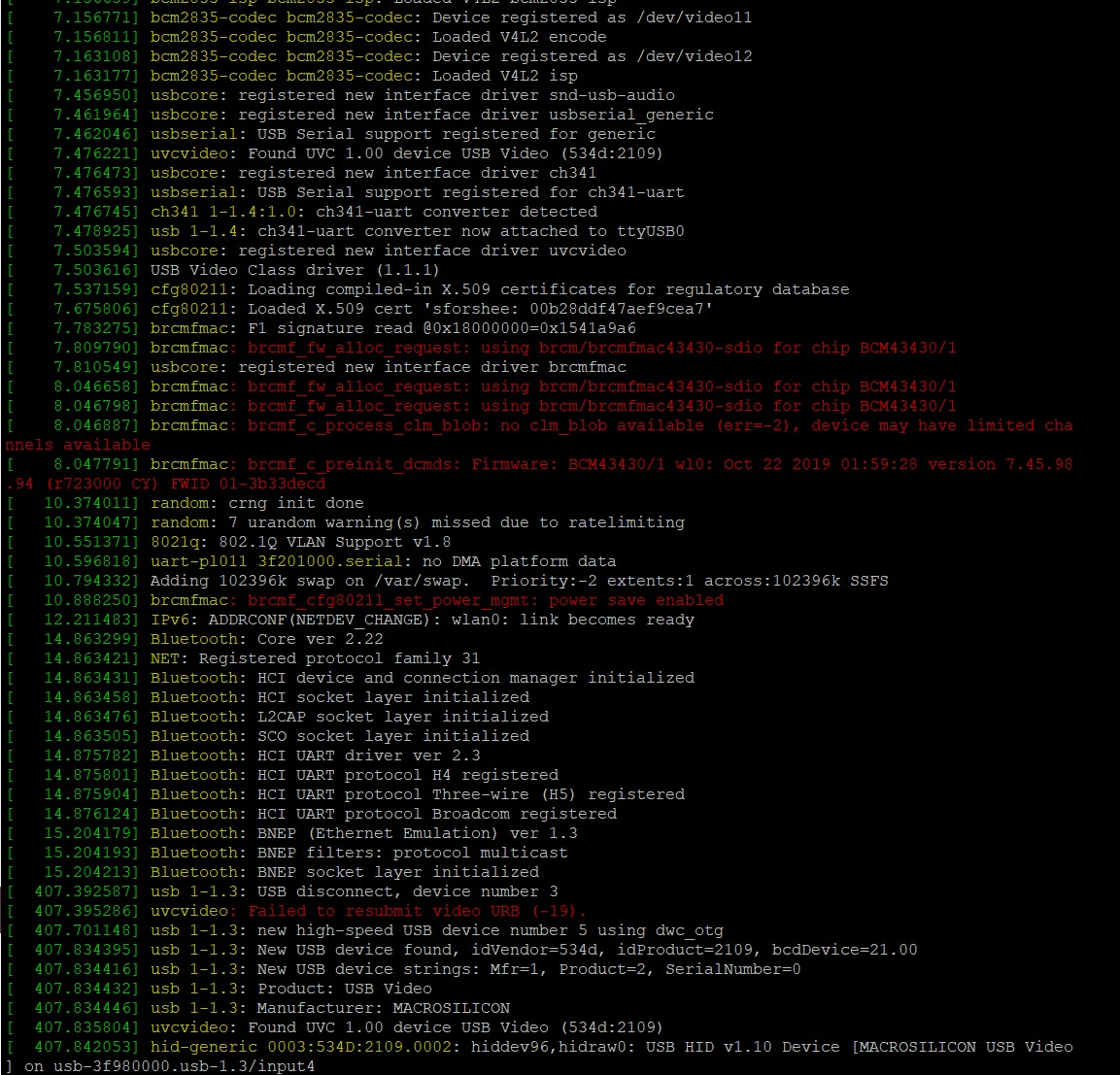
No, just the Tv screen saver, I was waiting for it to happen again. I added the logs from putty Could it be because I'm using V17 and not 18beta? |
Beta Was this translation helpful? Give feedback.
-
|
Your grabber disconnected itself and then reconnected after 0.5s. That's bad because there is no obvious reason and MS2109 should not do it. Maybe it's power supply issue or maybe it's already damaged. OK, there is workaround (but not designed for such behavior): enable 'auto-resume' in the grabber properties. |
Beta Was this translation helpful? Give feedback.
-
|
I'm using a capture card not the grabber app, I found a USB hub so could it be that the capture card is faulty, or is it the Pi? |
Beta Was this translation helpful? Give feedback.
-
|
Yes, you are using MS2109 It's generic name of that grabber family ;) The problem is hardware because the grabber is disconnecting from the system and we can only hope that it will reconnect in 2seconds. Then we try to activate it again. That's how the auto-resume option works. Unfortunately such pause will be visible on your LED strip. |
Beta Was this translation helpful? Give feedback.
-
|
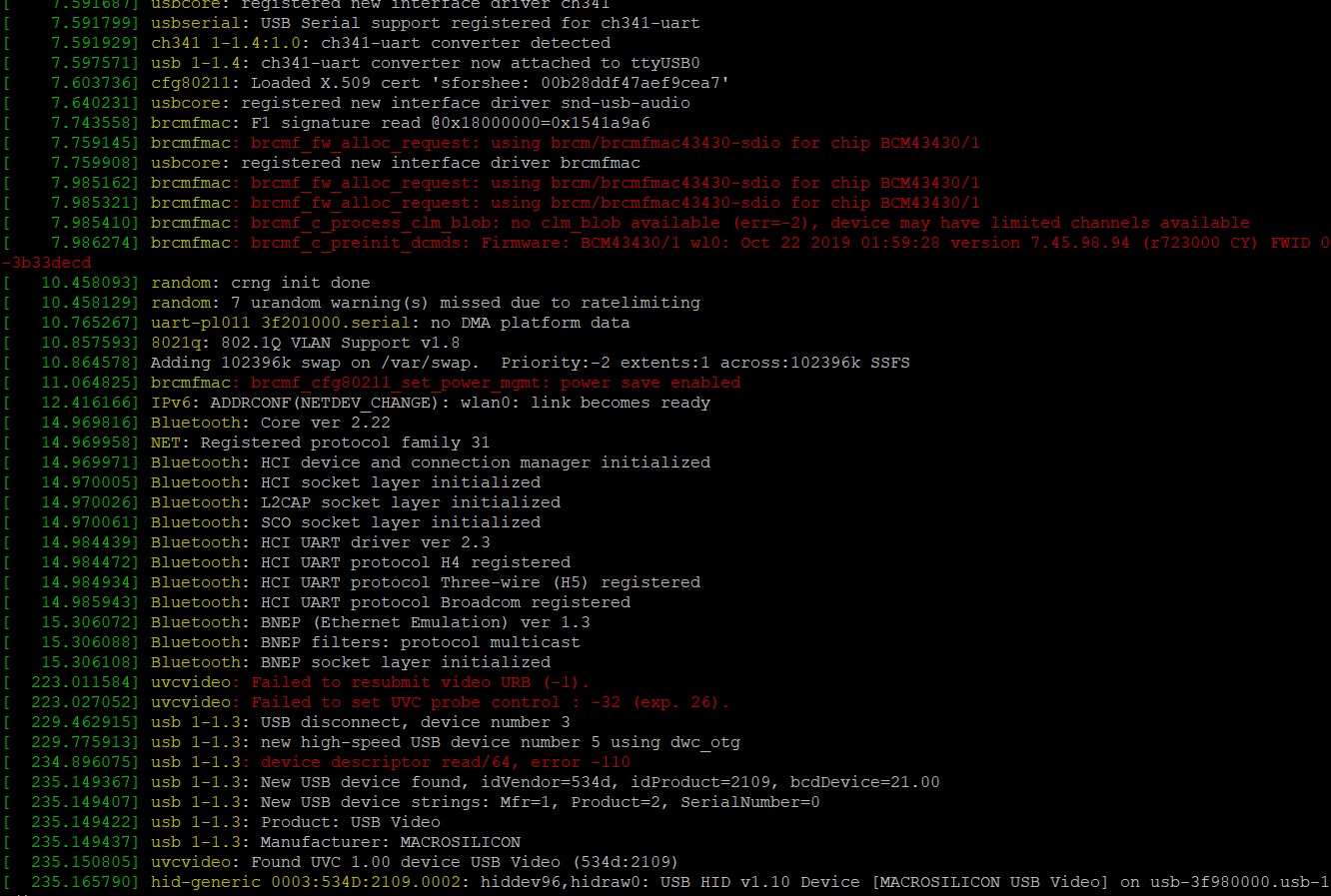
OK, I see, it happened again and I added the log here. |
Beta Was this translation helpful? Give feedback.
-
|
Yes, in this case the break was 6 seconds...too long to give auto-resume a chance (~2 second limit). |
Beta Was this translation helpful? Give feedback.
-
|
Can you explain to me about the common ground so ill do it the right way? |
Beta Was this translation helpful? Give feedback.
-
|
Connect the ground from ESP8266 GPIO (or Raspberry Pi GPIO if ESP8266 is connected to its USB port: in this case they share it too) to the ground of LED strip input (or to the same line that is connected to LED strip ground). |
Beta Was this translation helpful? Give feedback.
-
|
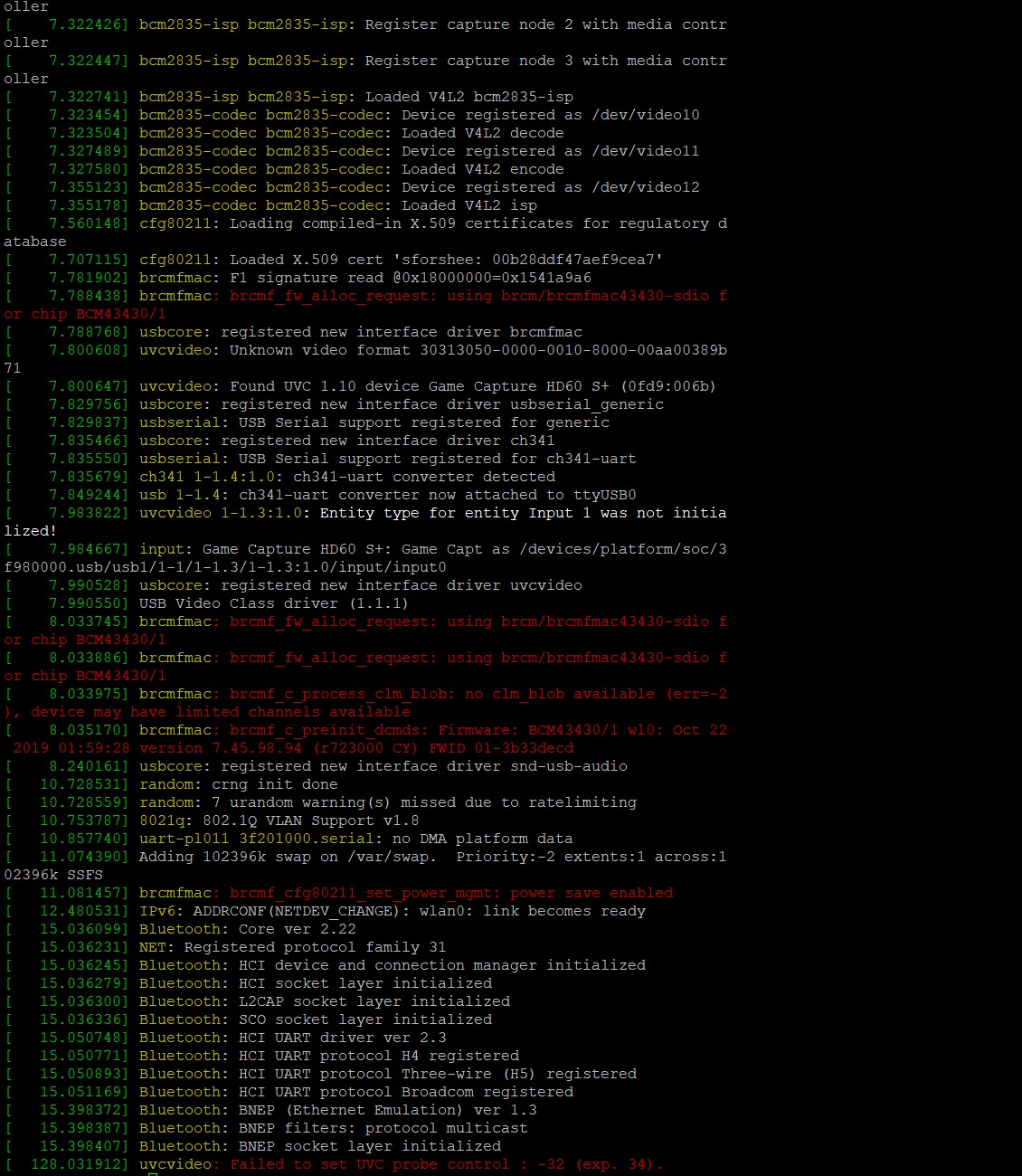
So I tried it with my other... capture card... its overkill and not for that but that's what I have here (Elgato capture card) So I guess the only thing left to do is the power supply? |
Beta Was this translation helpful? Give feedback.
-
|
To be precise: I do not see the disconnection itself here, only a UVC kernel driver error, but I assume that it happened later. I would focus on the basic setup to stabilize it first: just Raspberry Pi, USB grabber and ordinary USB power supply. Disconnect and do not use LED strip, ESP8266 and LED power supply for now. Do you use some kind of cable or adapter for Raspberry Pi to connect a grabber? Maybe it's faulty? You have to test everything left to confirm LED strip power supply as a cause of the problem and to rule out the worst case scenario (Raspberry pi). |
Beta Was this translation helpful? Give feedback.
-
|
I really appreciate your help. |
Beta Was this translation helpful? Give feedback.

-
|
I'm using WS2815 with GPIO just fine, I know it's not officially supported, but for me it is convenient and have no problems whatsoever. To make it work: in config.txt put the line dtparam=audio=off (take sd card and edit config file from your PC) Insert card Use terminal or SSH for these commands: Restart your LED power supply, restart RPI. Should work from now on. |
Beta Was this translation helpful? Give feedback.
-
|
@awawa-dev Update: |
Beta Was this translation helpful? Give feedback.

-
|
no. but can use or prepare in the paint app boards/pictures with solid colors (red/blue/green/cyan/gray etc) or youtube for example: Monitor Color Test / Monitor-Farbtest (RGB/CMYK) (1080p) |
Beta Was this translation helpful? Give feedback.


Uh oh!
There was an error while loading. Please reload this page.
-
Hey guys,
I don't know what to do and I really need your help.
I got the Pi zero 2w and when I connect the LEDs to GPIO 18, nothing happens. I tried with 2 different LEDs types ( WS2812 and SK6812) and nothing is working.
I tried connecting it to a different GPIO (19) but nothing works ( I can only change the GPIO under WS2812 strip).
I tried HyperHDR 16 and 17 and regular Hyperion nothing works.
Could it be a faulty pi?
any suggestions?
Hope you can help me :)
Beta Was this translation helpful? Give feedback.
All reactions