- Install the latest DevExpress
- Download or clone this project
- Copy the DevAV.mdf from DevExpress Demos (C:\Users\Public\Documents\DevExpress Demos 16.1\Components\ASP.NET\CS\DevAV\App_Data\DevAV.mdf) to the AppData folder
- Open Solution in Visual Studio
- If you have a newer version, run the DevExpress Project Converter and upgrade the project references/assemlby versions.
DevAV MVC (How to create an MVC version of the DevExpress ASP.NET demo DevAV)
To learn about this project, watch this webinar:
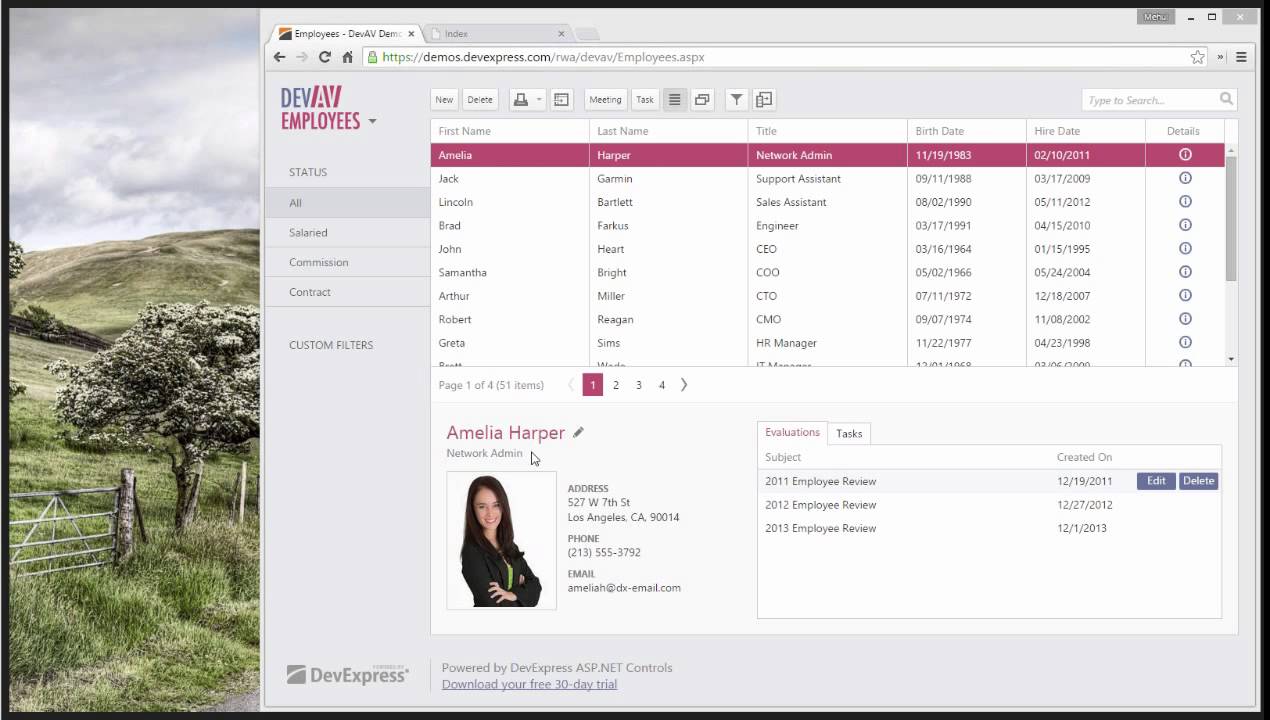
Find helpful links on the corresponding blog post:
Video: Create an MVC Website Inspired by Microsoft Outlook.com
Be sure to add DevAV.mdf in the App_Data folder. You can find this file within the DevExpress DevAV demos folder. Typically it's located in your public folder like this:
C:\Users\Public\Documents\DevExpress Demos 16.1\Components\ASP.NET\CS\DevAV\App_Data
If you don't have DevExpress installed then please download the free trial which has full source code for the demos: DevExpress.com