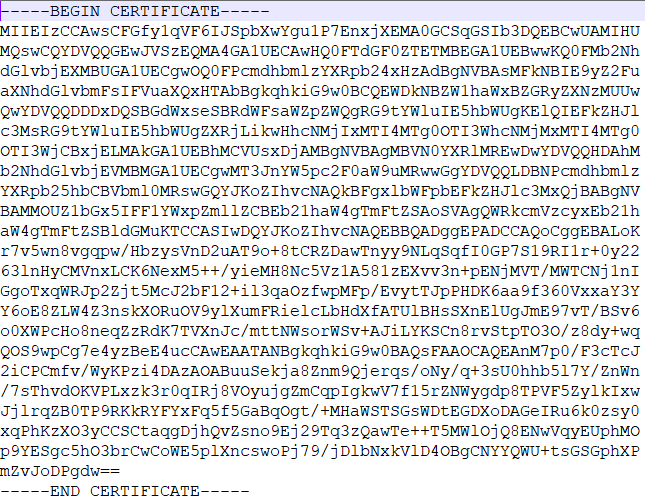
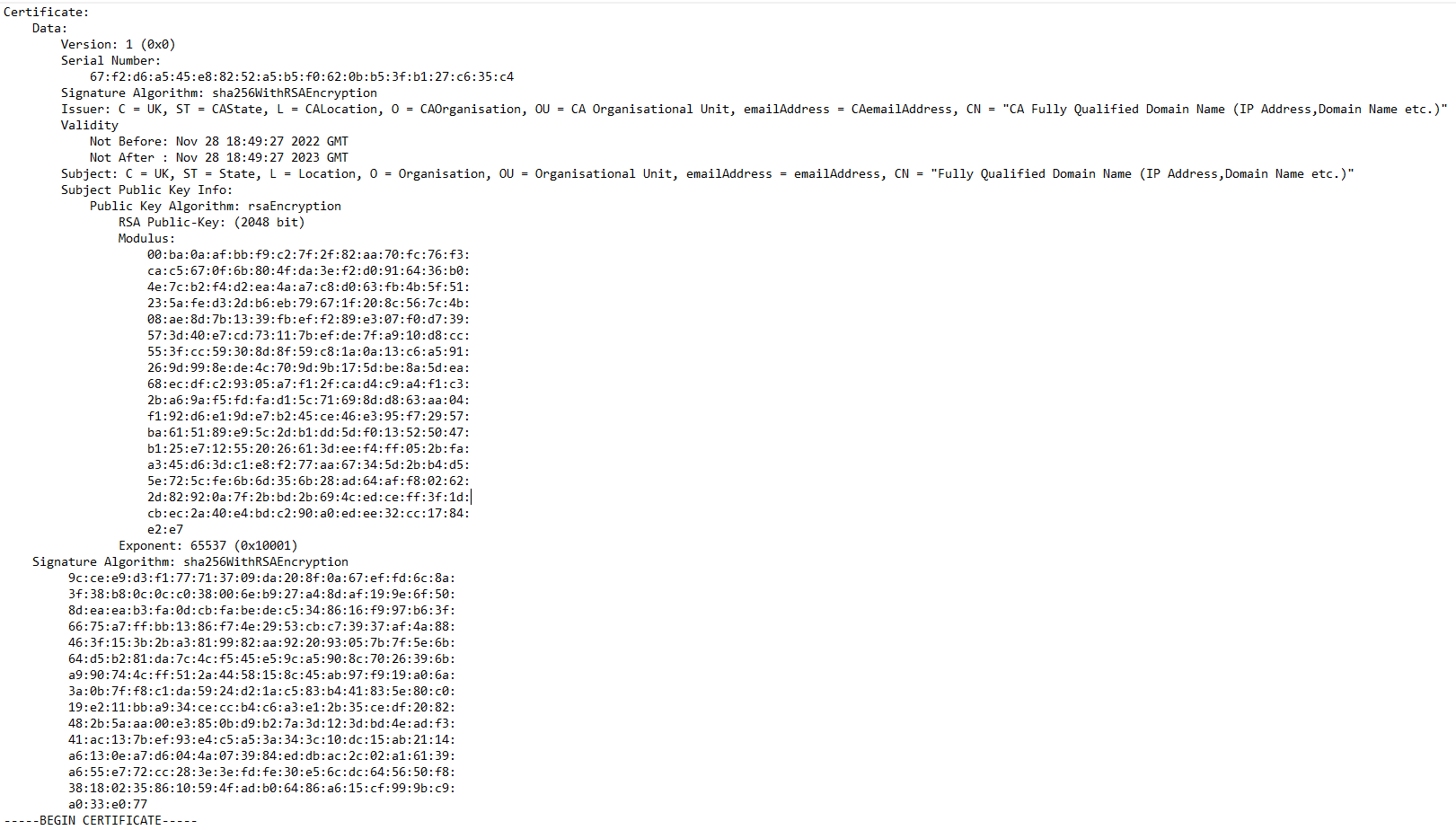
Public key certificate, also known as a digital certificate or identity certificate, is an software document used to prove the validity of a public key. The certificate includes information about the public key, information about the identity of its owner (called the subject), and the digital signature of an entity that has verified the certificate's contents (called the issuer). If the signature is valid, and the software examining the certificate trusts the issuer, then it can use that key to communicate securely with the certificate's subject.
 The roles of root certificate, intermediate certificate and end-entity certificate as in the chain of trust.
Good example for understanding the Trust Chain and certificate Creation is self-signed certificates.
A self-signed certificate is not signed by a public or private certificate authority. Instead, it is signed by the creator’s own personal or root CA certificate. Here is what we do to request paid certificate from a well-known Certificate Authority like DigiCert or Verisign.

- Create a certificate signing request (CSR) with a private key. A CSR contains details about location, organization, and FQDN (Fully Qualified Domain Name).
- Send the CSR to the trusted CA authority.
- The CA authority will send you the certificate signed by their root certificate authority and private key.
- You can then validate and use the certificate with your applications. But for a self-signed certificate, here is what we do.
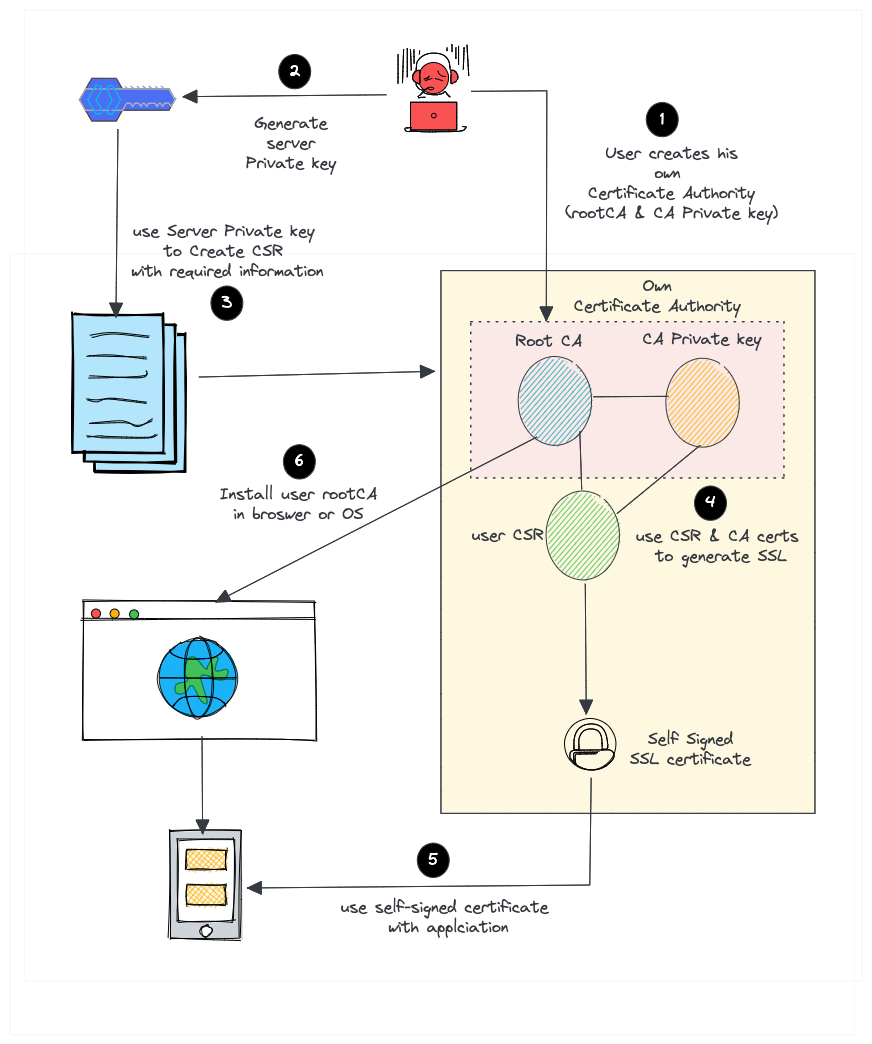
- Create our own root CA certificate & CA private key (We act as a CA on our own)
- Create a server private key to generate CSR
- Create an certificate with CSR using our root CA and CA private key.
- Install the CA certificate in the browser, Device (ECU etc) or Operating system to avoid unauthorized access or communication.
Creating Self Signed Certificate (without Intermediate Certificate - Just Root Certificate Authority and End Entity):
-
Generate a public and private key pair to be used to create the Self signed root Certificate Authority (root CA).
-
Generate root CA's certificate by using the keys generated at step 1 and by providing the identification and domain data (for CA).
-
Generate a public and private key pair to be used to create the End Entity's Certificate Signing Request (CSR).
-
Generate a CSR for End Identity by using the keys generated at step 3 and by providing the identification and domain data (for End Entity).
-
Generate an End Entity Certificate by adding the identification and domain data of both CA (issuer) and End Entity (subject ) and End Entity's public key and signature which is created with root CA's private key.
Note: A serial number will be generated automatically while Root CA signs the End Entity certificate. This serial number is used to uniquely identify a signed certificate and added to End Entity certificate under Serial Number Section.
A batch script to execute all given steps with openSsl is given in code section.
OpenSSL is a software library for using crypto algorithms, protocols and secure communications.
You can download the latest version of openssl from:
https://www.openssl.org/source/
Set the identification and domain data in .conf files (if needed?) and double click SelfSignedCertGenerate.bat file. You can trace the chain of trust by inspecting the generated .txt files.