
A python package for text standardisation/normalization. It uses normalization algorithm mentioned in OpenAI whisper paper. Using Whisper normalization can cause issues in Indic languages and other low resource languages when using
BasicTextNormalizer. So normalization in Indic languages is also implemented in this package which was derived from indic-nlp-library.


This package is a python implementation of the text standardisation/normalization approach which is being used in OpenAI whisper. The code was originally being released as open-source in Whisper source code. More details about the text normalization approach used by whisper can be found on Appendix Section C pp.21 the paper Robust Speech Recognition via Large-Scale Weak Supervision by OpenAI team.
pip install whisper_normalizeror from github repository
pip install git+https://github.com/kurianbenoy/whisper_normalizer.git- I made a video walk through on how to use the
whisper_normalizerpython package.
Colab Notebook Link of walk through
Github Gist Link of walk through
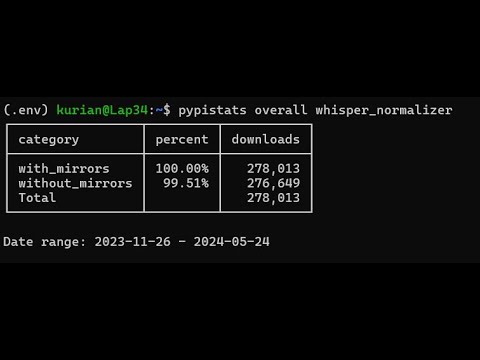
- In ASR systems it’s important to normalize the text to reduce unintentional penalties in metrics like WER, CER etc.
- Text normalization/standardization is process of converting texts in different styles into a standardized form, which is a best-effort attempt to penalize only when a word error is caused by actually mistranscribing a word, and not by formatting or punctuation differences.(from Whisper paper)
This package is a python implementation of the text standardisation/normalization approach which is being used in OpenAI whisper text normalizer. If you want to use just text normalization alone, it’s better to use this instead reimplementing the same thing. OpenAI approach of text normalization is very helpful and is being used as normalization step when evaluating competitive models like AssemblyAI Conformer-1 model.
- OpenAI Whisper
- Massively Multilingual Speech (MMS) models by Meta
- Conformer 1 by AssemblyAI
- Conformer 2 by AssemblyAI
OpenAI open source approach of text normalization/standardization is mentioned in detail Appendix Section C pp.21 the paper Robust Speech Recognition via Large-Scale Weak Supervision.
Whisper Normalizer by default comes with two classes BasicTextNormalizer and EnglishTextNormalizer
You can use the same thing in this package as follows:
from whisper_normalizer.english import EnglishTextNormalizer

english_normalizer = EnglishTextNormalizer()
english_normalizer("I'm a little teapot, short and stout. Tip me over and pour me out!")
'i am a little teapot short and stout tip me over and pour me out'
from whisper_normalizer.basic import BasicTextNormalizer

normalizer = BasicTextNormalizer()
normalizer("I'm a little teapot, short and stout. Tip me over and pour me out!")
'i m a little teapot short and stout tip me over and pour me out '
Every language belongs to a tier: dedicated (a normalizer written for the language), script (it reuses the normalizer of its script) or generic (conservative, script-safe cleanup). supported_languages() lists every language with this metadata (tier, capabilities, digits_to_words, marks), and Normalizer(code) exposes .tier and .capabilities.
| Language | Code | Normalizer | Tier | Digits → words | Marks | tts_mode |
|---|---|---|---|---|---|---|
| Arabic | ar |
ArabicTextNormalizer |
dedicated | tts_mode | stripped | yes |
| Bengali | bn |
BengaliNormalizer |
dedicated | always | kept | yes |
| Chinese | zh |
ChineseTextNormalizer |
dedicated | never | kept | no |
| English | en |
EnglishTextNormalizer |
dedicated | tts_mode | stripped | yes |
| French | fr |
FrenchTextNormalizer |
dedicated | tts_mode | kept | yes |
| Gujarati | gu |
GujaratiNormalizer |
dedicated | always | kept | yes |
| Hindi | hi |
HindiNormalizer |
dedicated | always | kept | yes |
| Kannada | kn |
KannadaNormalizer |
dedicated | always | kept | yes |
| Malayalam | ml |
MalayalamNormalizer |
dedicated | always | kept | yes |
| Odia | or |
OdiaNormalizer |
dedicated | always | kept | yes |
| Punjabi | pa |
PunjabiNormalizer |
dedicated | always | kept | yes |
| Russian | ru |
RussianTextNormalizer |
dedicated | tts_mode | kept | yes |
| Spanish | es |
SpanishTextNormalizer |
dedicated | tts_mode | kept | yes |
| Tamil | ta |
TamilNormalizer |
dedicated | always | kept | yes |
| Telugu | te |
TeluguNormalizer |
dedicated | always | kept | yes |
| Assamese | as |
BengaliNormalizer |
script | always | kept | yes |
| Marathi | mr |
DevanagariNormalizer |
script | always | kept | yes |
| Nepali | ne |
DevanagariNormalizer |
script | always (Hindi number words) | kept | no |
| Sanskrit | sa |
DevanagariNormalizer |
script | always (Hindi number words) | kept | no |
The other 82 languages use the generic tier: Unicode NFC, brackets and punctuation removed, case folded, combining marks kept. Digits become words only with tts_mode=True, which 33 of them support.
Whisper Text Normalizer is not always recommended to be used. Dr Kavya Manohar has written a blogpost on why it might be a bad idea on her blopost titled Indian Languages and Text Normalization: Part 1.
If you need the basic normalizer for Indic or other scripts that use Unicode Mark characters, use BasicTextNormalizer(preserve_marks=True). This preserves combining marks such as Brahmic vowel signs and viramas while retaining the remaining basic normalization behavior.
The logic for normalization in Indic languages is derived from indic-nlp-library. The logic for Malayalam normalization is expanded beyond the Indic NLP library by MalayalamNormalizer.
tts_mode is not Indic-only: English, French, Spanish, Arabic, Russian and many other languages support it too (it needs pip install whisper_normalizer[tts]); see the capability table. This section describes the Indic behaviour.
Several Indic normalizers support a tts_mode=True option that converts text into a form suitable for text-to-speech synthesis. When enabled, the normalizer will:
- Convert currency symbols to spoken forms (₹100 → “रुपये एक सौ”, $20 → “डॉलर बीस”)
- Convert decimal numbers to spoken form (1.5 → “एक पॉइंट पांच”)
- Expand URLs and domains to spoken form (https://example.com → “एच टी टी पी एस कोलन स्लैश स्लैश ई एक्स ए एम पी एल ई डॉट कॉम”)
- Expand email addresses (user@example.com → “यूजर एट एक्साम्पल डॉट कॉम”)
- Expand special symbols (& → ” or “, @ →” at “, % →” percent “, etc.)
- Expand acronyms (NASA → “N A S A”)
The following Indic languages support tts_mode:
| Language | Code | Normalizer |
|---|---|---|
| Hindi | hi |
HindiNormalizer |
| Bengali | bn |
BengaliNormalizer |
| Gujarati | gu |
GujaratiNormalizer |
| Odia | or |
OdiaNormalizer |
| Punjabi | pa |
PunjabiNormalizer |
| Tamil | ta |
TamilNormalizer |
| Telugu | te |
TeluguNormalizer |
| Kannada | kn |
KannadaNormalizer |
| Malayalam | ml |
MalayalamNormalizer |
| Assamese | as |
BengaliNormalizer (via script tier) |
from whisper_normalizer import Normalizer

# Pick a language; Normalizer.for_language("hi", tts_mode=True) is equivalent
normalizer = Normalizer("hi", tts_mode=True)
# Metadata: normalizer.language == "hi", .name == "Hindi", .tier == "dedicated"
result = normalizer("नमस्ते ₹100 और $20.50")
# Output: "नमस्ते रुपये एक सौ और डॉलर बीस पॉइंट पांच शून्य"
Or use the normalizer class directly:
from whisper_normalizer.indic import HindiNormalizer

normalizer = HindiNormalizer(tts_mode=True)
result = normalizer("Visit https://example.com or email user@example.com")
# Output: "visit एच टी टी पी एस कोलन स्लैश स्लैश ई एक्स ए एम पी एल ई डॉट कॉम or यूजर एट एक्साम्पल डॉट कॉम"Normalizer validates options and raises ValueError if the language does not support them, for example tts_mode for Nepali:
from whisper_normalizer import Normalizer

Normalizer("ne", tts_mode=True)  # Raises ValueError: tts_mode is not supported for DevanagariNormalizer with lang='ne'. ...
from whisper_normalizer.indic import MalayalamNormalizer
normalizer = MalayalamNormalizer()
normalizer("എന്റെ കമ്പ്യൂട്ടറിനു് എന്റെ ഭാഷ.")'എന്റെ കമ്പ്യൂട്ടറിന് എന്റെ ഭാഷ.'