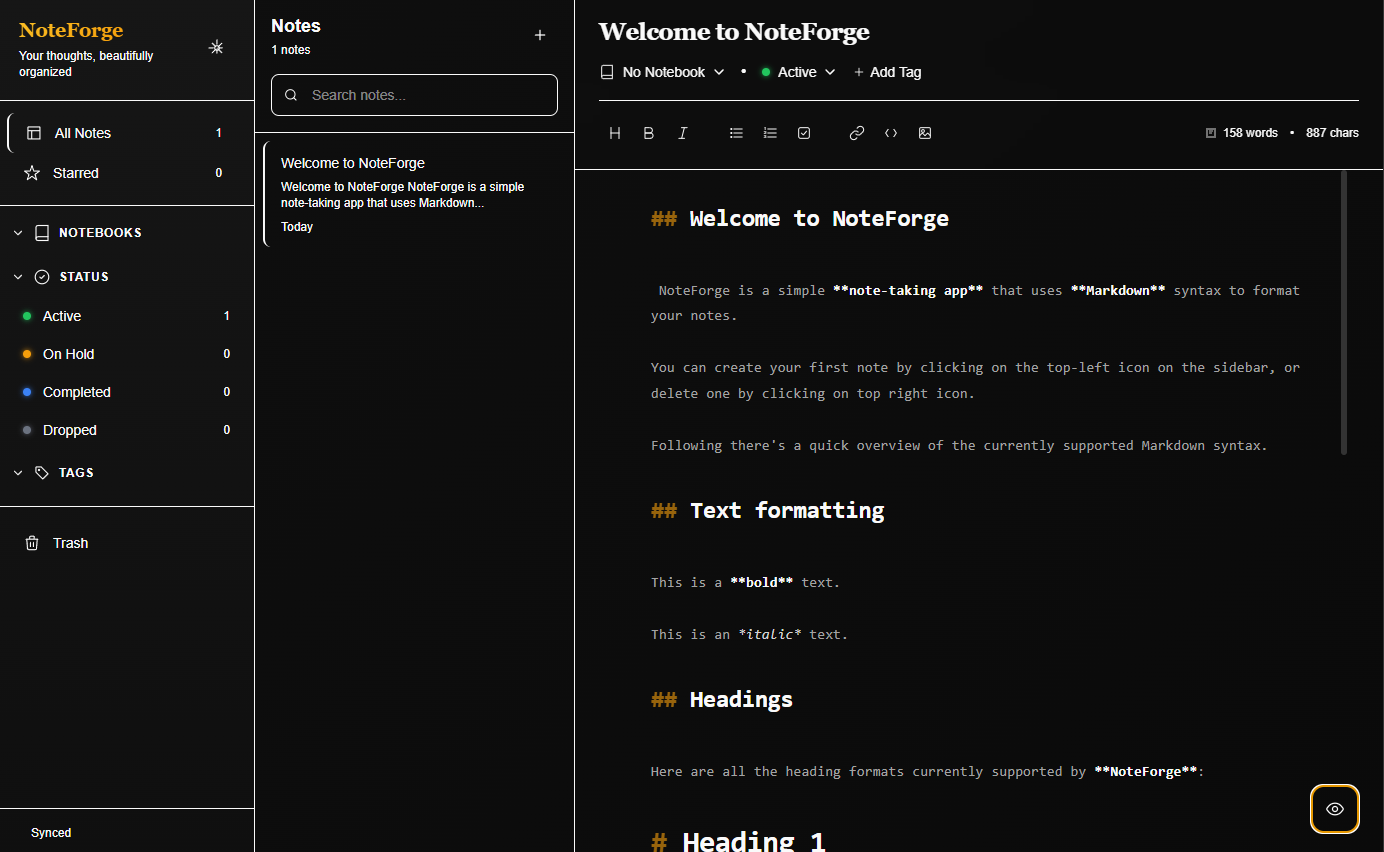
A modern Markdown note-taking application built with Electron, React and Tailwind CSS.



NoteForge is a desktop Markdown editor focused on speed, organization and customization. It combines a clean writing experience with powerful editing capabilities, notebook management and an interface designed for daily use.
KaTeX support allows rendering mathematical notation directly inside your notes.
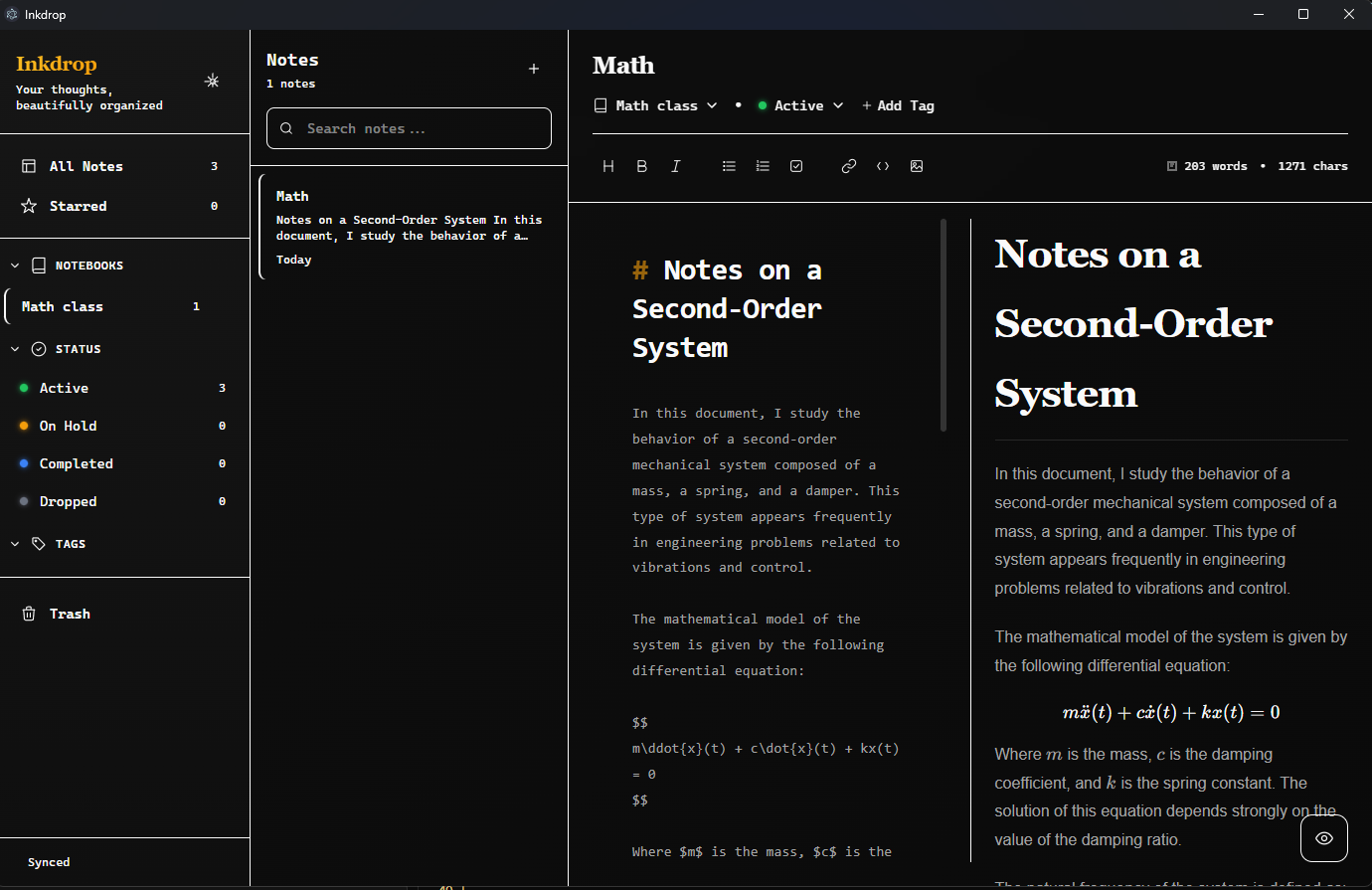
- Live preview with synchronized scrolling
- Multiple editor layouts
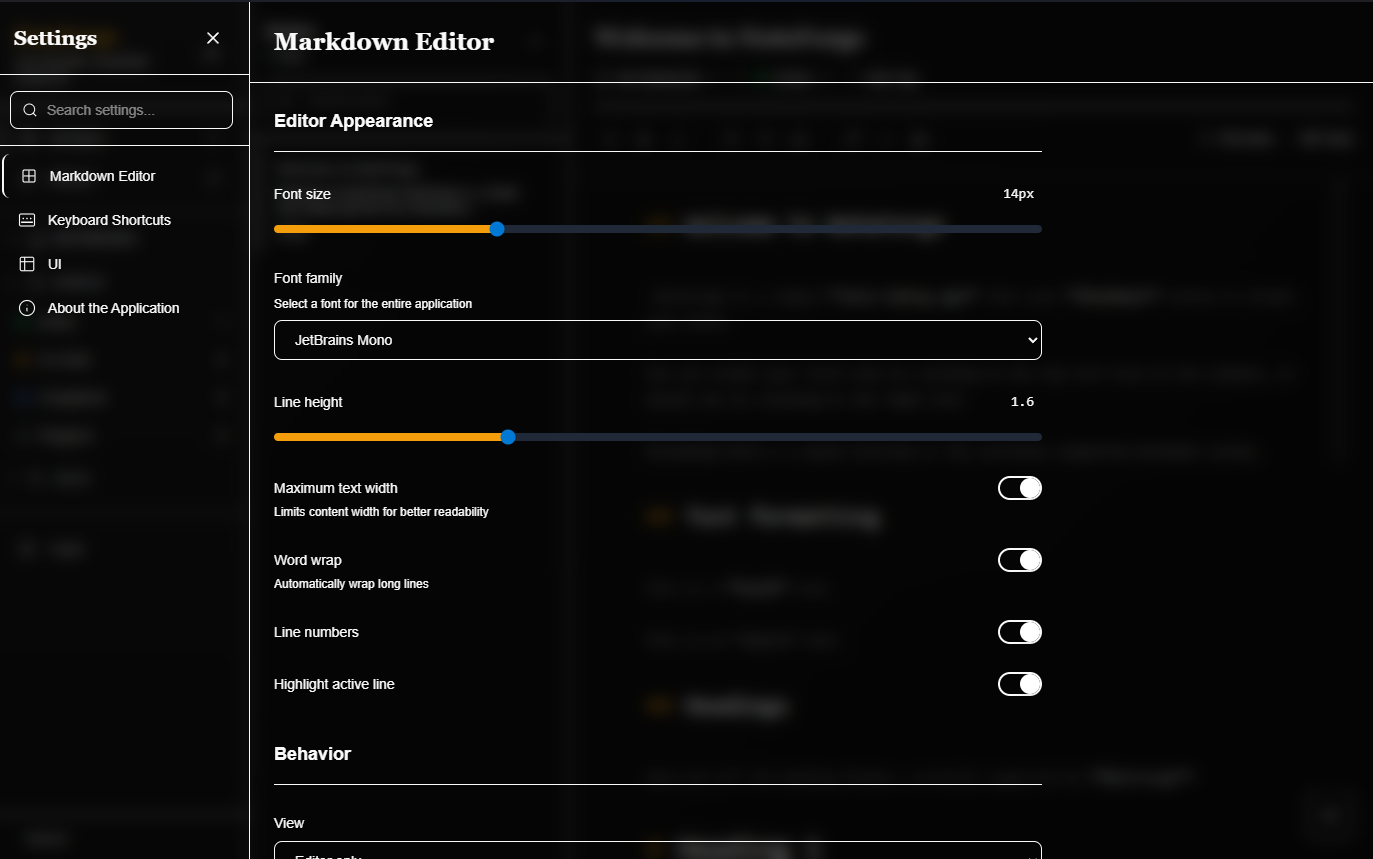
- Syntax highlighting
- Line numbers
- Active line highlighting
- Adjustable typography
- Word wrap options
- Configurable editor width
- Notebook management
- Colored tags
- Instant search
- Favorites
- Advanced filtering
Supports both CommonMark and GitHub Flavored Markdown.
Available extensions include:
- Tables
- Task Lists
- Footnotes
- KaTeX / LaTeX
- Mermaid diagrams
- Embedded HTML
Configure nearly every aspect of the editor.
- Fonts
- Font size
- Line height
- Maximum text width
- View modes
- Auto-save
- Session restoration
- Light theme
- Dark theme
- System theme
- Blur effects (Windows)
- Adjustable border radius
- Interface density
- Animation controls
- Fully customizable shortcuts
- Default profile
- Import / Export configurations
- Automatic welcome note
- Session persistence
- Local Markdown storage
- Fast file indexing
- Cross-platform support
- Node.js 18+
- Yarn
Clone the repository:
git clone https://github.com/Angel87develop/NoteForge.git
cd NoteForge
Install dependencies:
yarn installRun the development version:
yarn devBuild for your operating system.
yarn build:winyarn build:macyarn build:linuxUnpacked build:
yarn build:unpackNoteForge
├── src
│ ├── main
│ ├── preload
│ └── renderer
│ ├── components
│ ├── contexts
│ ├── types
│ └── utils
│
├── resources
├── build
└── out
| Technology | Purpose |
|---|---|
| Electron | Desktop application |
| React | User Interface |
| TypeScript | Static typing |
| Tailwind CSS | Styling |
| React Markdown | Markdown rendering |
| Remark GFM | GitHub Flavored Markdown |
| Electron Vite | Development tooling |
| Electron Builder | Application packaging |
Notes are stored locally inside the user's Documents folder.
Windows
%USERPROFILE%/Documents/noteforge-notes
macOS
~/Documents/noteforge-notes
Linux
~/Documents/noteforge-notes
Each note is saved as an individual Markdown file.
Title_NoteID.md
yarn devRuns the application in development mode.
yarn buildBuilds the application.
yarn typecheckRuns TypeScript checks.
yarn lintRuns ESLint.
yarn formatFormats the project using Prettier.
Contributions are welcome.
- Fork the repository.
- Create a feature branch.
git checkout -b feature/my-feature- Commit your changes.
git commit -m "Add new feature"- Push the branch.
git push origin feature/my-feature- Open a Pull Request.
This project is licensed under the MIT License.
See the LICENSE file for more information.
- electron-vite
- React Markdown
- Tailwind CSS
- Electron
Bug reports, feature requests and questions can be submitted through the GitHub Issues page.