



Plugin Header
Plugin URI: https://eacDoojigger.earthasylum.com/
Author: EarthAsylum Consulting
Stable tag: 3.2.2
Last Updated: 01-Oct-2025
Requires at least: 5.8
Tested up to: 6.8
Requires PHP: 8.1
Contributors: earthasylum,kevinburkholder
Donate link: https://github.com/sponsors/EarthAsylum
License: EarthAsylum Consulting Proprietary License - {eac}PLv1
License URI: https://eacDoojigger.earthasylum.com/end-user-license-agreement/
Tags: plugin development, rapid development, multi-function, security, encryption, debugging, administration, contextual-help, session management, maintenance mode, plugin framework, plugin derivative, plugin extensions, toolkit
GitHub URI: https://github.com/EarthAsylum/docs.eacDoojigger/wiki
{eac}Doojigger - A new path to rapid plugin development. A powerful, extensible, multi-function architectural framework and utility plugin for WordPress. {eac}Doojigger streamlines the plugin development process and allows you to create professional-grade plugins in a fraction of the time.
Although this software may still be purchased on the {eac}Doojigger web site under the existing subscription plans, as of August 2025, you may download the basic edition for free (or with sponsorship) available at this GitHub Repository.
The Copyright and End User License Agreement still apply.
{EarthAsylum Consulting} {eac}Doojigger is a multi functional and highly extensible WordPress plugin that eases and advances WordPress development and includes several 'Doolollys' (extensions) providing file access, security, debugging, encryption, session management, maintenance mode, administration tools, and more.
{eac}Doojigger is not only a fully functional plugin, but more so, an architectural development platform (using shared/abstract code) enabling the effortless creation of full featured...
-
Custom 'Doojiggers' (Plugins derived from {eac}Doojigger).
- Create your own plugin with {eac}Doojigger as a robust, efficient, and clean foundation.
-
Custom 'Doolollys' (Doojigger Extensions).
- Add easy-to-code, task-oriented extensions installed or included in the "Extensions" folder of your 'Doojigger' plugin or WordPress theme.
-
Custom 'Doohickeys' (Doololly Plugins).
- Load your plugin extensions ('Doolollys') as their own WordPress plugins with their own installation folder.
Rather than updating or customizing themes and functions, it is often best to isolate your custom code in a plugin ('Doojigger') or extension ('Doololly') so that code is not lost when the theme is changed or updated. Themes should only be used and customized with code pertinent to the look and feel of your site. Any code that should be retained after changing a theme belongs in a 'Doojigger' or 'Doololly'. This keeps your code reusable and theme independent.
{eac}Doojigger makes purpose-driven, task-oriented, theme-independent, reliable, and efficient code easy to create and maintain.
- Provided With {eac}Doojigger
- Doojiggers - Custom Derivative Plugins
- Doolollys - Custom Doojigger Extensions
- Doohickeys - Custom Doololly Plugins
- Using {eac}Doojigger
- Automatic Updates
- Contextual Help
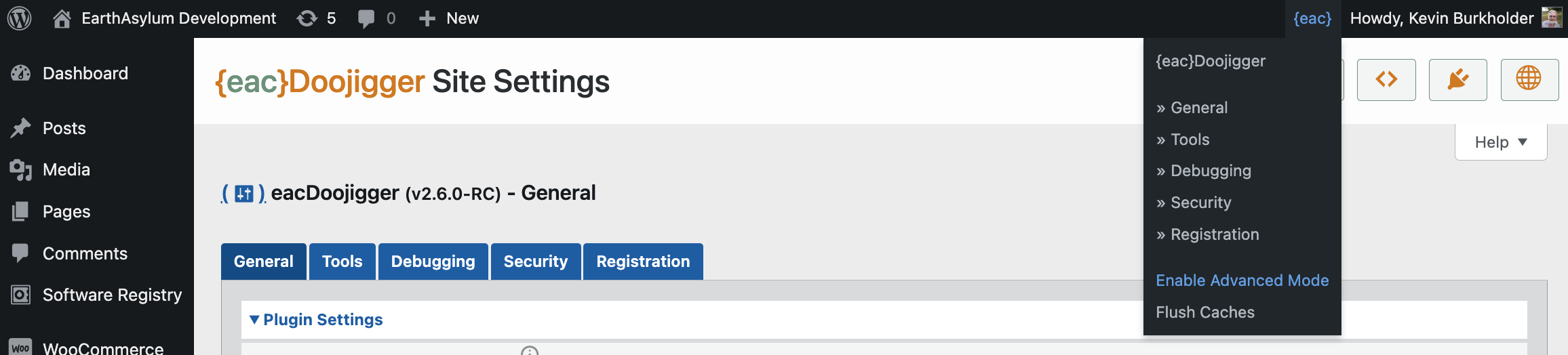
- Advanced Mode
| 'Doolollys' & 'Doodads' | Included extensions, helpers & Traits |
|---|---|
| File System Access | Uses and provides easy access to the WP_Filesystem API for creating or updating files while maintaining permissions, compatibility, and security. |
| WPMU Installer | Uses the file system extension to easily install or update programs or files within the WordPress directory structure. |
| Security | Adds a number of security/firewall options to your WordPress installation including altering the login url and adding a custom security nonce, enforcing password policies, limiting login attempts, disabling RSS/XML, limiting REST access, checking for required http headers, setting global cookie flags, and more. |
| Content Security Assistant | Adds security nonce to script and style link tags to facilitate creation of comprehensive Content Security Policy (CSP) |
| Server-Side CORS | Implements the Cross-Origin Resource Sharing protocol to allow or deny access to resources when requested from non-browser origins using the referring address or reverse DNS lookup to identify the origin. |
| Threat Detection | Ability to block access by IP address based on security and CORS violations as well as AbuseIPDB, FraudGuard, and/or IpGeoLocation threat scores. |
| Event Scheduler | Easily set and enable WordPress and custom CRON schedules (intervals), events, and tasks (actions). |
| Key/Value Storage | An easy to use, efficient, key-value pair storage mechanism for WordPress that takes advatage of the WP Object Cache. |
| Debugging | Adds powerful debugging and detailed logging tools with controls for WordPress debugging options. |
| PSR-3 Logging | Standard logging methods with ability to subscribe to log events. |
| Encryption | Adds easy to use data encryption and decryption filters using AES (a NIST FIPS-approved cryptographic algorithm) with authentication tag. |
| Cookie Compliance | Set cookies with WP Consent API compatible consent parameters for GDPR/CCPA Compliance. |
| Session Support | Manages PHP sessions using well-known session managers or through WordPress transients, with built-in support for reading/writing session variables. |
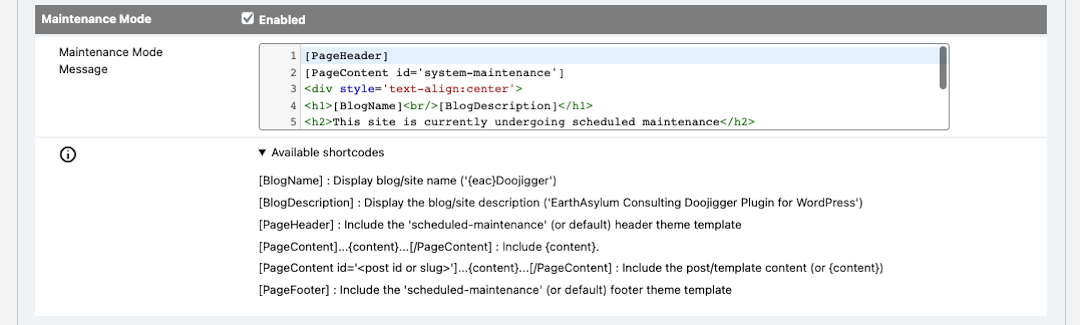
| Maintenance Mode | Enables a custom "Maintenance Mode" when you need to disable front-end access to your site(s). |
| Admin Tools | Adds cache management and plugin settings backup/restore, export/import. |
| Ajax Action | Adds an easy to use ajax responder (accessable from any extension). |
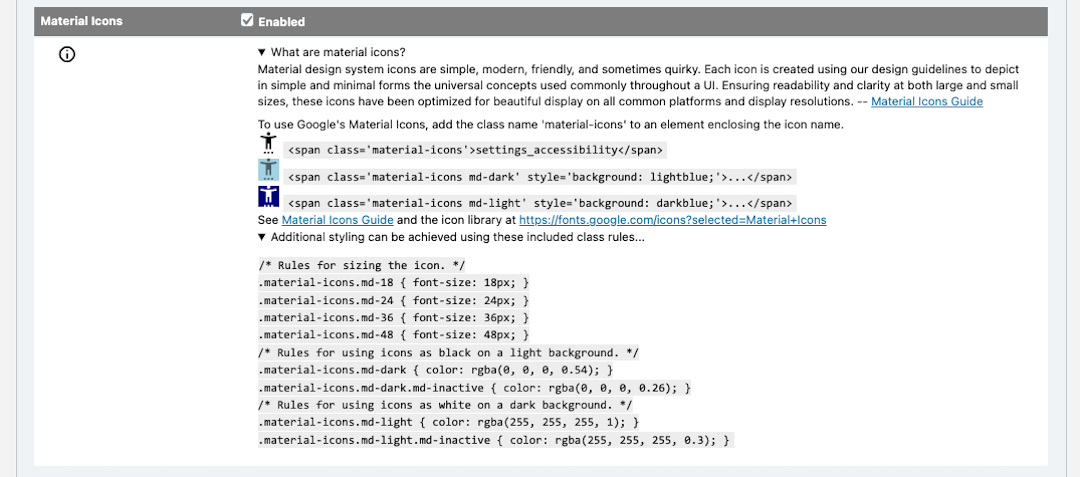
| Material Icons | Adds Google's Material Icons to WordPress. |
| shared PHP traits | Several useful, usable PHP traits such as plugin loader, plugin updater, plugin help, html input fields, standard (common) dashboard options, date/time methods, version compare methods, and zip archive. |
| Extras & Examples | { explore on github } { documentation wiki } { download zip } |
|---|---|
| myAwesomePlugin | Example, skeleton plugin derivative. Start here with your first 'Doojigger' plugin. |
| myAwesomeExtension | Example, skeleton plugin extension. Start here with your first 'Doololly' extension. |
| myFunctions | A functional skeleton 'Doohickey' (extension plugin) intended to replace (or augment) custom theme functions.php, including custom stylesheet and javascript. |
| myOptionsTest | A functional example 'Doohickey' that produces a settings screen with all input field types. Includes example input field filters and sanitization. |
| A debugging test api | Extension that provides testing via url through the debugging extension (not intended for production sites). |
| {eac}Doojigger Utilities | |
|---|---|
| {eac}DoojiggerAutoloader | The required auto-loader to automatically load {eac}Doojigger (and derivative) classes and traits. |
| {eac}DoojiggerEnvironment | The Environment Switcher to set WP environment from the network (multi-site) settings page. |
| {eac}DoojiggerActionTimer | A timer/tracking utility to track the load/execution timing of WordPress actions and filters (as well as custom events) when WordPress loads. |
| Available 'Doojiggers' | Derivative Plugins |
|---|---|
| {eac}SoftwareRegistry | A full-featured Software Registration/Licensing Server (used by {eac}Doojigger). |
| Available 'Doohickies' | Extension Plugins { WordPress Repository } |
|---|---|
| {eac}SimpleSMTP | Configure WordPress wp_mail and phpmailer to use your SMTP (outgoing) mail server when sending email. |
| {eac}SimpleAWS | Includes and enables use of the Amazon Web Services (AWS) PHP Software Development Kit (SDK). |
| {eac}SimpleCDN | Enables the use of Content Delivery Network assets on your WordPress site, significantly decreasing your page load times and improving the user experience. |
| {eac}ObjectCache | A light-weight and very efficient drop-in persistent object cache that uses a fast SQLite database and even faster APCu shared memory to cache WordPress objects. |
| {eac}Readme | Translates a WordPress style markdown 'readme.txt' file and provides shortcodes to access header lines, section blocks, or the entire document. |
| {eac}SimpleGTM | Installs the Google Tag Manager (gtm) or Google Analytics (gtag) script, sets default consent options, and enables tracking of views, searches, and, with WooCommerce, e-commerce actions. |
| {eac}MetaPixel | installs the Facebook/Meta Pixel to enable tracking of PageView, ViewContent, AddToCart, InitiateCheckout and Purchase events. |
Once {eac}Doojigger is installed and registered, you, the developer, can create your own plugin using the abstract classes and traits provided.
- First, create a simple plugin loader using your plugin class name (myAwesomePlugin.php). This is the primary plugin file and must contain the required WordPress headers; it will use the plugin_loader trait provided by {eac}Doojigger.
- Second, create your actual plugin class (myAwesomePlugin.class.php) that gets loaded by your plugin loader. This class extends the {eac}Doojigger abstract classes (abstract_context, abstract_frontend, abstract_backend) which include all of the management and utility code needed for a full-featured, full-functioning plugin.
- Third, upload and install your plugin.
Your plugin code need only focus on your particular requirements. The WordPress code and many utility functions have been taken care of for you.
See detailed instructions and examples (found in the Extras/Plugins/ folder).
An extension is a PHP program class that adds functionality to the base plugin. Extensions can be coded for specific needs and can be as simple or complex as needed.
- First, create an extension class (myAwesomeExtension.extension.php) that extends the extension abstract class (abstract_extension).
- Second, upload your extension to the plugin's 'Extensions' folder.
Custom extensions may also be uploaded to your theme folder (preferable a child theme), in the ../eacDoojigger/Extensions folder.
See detailed instructions and examples (found in the Extras/Extensions/ folder).
Since uploading extensions to the plugin or theme folder risks overwriting those extensions when upgrading or re-installing the plugin or theme, it is very easy to add extensions as their own WordPress plugin. The plugin simply answers a filter from the base plugin telling it where to load additional extensions. These extensions then exist in their own plugin folder with no risk of being overwritten.
{eac}Doojigger provides many useful methods and hooks which can be accessed from your custom plugins or extensions, as well as from your theme functions or any code in WordPress.
See:
- Using {eac}Doojigger (found in the Extras/UsingDoojigger/ folder) for details and examples,
- {eac}Doojigger PHP Reference documentation.
WordPress hosted plugins provide updating functionality automatically. Whenever a new version of a plugin is updated in the WordPress repository, update notifications are seen in your WordPress dashbord on the plugins page.
You can provide the same functionality with your externally or self hosted plugin with a few easy changes.
See Automatic Updates (found in the Extras/AutoUpdate/ folder) for more information.
To complete your plugin and improve support, provide contextual help using the {eac}Doojigger interface to standard WordPress help functions.
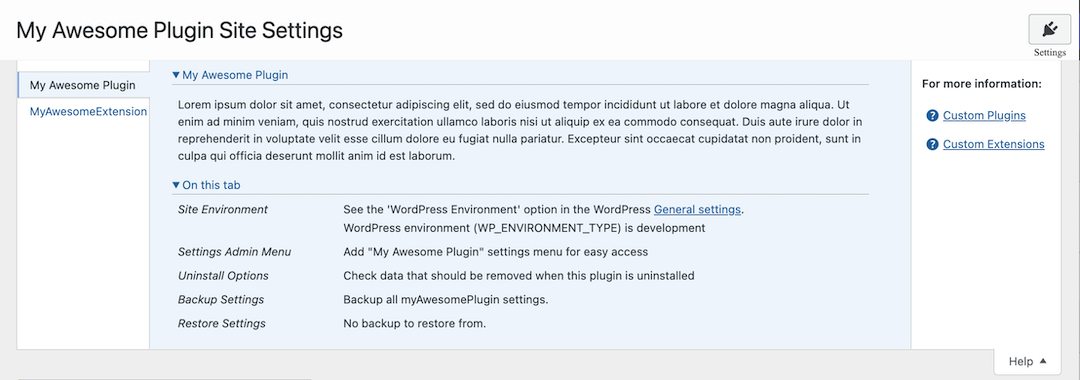
Adding contextual help to your plugin and extension is easy using the methods built into {eac}Doojigger... and when using the proper filter, you can ensure that your help content only shows on your plugin page or extension tab.
See the Contextual Help page (found in the Extras/ContextualHelp/ folder) for complete details and examples.
Advanced Mode gives developers a method to implement options or features based on an advanced mode setting (or combination of settings). {eac}Doojigger uses a menu selection and license level to enable advanced mode, but custom derivatives may use other methods to implement advanced mode.
See Implementing and Using Advanced Mode for details.
A multisite network is a collection of sites that all share the same WordPress installation core files. They can also share plugins and themes. The individual sites in the network are virtual sites in the sense that they do not have their own directories on your server, although they do have separate directories for media uploads within the shared installation, and they do have separate tables in the database.
{eac}Doojigger is well aware of multi-site/network environments where only a network administrator may install plugins and plugins may be network-activated (enabled for all sites) or site-activated (enabled for/by individual sites within the network).
{eac}Doojigger manages installation, activation, deactivation and un-installing properly based on the type of installation and activation. For example, when an {eac}Doojigger derivative plugin is network-activated, it is activated on all sites in the network. When un-installed, it is un-installed from all sites. When installed by the network administrator but not network activated, each site administrator may properly activate or de-activate the plugin.
{eac}Doojigger also manages options and transients on network installations differently than the WordPress defaults...
{eac}Doojigger makes a distinction between network installed (i.e. a plugin installed on a multisite network) and network activated (i.e. activated on all sites in a multisite network).
The WordPress +_network_option() (e.g. get_network_option()) and +_site_option() (e.g. get_site_option()) methods are essentially the same and fallback to +_option() methods (e.g. single-site get_option()) if not installed on a multisite network. As well, +_site_transient() methods fallback to +_transient() when not on a multisite network.
WordPress does not check (nor should it) for the type of plugin activation (network wide vs. individual site).
{eac}Doojigger methods are different...
$this->+_network_option()($this->get_network_option()) methods only work on a multi-site installation when the plugin was network activated and do nothing (return default value) on a single-site activation.$this->+_site_option()methods only use network methods if the plugin was network activated on a multi-site installation, otherwise these methods fallback to+_option()(single-site) methods.$this->+_site_transient()methods only use network methods if the plugin was network activated or if invoked by the network administrator, otherwise these methods fallback to+_transient()(single-site) methods.
These are important differences and help make managing options and transients more effective in a network environment.
To illustrate these differences, if we run this code:
\add_option('my_test_option','my test');
\add_network_option(null,'my_test_option','my network test');

$this->add_option('my_test_option','my test');
$this->add_network_option('my_test_option','my network test');
We get this...
| 'get' option | Single site installation | Site activated | Network activated |
|---|---|---|---|
get_option() |
'my network test' | 'my test' | 'my test' |
get_network_option() |
'my network test' | 'my network test' | 'my network test' |
get_site_option() |
'my network test' | 'my network test' | 'my network test' |
$this->get_option() |
'my test' | 'my test' | 'my test' |
$this->get_network_option() |
false | false | 'my network test' |
$this->get_site_option() |
'my test' | 'my test' | 'my network test' |
Add this code:
\add_site_option('my_test_option','my site test');
$this->add_site_option('my_test_option','my site test');
And we get this...
| 'get' option | Single site installation | Site activated | Network activated |
|---|---|---|---|
get_option() |
'my site test' | 'my test' | 'my test' |
get_network_option() |
'my site test' | 'my site test' | 'my site test' |
get_site_option() |
'my site test' | 'my site test' | 'my site test' |
$this->get_option() |
'my site test' | 'my test' | 'my test' |
$this->get_network_option() |
false | false | 'my site test' |
$this->get_site_option() |
'my site test' | 'my site test' | 'my site test' |
In short,
- use
$this->add_option()to add an option only used for an individual site. - use
$this->add_network_option()to add an option only used when network activated on a multi-site installation. - use
$this->add_site_option()to add an option used either for a single site or network-wide (all sites) when network activated.
| Method Name | Description |
|---|---|
$this->is_network_enabled() |
Returns true if plugin is network-enabled |
$this->forEachNetworkSite( $callback, ...$arguments ) |
Execute $callback on each active site in a network |
$this->switch_to_blog( $new_blog_id ) |
Switch the current WordPress blog |
$this->restore_current_blog() |
Restore the current blog, after calling switch_to_blog() |
* use $this->is_network_enabled() to determine if the plugin is network activated. Extensions may use $this->is_network_enabled() to determine if the extension is enabled at the network level or $this->plugin->is_network_enabled() to determine if the plugin is network activated.
Using $this->switch_to_blog() and $this->restore_current_blog() over the corresponding WordPress functions ensures that options are correctly saved and loaded for the switched-from/to blogs.
{eac}Doojigger should be Network Activated on multi-site installations. Individual extensions and options may be configured on each site.
doojigger (n)
- Something unspecified whose name is either forgotten or not known.
- A Wordpress Plugin built with {eac}Doojigger.
doololly (n)
- Any nameless small object, typically some form of gadget.
- An extension to a Doojigger plugin.
doohickey (n)
- A thing (used in a vague way to refer to something whose name one does not know or cannot recall).
- A plugin used to load a Doololly extension.
doodad (n)
- Something, especially a small device or part, whose name is unknown or forgotten.
- A helper or trait included with a Doojigger plugin.
'Doojiggers' and 'Doohickeys' (plugins) have their own activation and deactivation processes whereas 'Doolollys' (extensions) are activated or deactivated along with their parent 'Doojigger'. 'Doohickeys' remain active but perform no function if their parent 'Doojigger' is deactivated.
{eac}Doojigger is the ancestrial parent of all 'Doojiggers', 'Doolollys', and 'Doohickeys'.
Information on building with and using {eac}Doojigger
- {eac}Doojigger Derivatives
- {eac}Doojigger Extensions
- {eac}Doojigger Options & Settings
- {eac}Doojigger Automatic Updates
- {eac}Doojigger Contextual Help
{eac}Doojigger Information and Examples
'Doohickeys' (plugins) and 'Doolollys' (extensions) built with {eac}Doojigger
-
{eac}SoftwareRegistry A full-featured Software Registration/Licensing Server built on {eac}Doojigger.
-
{eac}SimpleGTM Installs and configures the Google Tag Manager (GTM) or Google Analytics (GA4) script with optional tracking events.
-
{eac}SimpleSMTP An {eac}Doojigger extension to configure WordPress wp_mail and phpmailer to use your SMTP (outgoing) mail server when sending email.
-
{eac}SimpleAWS An {eac}Doojigger extension to include and enable use of the Amazon Web Services (AWS) PHP Software Development Kit (SDK).
-
{eac}SimpleCDN An {eac}Doojigger extension to enable the use of Content Delivery Network assets on your WordPress site, significantly decreasing your page load times and improving the user experience.
-
{eac}ObjectCache A light-weight and very efficient drop-in persistent object cache that uses a fast SQLite database and even faster APCu shared memory to cache WordPress objects.
-
{eac}Readme An {eac}Doojigger extension to translate a WordPress style markdown 'readme.txt' file and provides shortcodes to access header lines, section blocks, or the entire document.
-
{eac}MetaPixel An {eac}Doojigger extension to install the Facebook/Meta Pixel to enable tracking of PageView, ViewContent, AddToCart, InitiateCheckout and Purchase events.
-
{eac}KeyValue An easy to use, efficient, key-value pair storage mechanism for WordPress that takes advatage of the WP Object Cache. Similar to WP options/transients with less overhead and greater efficiency (and fewer hooks).
Due to the nature of this plugin, it is NOT available from the WordPress Plugin Repository and can not be installed from the WordPress Dashboard » Plugins » Add New » Search feature.
Installation of this plugin can be managed from the WordPress Dashboard » Plugins » Add New page. Click the [Upload Plugin] button, then select the eacDoojigger.zip file from your computer.
See Managing Plugins -> Upload via WordPress Admin
You can install the plugin manually by extracting the eacDoojigger.zip file and uploading the 'eacDoojigger' folder to the 'wp-content/plugins' folder on your WordPress server.
See Managing Plugins -> Manual Plugin Installation
On activation, custom tables and default settings/options are created. Be sure to visit the 'Settings' page to ensure proper configuration.
{eac}Doojigger should be Network Activated on multi-site installations.
Updates are managed from the WordPress Dashboard » 'Plugins' » 'Installed Plugins' page. When a new version is available, a notice is presented under this plugin. Clicking on the 'update now' link will install the update; clicking on the 'View details' will provide more information on the update from which you can click on the 'Install Update Now' button.
When updated, any custom tables and/or option changes are applied. Be sure to visit the 'Settings' page.
On deactivation, the plugin makes no changes to the system but will not be loaded until reactivated.
When uninstalled, the plugin will delete custom tables, settings, and transient data based on the options selected in the general settings. If settings have been backed up, the backup is retained and can be restored if/when re-installed. Tables are not backed up.
Since version 2, {eac}Doojigger has been meticulously updated to provide not only new features and efficiencies, but many other improvements, including stability and reliability. The code base of {eac}Doojigger has been in proprietary use (and in development) over several years and on several websites. However, there is a nearly infinte number of website configurations and uses that can't possibly be tested. If you run into any issues, problems, bugs or simply change requests, I'd be more than happy to address them and to work with you.
- creating a derivative plugin
- creating a custom extension
- defining and using options & settings in my plugin or extension
- providing automatic updates for my plugin
- providing contextual help for my plugin or extension
- using features of {eac}Doojigger
The {eac}Doojigger Extras (now at this Github Repository) includes examples and documentation:
{EarthAsylum Consulting} is a one-person consulting agency in business since 2005. I have some 30 years experience in technology and software development for a disperse range of businesses.
Currently, and for the last decade or more, my focus has been on internet-based business software & technology management.
In developing {eac}Doojigger, and other plugins based on it, I hope to maintain a small revenue stream to help keep me going.
To that end, your support and sponsorship are greatly appreciated. It will enable me to continue developing quality software and provide support to current and future clients (and to enjoy a cup of coffee occasionally).
It's not just a job, it's a hobby, a craft, a passion, and an art.
Learn more here...
Thank you! Kevin Burkholder
-
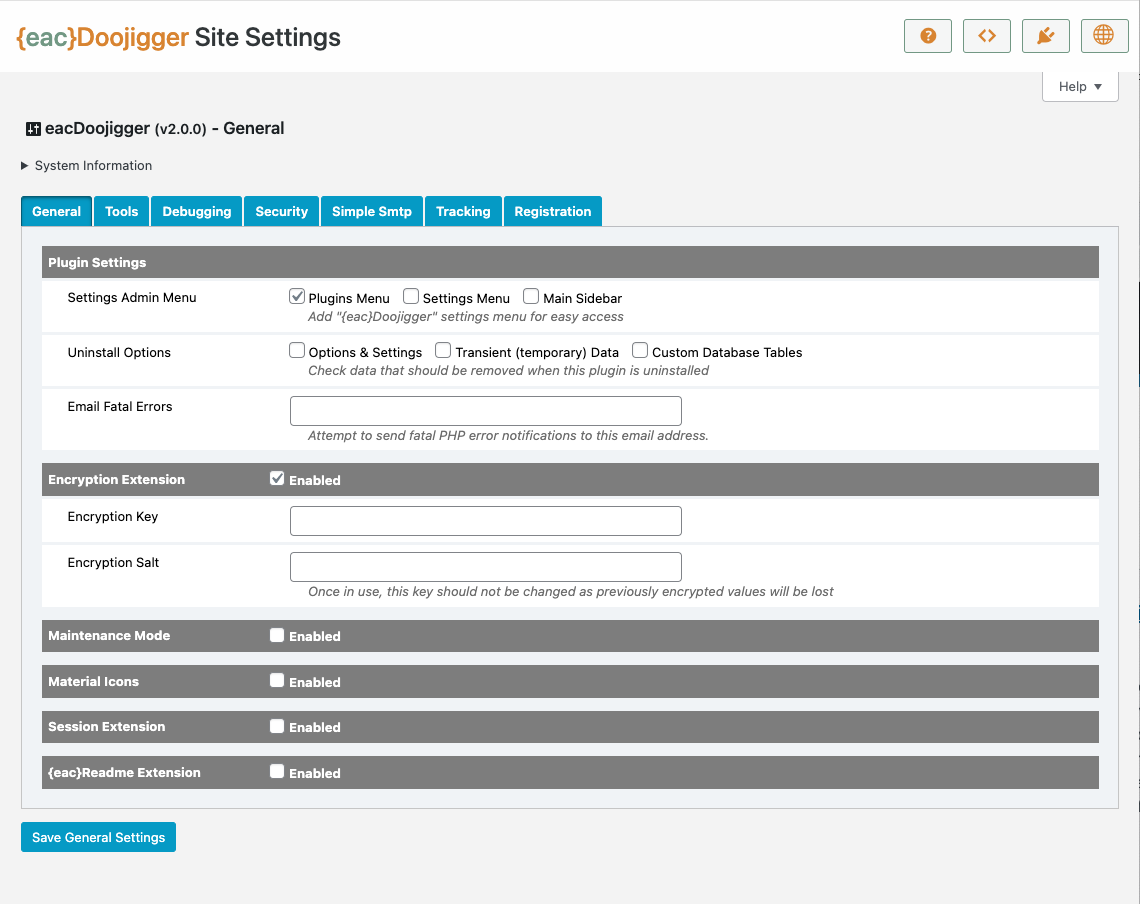
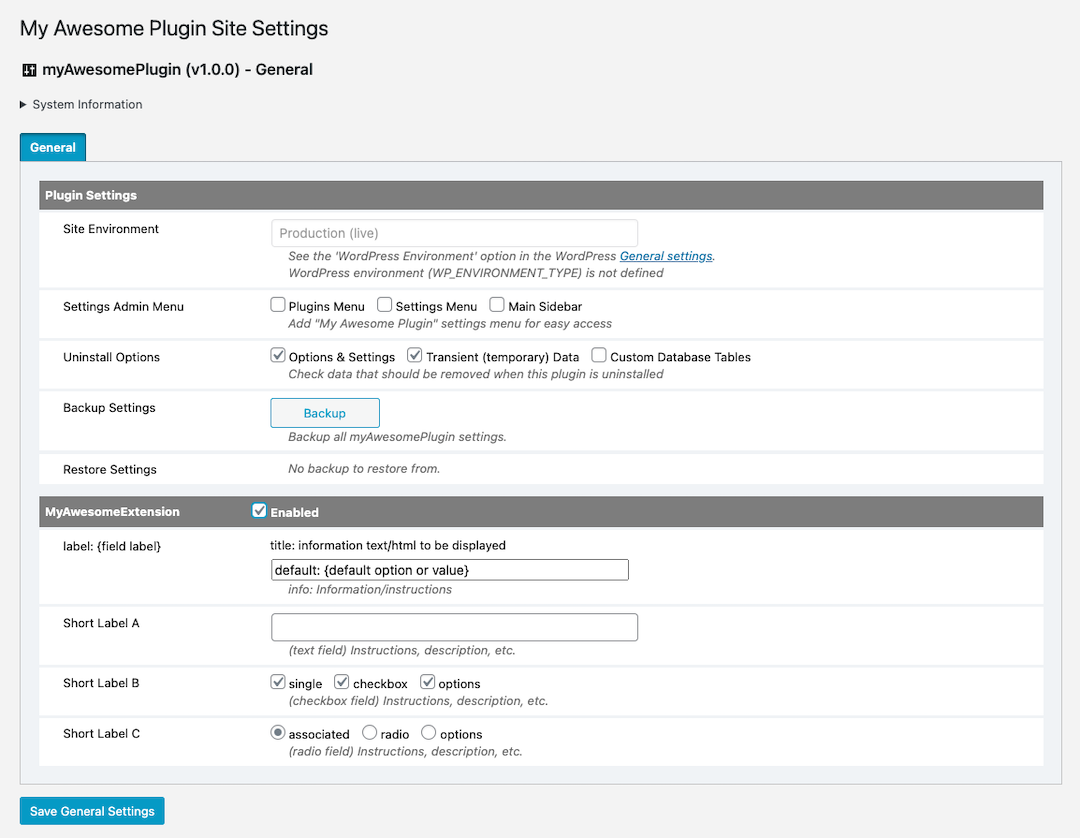
General settings
-
Tools settings
-
Debugging settings
-
Security settings
-
Advanced Mode Menu
-
My Awesome Plugin with My Awesome Extension
-
My Awesome Plugin Contextual Help

As of version 3.0, PHP 7 is no longer supported; {eac}Doojigger requires PHP 8.1+
This is proprietary, copyrighted software.
-
Title to the Software will remain the exclusive intellectual property of EarthAsylum Consulting.
-
You, the customer, are granted a non-exclusive, non-transferable, license to access, install, and use this software in accordance with the license level affirmed.
-
You are not permitted to share, distribute, or make available this software to any third-party.