The link to the YouTube introduction
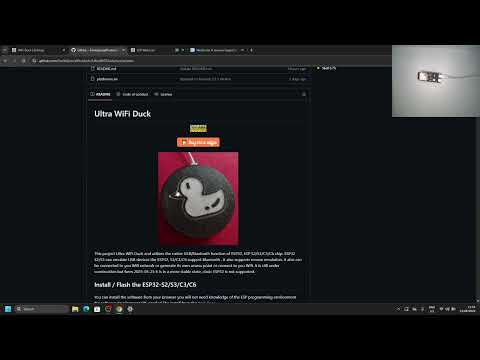



This project Ultra WiFi Duck and utilizes the native USB/Bluetooth function of ESP32, ESP S2/S3/C3/C6 chip. ESP32 S2/S3 can emulate USB devices the ESP32, S3/C3/C6 support Bluetooth . It also supports mouse emulation. It also can be connected to you Wifi network or generate its own access point or connect to you Wifi. It is still under construction but form 2025-05-25 it is in a more stable state, clasic ESP32 is not supported.
You can install the software from your browser you will not need knowledge of the ESP programming environment No software development IDE needed The install from the Web Page https://emilespecialproducts.github.io/UltraWiFiDuck/upload.html
You will need to select the Flash size 4/8/16Mb.
I recommend a ESP32-S3 that has a USB/Bluetooth and COM port for software installation and RGB led.
The ESP32-S2-mini has 4Mb But you will have 2Mb for scripts and USB emulation
The ESP32-C3/C6 has only Bluetooth
You can also add a 2812b led strip up to 144 Leds, and config the GPIO pin from the GUI Settings Page.
| Device | USB | Bluetooth | Description |
|---|---|---|---|
ESP32-S3 |
Yes |
Yes |
Best device for the job |
ESP32-S2 |
Yes |
No |
|
ESP32-C3 |
No |
Yes |
|
ESP32-C6 |
No |
Yes |
|
ESP32 |
No |
Yes |
Not Supported |
- Ultra WiFi Duck
Ultra WiFi Duck: This open-source project aims to provide a user-friendly tool to learn about keystroke injection attacks and Mouse emulation.
By emulating a USB/Bluetooth keyboard and mouse, tools like this can gain full access to any computer with a USB/Bluetooth port in a matter of seconds!
This is made possible by the fact that keyboards are trusted by computers. You can have full control over a computer with just a keyboard.
A UltraWiFiDuck pretends to be a keyboard to the computer to send keystrokes.
But unlike a human, it can type hundreds of characters per second.
By using a simple scripting language, it's easy to make UltraWiFiDuck type whatever you want.
With the Ultra WiFi Duck, you can simply connect via WiFi to manage all scripts, or connect to your WiFi network from within a web interface. This means that, unlike other tools, you don't need to install an app, log in, compile or copy scripts to an SD card.
As the UltraWiFiDuck is also a web server you can put custom web pages/script on the internal memory and make some custom buttons.
-
Install the software on this Web Page
-
Connect to the open WiFi network
UltaWiFiduckno password
-
Open a browser and visit 192.168.4.1 or http://UltraWiFiDuck.local
-
You can add your network setting in the setting page
-
Write, save and run your first Ducky Script or have a look that the Payloads

Help I forgot the password:
Just flach the ESP from the Web Page.
for the ESP32S2/S3 you will need to boot using the Boot button.
If you have further questions, check out the issue section.
Key on one line are pressed and released one by one and an at the end of the line Commands are at the begin of a line and are in CAPITOL To write text, that does not need a enter use the STRING function.
| Example | Explanation |
|---|---|
| WINDOWS r | Press the Windows key and then press the r key and release it |
| STRING WINDOWS r | Write WINDOWS r |
| Command | Example | Description |
|---|---|---|
REM |
REM Hello World! |
Comment |
DEFAULTDELAY or DEFAULT_DELAY |
DEFAULTDELAY 200 |
Time in ms between every command |
DELAY |
DELAY 1000 |
Delay in ms |
STRING |
STRING Hello World! |
Types the following string |
LOCALE |
LOCALE DE |
Sets the keyboard layout. List |
KEYCODE |
KEYCODE 0x02 0x04 |
Types a specific key code (modifier, key1[, ..., key6]) in decimal or hexadecimal |
LED |
LED 40 20 10 |
Changes the color of the LED in decimal RGB values (0-255) up to 144 Leds |
MOUSE CLICK |
This is give a mouse click | |
MOUSE 10 10 |
This is move the mouse x y weel pan | |
RESTART |
This will restart the script | |
ENDSCRIPT |
This will end the script at this point |
| Key |
|---|
a - z |
A - Z |
0 - 9 |
\F1 - \F24 |
\NUM_0 - \NUM_9 \NUM_ASTERIX \NUM_ENTER \NUM_MINUS \NUM_DOT \NUM_PLUS |
\MENU \APP \DELETE \HOME \ENTER \n \INSERT \PAGEUP \PAGEDOWN \ARROWUP \ARROWDOWN \ARROWLEFT \ARROWRIGHT |
\ARROW_U \ARROW_D \ARROW_L \ARROW_R \TAB \t \END \ESC \ESCAPE \SPACE \PAUSE \BREAK \PRINTSCREEN |
\SCROLLLOCK \\ |
\CAPSLOCK \NUMLOCK \CAPSLOCKON \NUMLOCKON \CAPSLOCKOFF \NUMLOCKOFF |
\POWER \SLEEP \WAKE only works for USB |
| Key |
|---|
\CTRL \CONTROL \CONTROLLEFT \CONTROLRICHT |
\SHIFT \SHIFTLEFT \SHIFTRICHT |
\ALT \ALTLEFT \ALTRICHT |
\WINDOWS \GUI \GUILEFT \GUIRICHT \WINDOWSLEFT \WINDOWSRICHT |
| Key |
|---|
\MUTE \VOLUMEUP \VOLUMEDOWN \VOLUME+ \VOLUME- |
\POWER \SLEEP \WAKE This will only work on USB connection |
\OSSLEEP \OSPOWER Will not working on Windows |
You can find example script in the payloads folder
REM Hello World for Windows PCs
DEFAULTDELAY 200
GUI r
STRING notepad
\ENTER
STRING Hello World!
REM This will lock a PC and display a full screen lock screen
GUI r
DELAY 1000
STRING https://emilespecialproducts.github.io/UltraWifiDuck/web/lock.htm
\ENTER
DELAY 1000
\F11
The command line interface or CLI is accessible using a serial terminal connection to the ESP (115200 baud, Newline ending) or via the API See PowerShell.
You can run a CLI command remote from a powershell script This will run the /mouse script
Invoke-WebRequest -URI "http://UltraWiFiDuck.local/run?cmd=run mouse"
Invoke-WebRequest -URI "http://UltraWiFiDuck.local/run?cmd=stop mouse"
This will get the status of the UltraWiFiDuck
Invoke-WebRequest -URI "http://UltraWiFiDuck.local/run?cmd=status"
You can find some more examples in the PowershellTestScript.ps1
Upload using linux CURL
curl -X POST -F "data=$(printf "GUI r\nnotepad\nHello");filename=test123.txt;type=application/octet-stream" http://UltraWiFiDuck.local/upload
More examples are in the curlTestScript.sh file
| Command | Description | Example |
|---|---|---|
| help | Returns all available commands | help |
| ram | Returns available memory in bytes | ram |
| version | Returns version number | version |
| settings | Returns list of settings | settings |
| set -n/ame -v/alue | Sets value of a specific setting | set ssid "why fight duck" |
| reset | Resets all settings to their default values | reset |
| status | Returns status | status |
| run <...> | Starts executing a Ducky script | run example.txt |
| stop <...> | Stops executing a Ducky script | stop example.txt |
| Command | Description | Example |
|---|---|---|
| mem | Returns available, used and free memory of LittleFS in bytes | mem |
| format | Formats LittleFS | format |
| ls <...> | Returns list of files | ls / |
| create <...> | Creates file | create example.duck |
| remove <...> | Deletes file | remove example.duck |
| cat <...> | Returns content of file | cat example.duck |
| rename -fileA,a -fileB,b | Renames file | rename example.duck example.txt |
You can debug the software when using the OTA version as this will also print all the debug information to the serial port. To debug / Develop the HTML/JS files just upload the file to the LittleFS. If the files are on the LittleFS it will use these files instead of the HTML/JS files from the Flash ROM. If you did really messed up you just can delete them using the PowerShell/CURL commands. Invoke-WebRequest -URI "http://UltraWiFiDuck.local/run?cmd=remove index.html" or curl -X POST "http://UltraWiFiDuck.local/run?cmd=remove%20index.js"
To develop you can best use the "esp32-s3-devkitc-8MB-OTA" as this will support USB and Bluetooth
The file html_xxxxx.h are the webpages that you can edit. But best to upload them to the LittleFS firts and test and then replace the Flash/ROM files.
Currently supported keyboard layouts: NONE, US , US-INT , BG ,ES, DE , FR
But you can enter the UFT8 characters and they will be typed using the and Unicode on the numberpad
LOCALE DE
STRING !"#$%&'()*+,-./0123456789:;<=>?@ABCDEFGHIJKLMNOPQRSTUVWXYZ[]^_abcdefghijklmnopqrstuvwxyz{|}~²³äöüÄÖÜ߀°§`
\ENTER
This tool is intended to be used for testing, training, and educational purposes only.
Never use it to do harm or create damage!
The continuation of this project counts on you!
This software is licensed under the MIT License. See the license file for details.
Software libraries used in this project:
- Arduino
- Neopixel Library
- ESPAsyncTCP
- ESPAsyncWebServer
- NimBLE
- Callback
- ESP32-BLE-CompositeHID but then the fork ESP32-BLE-CompositeHID
As this is a Fork from spacehuhn.com github
