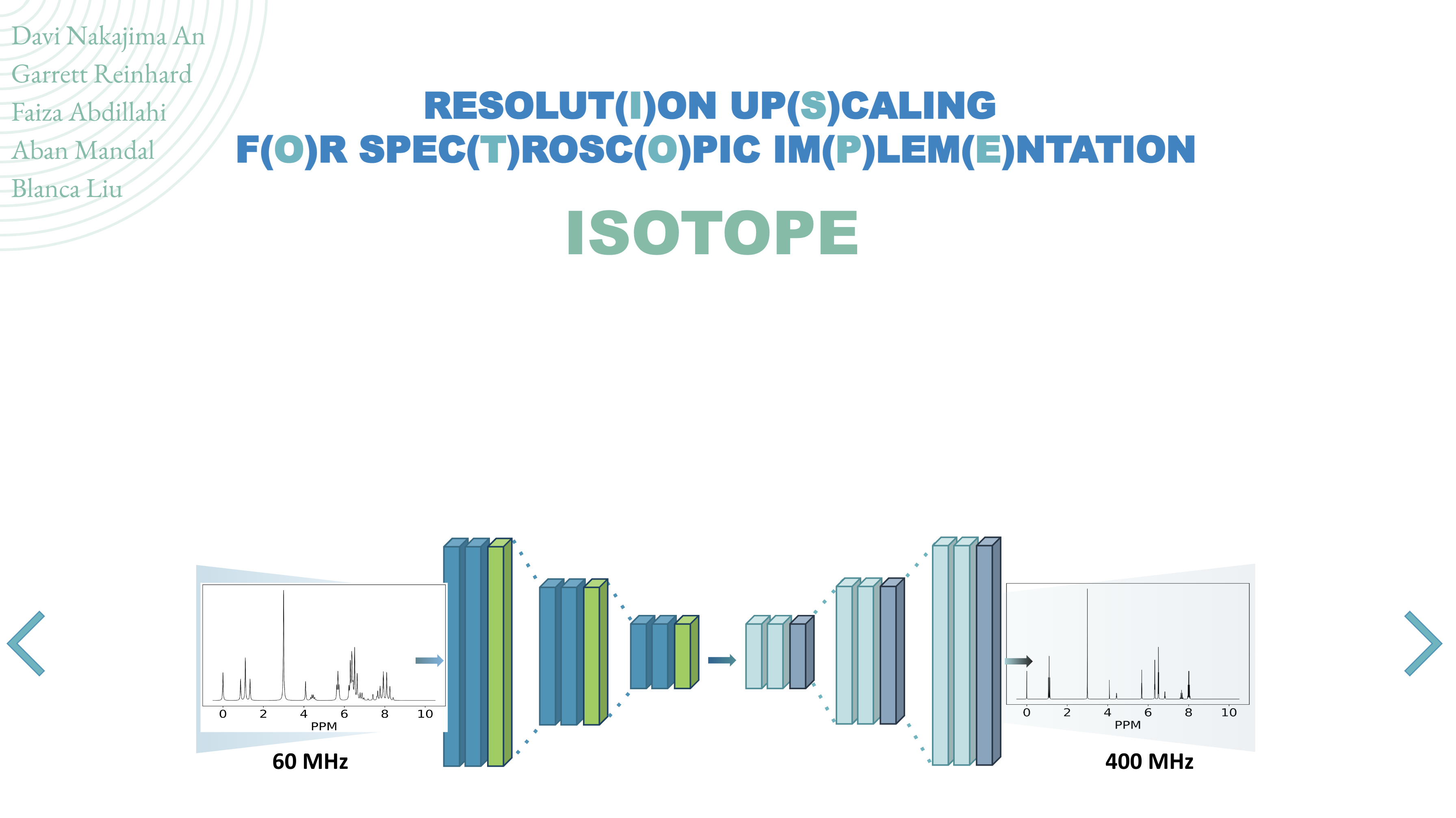
Read it at: project_plans/Airforce_VV.pdf
Using isotope.yml, create a copy of the python environment with required packages to run all code
- If using Anaconda or Miniconda, you can run:
conda env create -f isotope.yml
- Conda activate your environment (look at the section above)
- Run the
preprocessing/nmrgenerate.pyscript with the following custom command line flags:
- --low_resolution [default=60]: the lower resolution spectrum frequency
- --high_resolution [default=400]: the higher resolution spectrum frequency
- --num_spec [default=100]: The number of spectra samples to generate
- --data_dir [default=./data]: the directory to save the data
- Look at
nmrgenerate.shfor an example of how to run the script
- Conda activate your environment (look at the section above)
- Run the
train.pyscript with the following custom command line flags:
- --model_name [default=mlp]: what model to use. You can look at available models in the
models.pyfile. - --num_epochs [default=30]: how many epochs to train the model
- --high_resolution_frequency [default=400]: the higher resolution spectrum frequency of the dataset
- --data_dir [default=./data]: directory that contains the generated NMR data
- --random_key [default=12345]: a random seed integer for reproducibility
- --train_split [default=0.7]: The fraction of the entire dataset to use for training
- --valid_split [default=0.15]: The fraction of the entire dataset to use for validation
- --save_dir [default=./results]: directory to save results
- Look at
train.shfor an example of how to run the script
- Once you've run the
train.pyscript, you'll notice that results for the model name will be generated on thesave_dirspecified. The files saved include:- best_model.pt: the best model weights + epoch number + average validation loss + model hyperparameters
- loss_curves.pt: the loss_curves (training and validation )for the training run
- predictions.pt: the predictions for each test set spectra
- You can find an example of how to visualize these results here:
noteboks/visualize_results.ipynb
You can either:
- Change the model parameters in
model_parameters.pyfor each of the already implemented models (easiest). - Implement your own model in
models.pyand put your class initialization parameters into thename2paramsdictionary inmodel_parameters.py. Then you should add the model class spec + name into thename2modeldictionary inmodels.py.
We included unittests to the base model development implementation. You can run them with the following commands:
pytest test/test_datasets.pyShould return something like:
====================================== test session starts =======================================
platform darwin -- Python 3.6.12, pytest-6.2.4, py-1.11.0, pluggy-0.13.1
rootdir: /Users/davinan/Dropbox/classes/dscience/NMR_Upscale_UW_DIRECT
collected 1 item

test/test_datasets.py .                                                                    [100%]

======================================= 1 passed in 3.98s ========================================
pytest test/test_train.pyShould return something like:
====================================== test session starts =======================================
platform darwin -- Python 3.6.12, pytest-6.2.4, py-1.11.0, pluggy-0.13.1
rootdir: /Users/davinan/Dropbox/classes/dscience/NMR_Upscale_UW_DIRECT
collected 4 items

test/test_train.py ....                                                                    [100%]

======================================= 4 passed in 8.12s ========================================
pytest test/test_models.pyShould return something like:
====================================== test session starts =======================================
platform darwin -- Python 3.6.12, pytest-6.2.4, py-1.11.0, pluggy-0.13.1
rootdir: /Users/davinan/Dropbox/classes/dscience/NMR_Upscale_UW_DIRECT
collected 3 items

test/test_models.py ...                                                                    [100%]

======================================= 3 passed in 0.94s ========================================
We also included some exploratory approaches + hyperparameter optimization code in the exploratory/ directory. It includes notebooks that generate data and even our initial tests with using Generative Adversarial Networks (GANs) to our problem.