Desktop tool for generating, previewing, and exporting synthetic seismic waveforms — purpose-built for calibrating bass-shaker test rigs and validating the GeoShake firmware's STA/LTA earthquake detector.




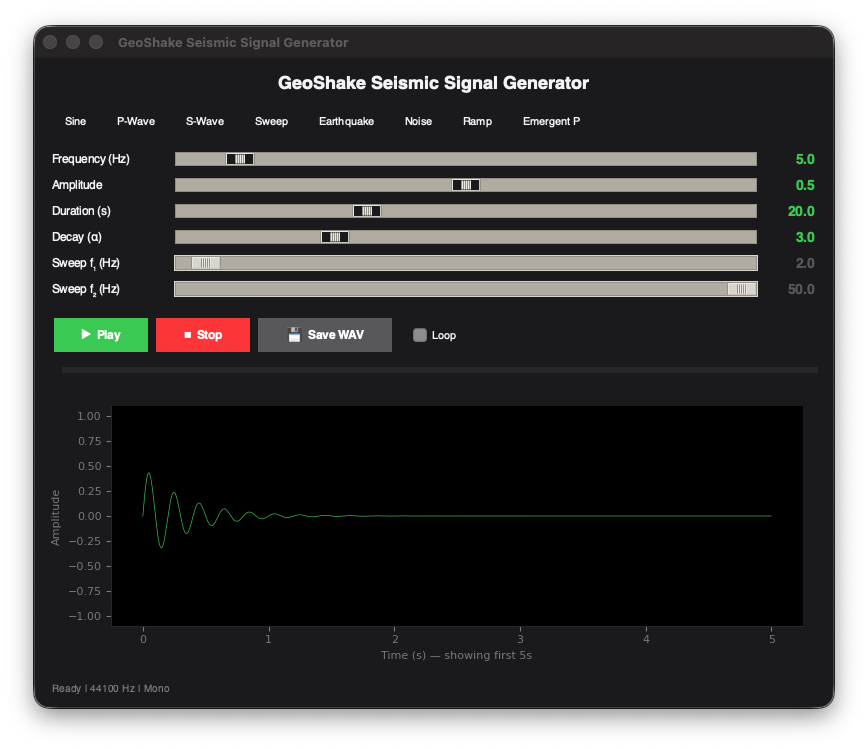
The Seismic Signal Generator is a desktop GUI application that produces realistic seismic test signals as audio waveforms. These signals drive a bass shaker physically coupled to a GeoShake sensor, enabling end-to-end validation of the firmware's Allen Characteristic Function and STA/LTA detection pipeline — without needing a real earthquake.
Traditional seismic testing requires either expensive shake tables or waiting for naturally occurring events. This tool closes the gap by synthesizing geophysically accurate waveforms (P-waves, S-waves, surface waves, ambient noise) that can be played through a standard audio output to excite a bass shaker. The result is a repeatable, controllable seismic stimulus ideal for:
- Threshold calibration — finding the exact STA/LTA ratio at which the Allen CF triggers
- False-positive rejection — verifying the detector ignores traffic rumble, HVAC hum, and footsteps
- Phase detection validation — confirming correct identification of P-wave vs. S-wave arrivals
- Regression testing — re-running identical waveforms after firmware changes
| Mode | Description | Key Parameters | Use Case |
|---|---|---|---|
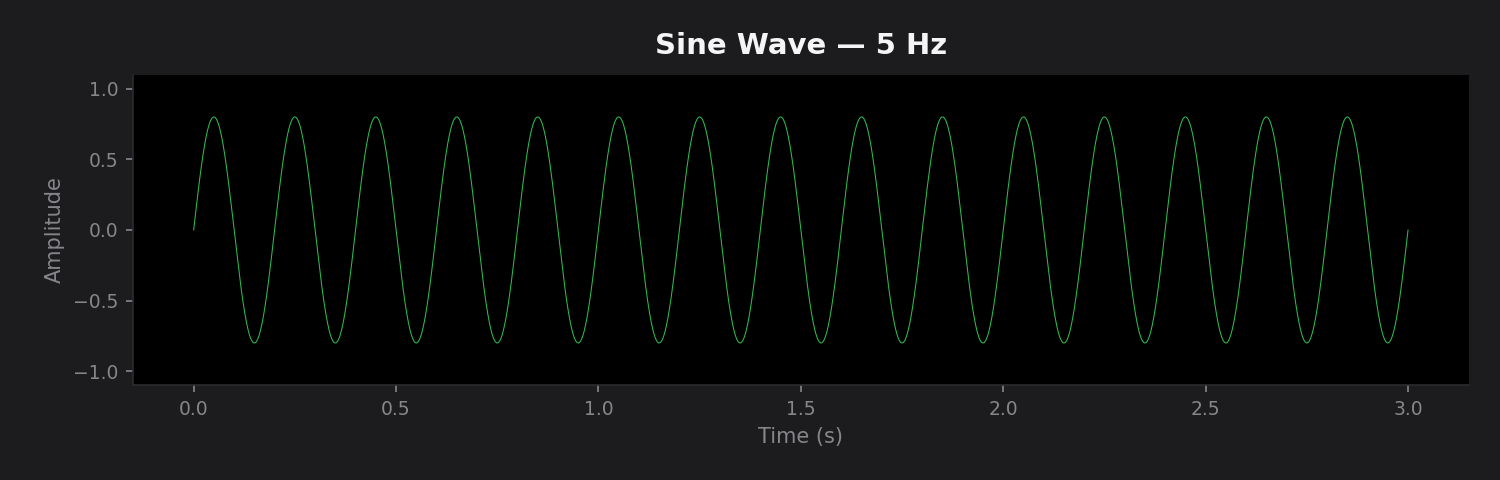
| Sine | Fixed-frequency sine wave | Frequency, Amplitude, Duration | Resonance mapping, basic shaker response |
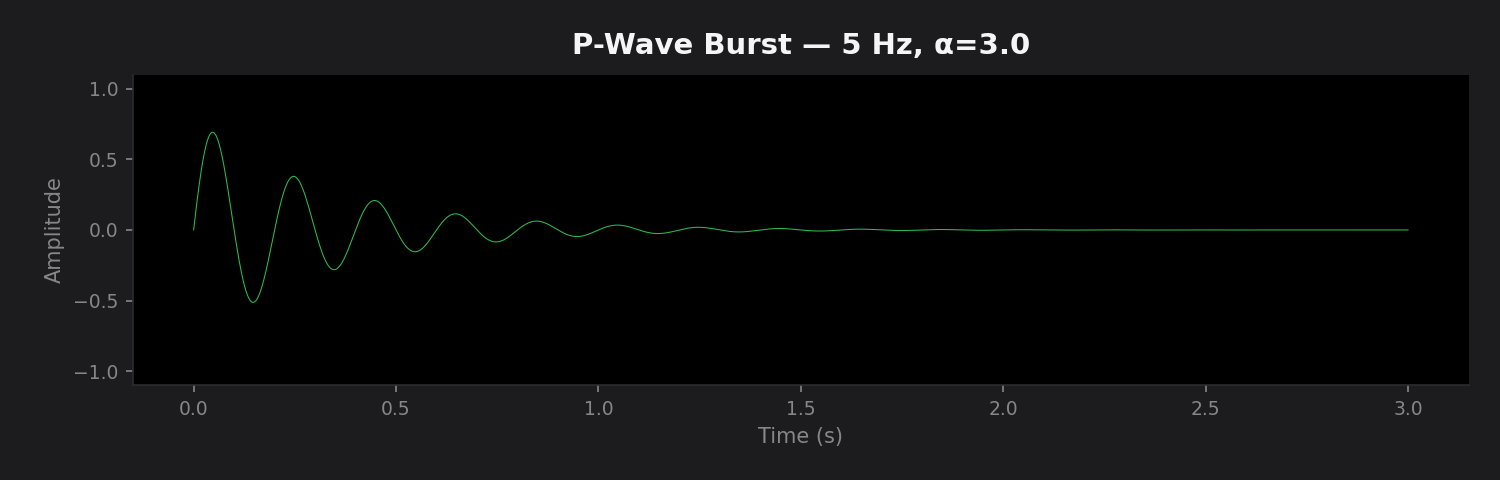
| P-Wave | Exponentially damped high-frequency burst | Frequency, Amplitude, Decay α | Primary wave detection testing |
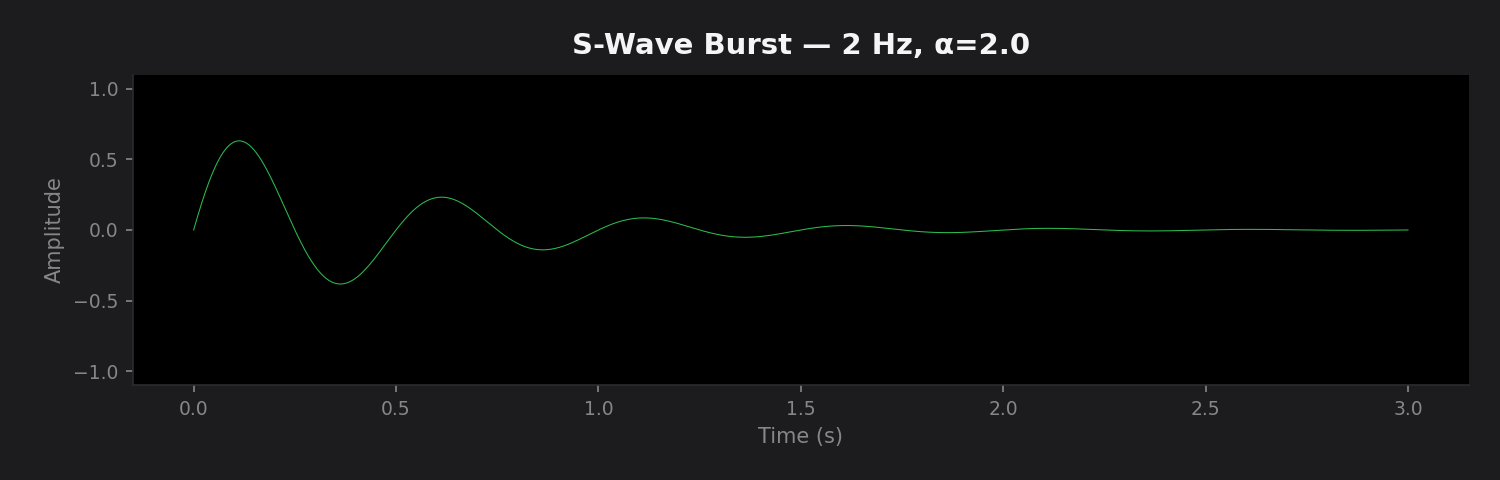
| S-Wave | Lower frequency damped burst | Frequency, Amplitude, Decay α | Secondary wave arrival validation |
| Sweep | Linear frequency chirp (f₁ → f₂) | Start freq, End freq, Amplitude | Shaker frequency response profiling |
| Earthquake | Composite synthetic quake (P + S + surface + noise) | Amplitude, Duration | Full pipeline end-to-end testing |
| Noise | Ambient noise (traffic, HVAC hum, footstep impulses) | Amplitude, Duration | False-positive rejection testing |
| Ramp | Linearly increasing amplitude sine | Frequency, Amplitude, Duration | STA/LTA trigger threshold calibration |
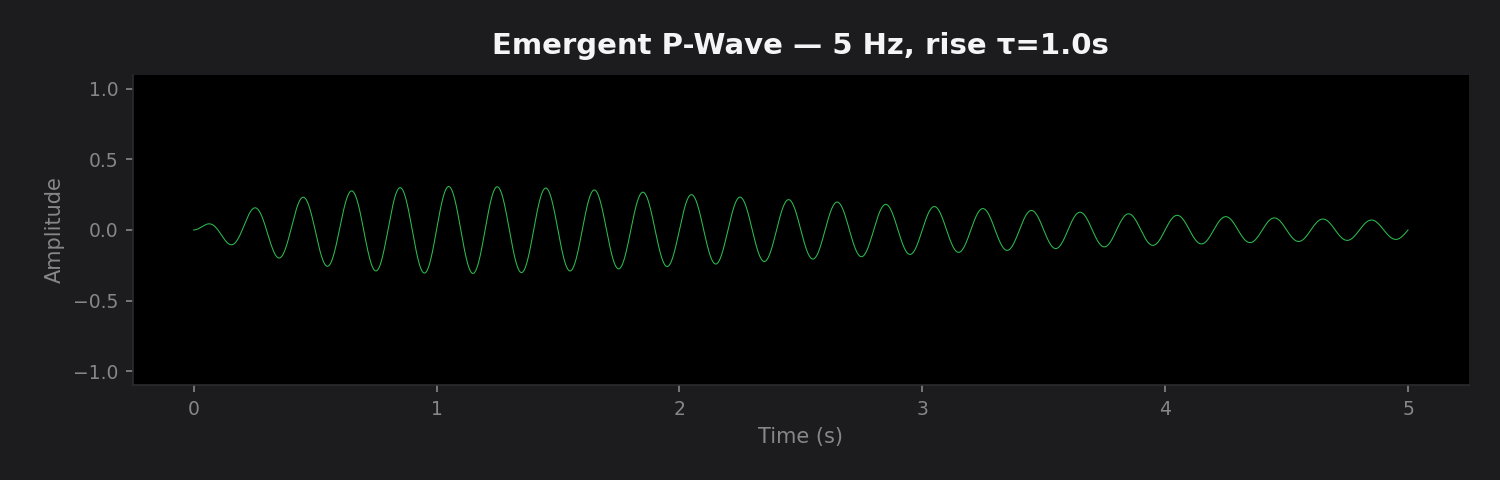
| Emergent P | Gradual-onset P-wave with slow rise envelope | Frequency, Rise time, Amplitude | Slow-onset detection edge case testing |
The Earthquake mode generates a geophysically structured waveform:
0%────7%────17%────27%────50%────77%────100%
 noise  P-wave  S-wave onset  Surface     Damping
               (5 Hz)  (2 Hz)  (1.5 Hz)    fade-out
- P-wave (7–17%): 5 Hz, 30% amplitude, decay α = 1.5
- S-wave (17–50%): 2 Hz, 80% amplitude, decay α = 0.6
- Surface waves (27–77%): 1.5 Hz, 100% amplitude, decay α = 0.4
- Damping tail (77–100%): Linear fade to zero
- Background noise: Gaussian with σ = 0.01 throughout
🔊 Click to expand all waveform previews
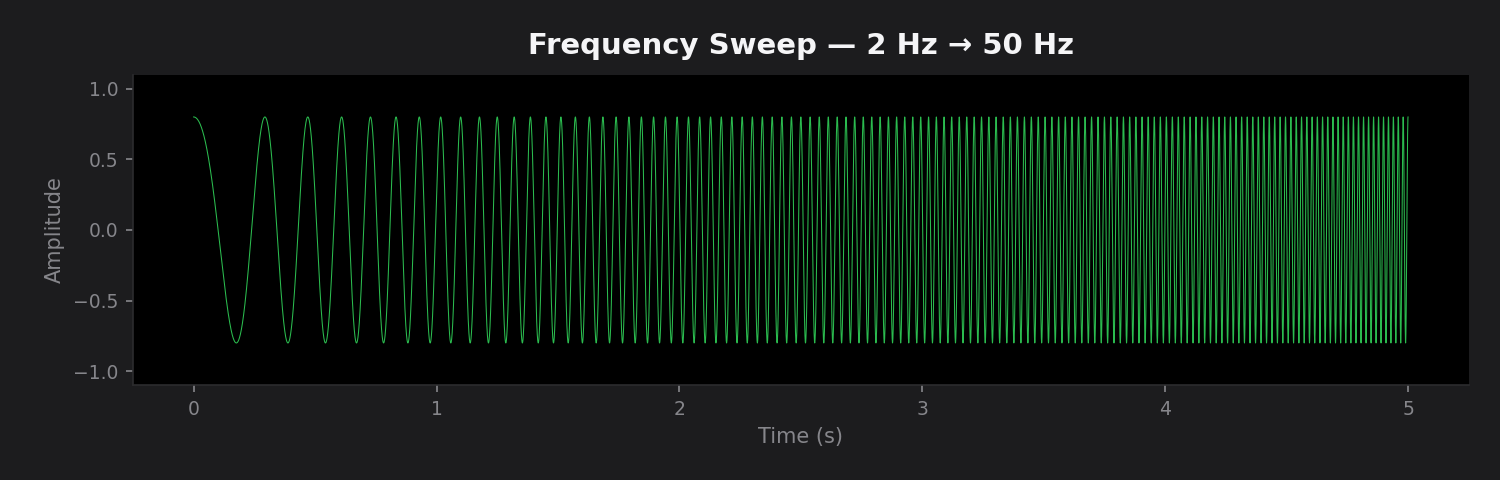
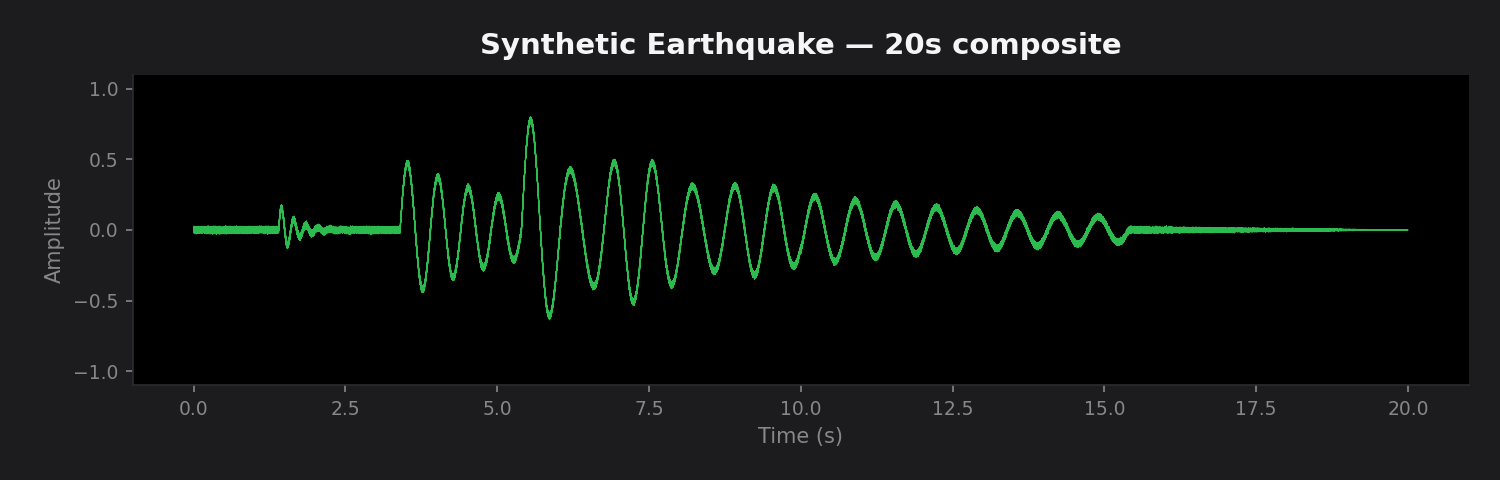
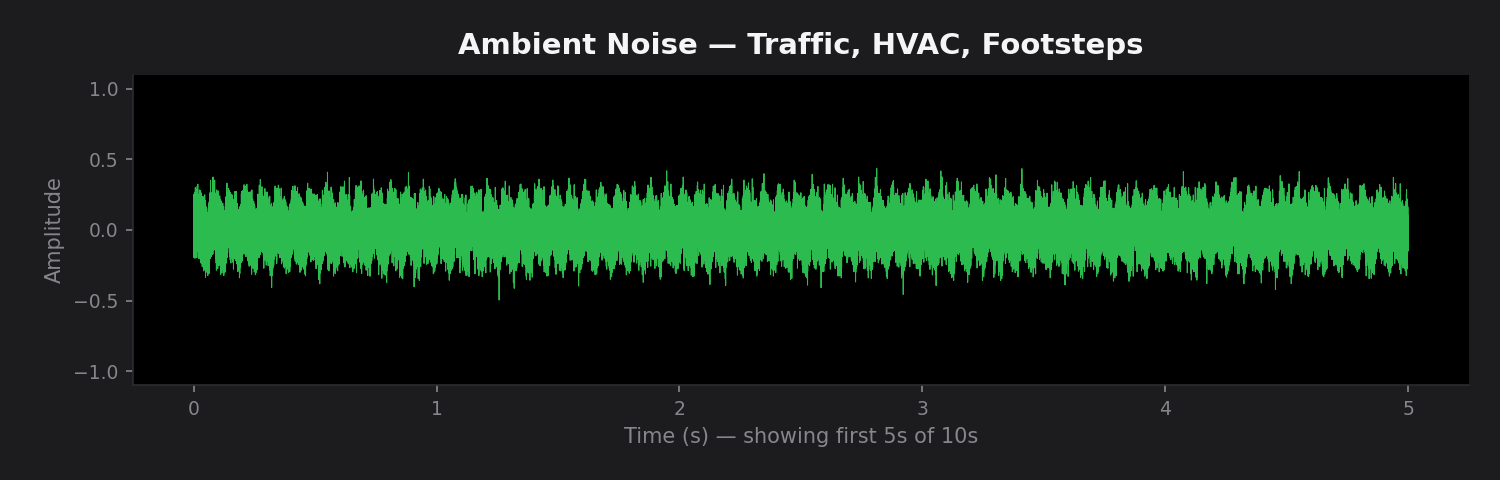
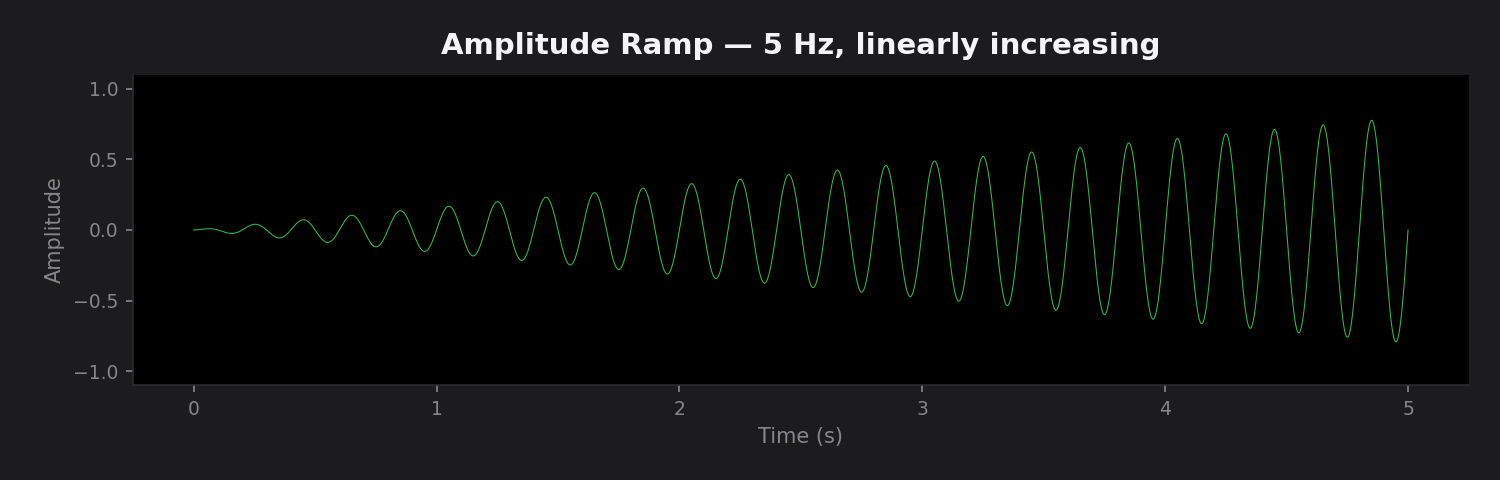
- Python ≥ 3.10
- OS: macOS, Linux, or Windows (with Tkinter support)
- Audio output (optional): required for real-time playback; WAV export works without audio hardware
| Package | Version | Purpose |
|---|---|---|
numpy |
≥ 1.24.0 | Signal computation and array operations |
scipy |
≥ 1.10.0 | Chirp generation (scipy.signal) and WAV I/O (scipy.io) |
matplotlib |
≥ 3.7.0 | Embedded waveform visualization (TkAgg backend) |
sounddevice |
≥ 0.4.6 | Real-time audio playback via PortAudio |
git clone https://github.com/GeoShake/earthquake-generator.git
cd earthquake-generatorpython3 -m venv .venv
source .venv/bin/activate # macOS / Linux
# .venv\Scripts\activate # Windowspip install -r requirements.txtNote (macOS): If
sounddeviceinstallation fails, install PortAudio first:brew install portaudio
# Using the run script
./run.sh

# Or directly
python3 signal_generator.py| Control | Action |
|---|---|
| Mode buttons | Select signal type (Sine, P-Wave, S-Wave, etc.) |
| Sliders | Adjust frequency, amplitude, duration, decay/rise |
| ▶ Play | Generate and play signal through audio output |
| ⏹ Stop | Immediately stop playback |
| 💾 Save WAV | Export current signal as 16-bit PCM WAV file |
| Loop | Continuously replay the signal |
| Key | Action |
|---|---|
Space |
Toggle Play / Stop |
Escape |
Stop playback |
The generator functions can also be imported directly for scripting or batch generation:
from signal_generator import generate_earthquake, generate_noise, save_wav

# Generate a 20-second synthetic earthquake
t, signal = generate_earthquake(amplitude=0.8, duration=20.0)
save_wav("output/earthquake_20s.wav", signal)

# Generate ambient noise for false-positive testing
t, noise = generate_noise(amplitude=0.5, duration=30.0)
save_wav("output/noise_30s.wav", noise)All exported files follow the same specification:
| Property | Value |
|---|---|
| Format | WAV (RIFF) |
| Bit depth | 16-bit signed integer (PCM) |
| Sample rate | 44,100 Hz |
| Channels | Mono |
| Amplitude range | –1.0 to +1.0 (clipped) |
WAV files are saved to the output/ directory by default.
signal-generator/
├── signal_generator.py   # All-in-one: generators + GUI app
├── requirements.txt      # Python dependencies
├── run.sh                # Convenience launcher (activates venv)
├── assets/               # Waveform preview images for README
└── output/               # Default WAV export directory
    └── .gitkeep
The application is organized into two logical layers within a single file:
Signal Generation Functions — Pure functions, no side effects:
generate_sine()— Fixed-frequency sine wavegenerate_sweep()— Linear frequency chirpgenerate_burst()— Exponentially damped burst (P/S-wave)generate_earthquake()— Multi-phase composite earthquakegenerate_noise()— Ambient noise with HVAC hum + footstep impulsesgenerate_ramp()— Linearly increasing amplitudegenerate_emergent_p()— Gradual-onset P-wavesave_wav()— 16-bit PCM WAV export
GUI Application (SeismicGeneratorApp):
- Dark-themed Tkinter interface with custom Canvas-based buttons
- Embedded Matplotlib waveform preview (TkAgg backend)
- Real-time playback with progress tracking
- Debounced parameter updates for responsive slider interaction
This tool is part of the GeoShake seismic sensor ecosystem. The typical calibration workflow is:
Signal Generator  →  Audio Output  →  Bass Shaker  →  GeoShake Sensor  →  Serial Monitor
     (this tool)        (DAC)          (actuator)       (ESP32 + ADXL)      (validation)
- Generate a test signal (e.g., Ramp mode)
- Play through a bass shaker coupled to the sensor
- Monitor the firmware's STA/LTA ratio and Allen CF output via serial
- Adjust detection thresholds based on observed trigger points
- Validate with Earthquake and Noise modes for end-to-end confidence
| Issue | Cause | Solution |
|---|---|---|
⚠ No audio device found |
Missing PortAudio or no output device | Install PortAudio (brew install portaudio on macOS) or use WAV export only |
| Blank waveform preview | Matplotlib backend mismatch | Ensure TkAgg backend is available; reinstall matplotlib |
| Slider changes not reflected | Debounce delay | Wait ~200ms after adjusting sliders for preview to update |
| WAV sounds silent | Amplitude slider at 0 | Increase the amplitude slider above 0 |
ModuleNotFoundError |
Dependencies not installed | Run pip install -r requirements.txt |
Contributions are welcome! If you'd like to add new signal types or improve the GUI:
- Fork the repository
- Create a feature branch (
git checkout -b feature/new-signal-type) - Implement your changes with docstrings and type hints
- Test with both audio playback and WAV export
- Submit a pull request
- Aftershock sequence — Multiple damped bursts with randomized intervals
- Teleseismic P — Very low frequency, long-duration P-wave from distant events
- Microseism — Ocean-generated continuous seismic noise (0.1–0.3 Hz)
- Blast/Explosion — Sharp impulsive onset with rapid exponential decay
| Resource | Link |
|---|---|
| 🌐 Website | geoshake.org |
| 🗺️ Live Stations Map | stations.geoshake.org |
| 📱 iOS App | App Store |
| 🤖 Android App | Google Play |
| 📖 Documentation | docs.geoshake.org |
| 💻 GitHub | github.com/GeoShake/geoshake |
This project is part of the GeoShake seismic sensor ecosystem and is available under the MIT License.
Built with 🌍 for the GeoShake earthquake early warning network