
DockAMP is a macOS app to manage webserver/PHP/database-containers in Docker. Version 1.1 – developed by Kevin Tobler 🌐 www.kevintobler.ch
- 1.1
- Reworked autostart handling so containers using
--restart unless-stoppednow work correctly
- Reworked autostart handling so containers using
- 1.0
- First Release
- Docker-based web stack manager for macOS
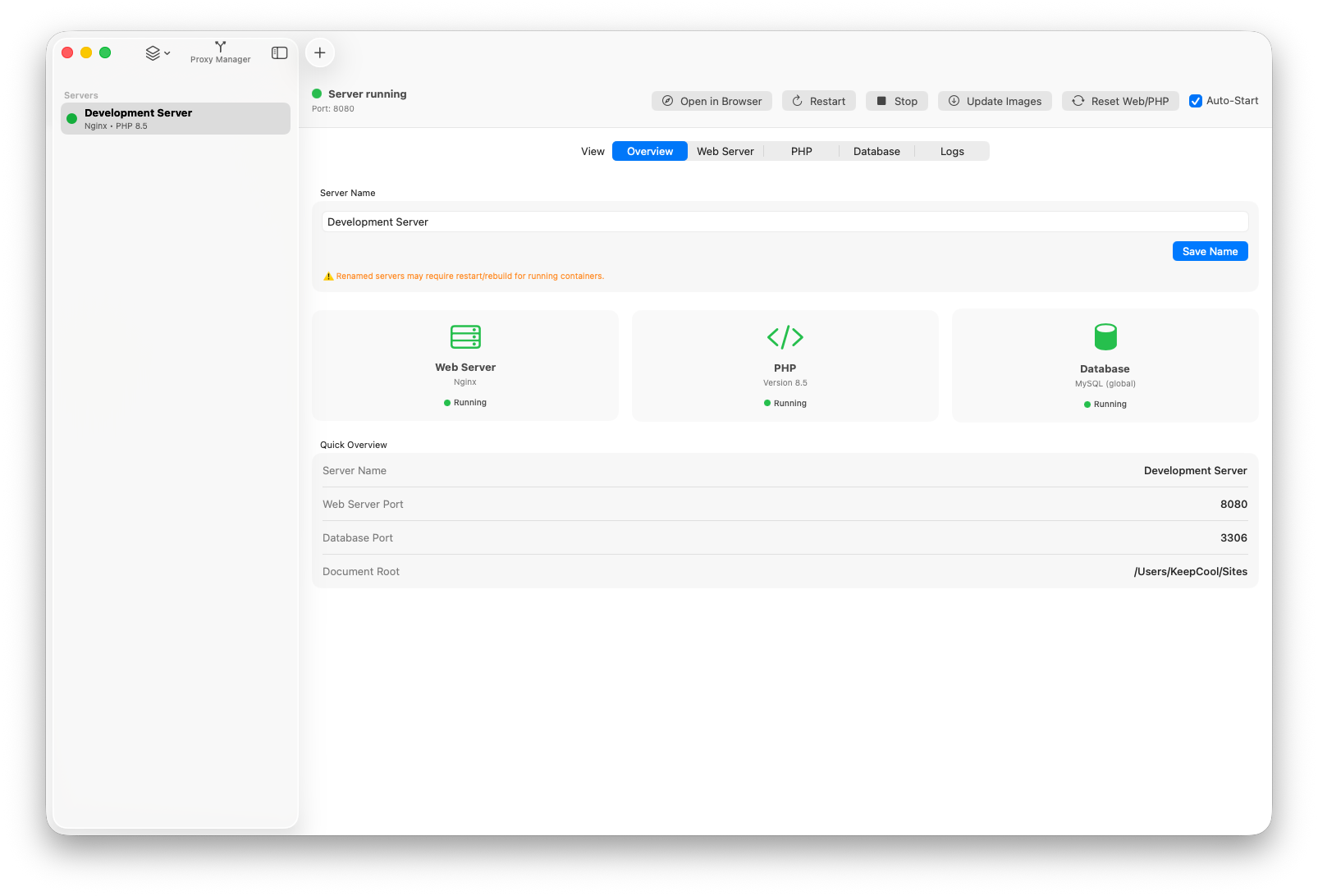
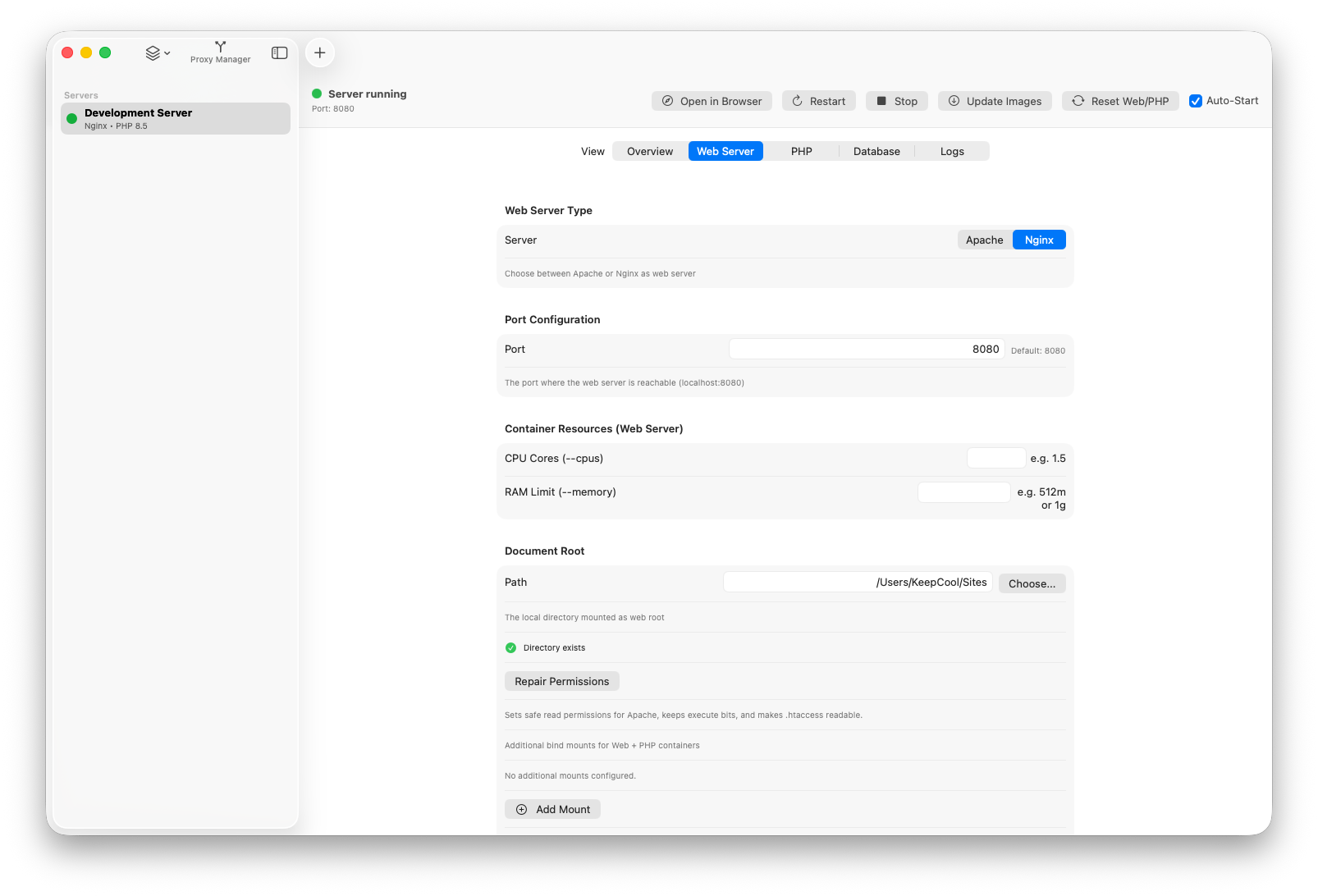
- Apache or Nginx per server with configurable ports and document root
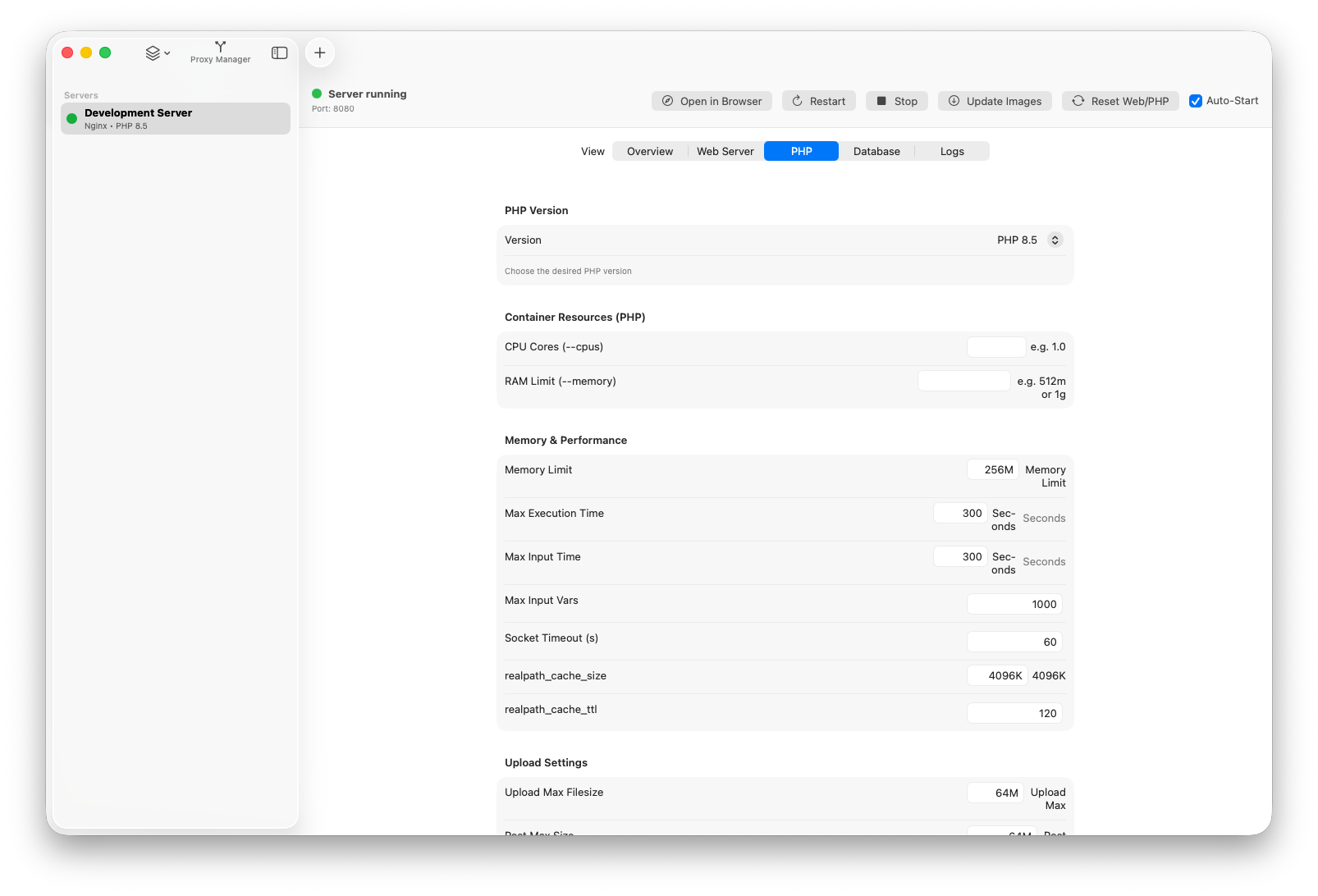
- Dynamic PHP version selection and advanced PHP settings
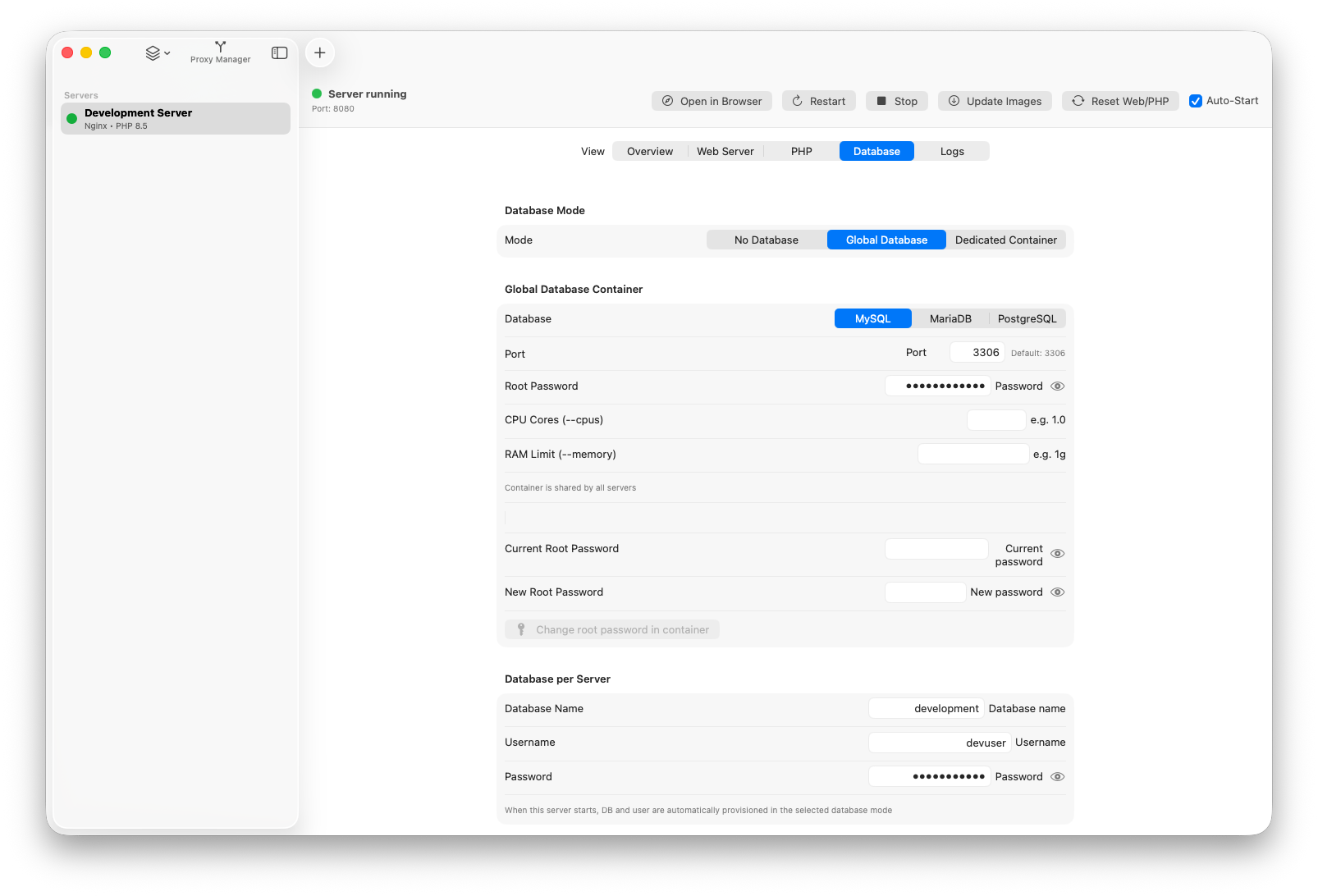
- Database modes: none, global shared database, dedicated per-server database
- Server lifecycle controls: start, stop, restart, update images, reset Web/PHP
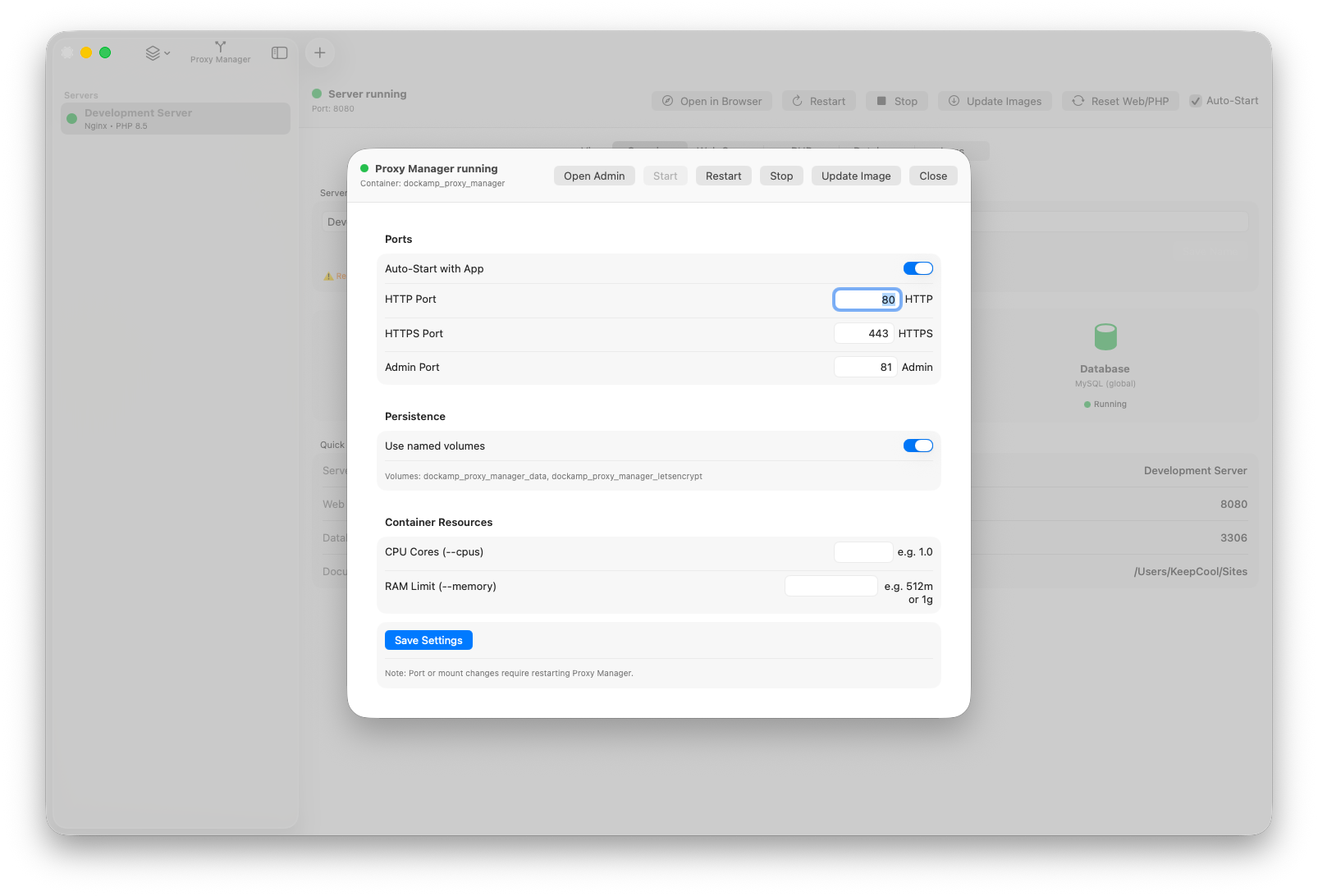
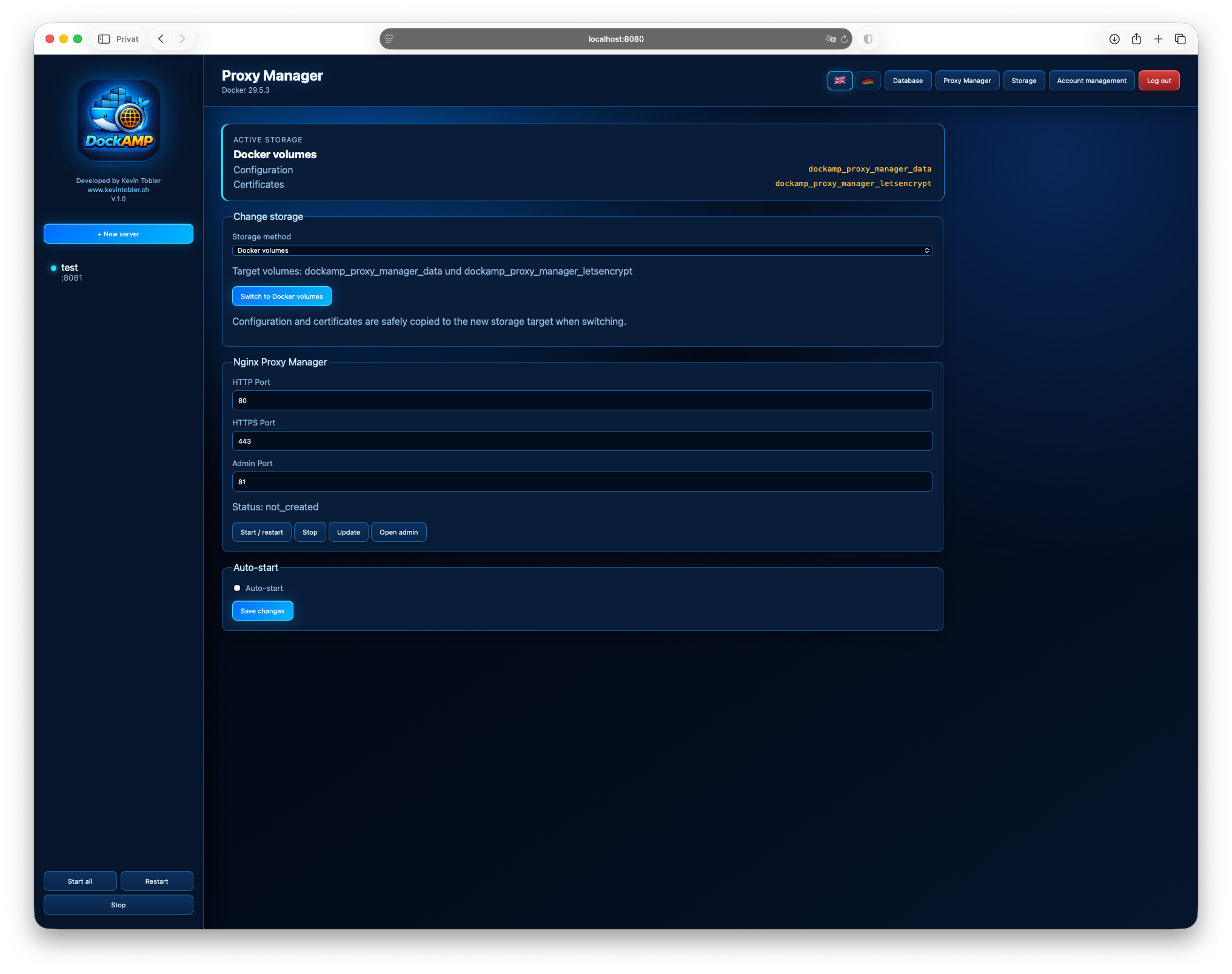
- Proxy Manager integration (start/stop/restart, image update, auto-start)
- Menu bar integration with server status list and bulk actions
- Quick database actions (Sequel Pro/Ace, phpMyAdmin)
- Persistent per-server and database configuration files in
~/Documents/DockAMP/
- Apache or Nginx per server
- Dynamic PHP version list from Docker Hub (with local fallback)
- Database support: MySQL, MariaDB, PostgreSQL
- Per-server start, stop, restart
- Global actions: start/restart/stop all servers
- Server auto-start on app launch
- Right-click server actions: duplicate and delete
- Automatic next free port assignment for new/duplicated servers
- No database
- Global shared database container
- Dedicated database container per server
- Automatic DB/user provisioning for enabled database mode
- Optional auto-stop of global DB when no global server is still active
- Dedicated DB container stops with its server
- Built-in Nginx Proxy Manager integration
- Start / Stop / Restart
- Update proxy manager image
- Auto-start with app option
- HTTP/HTTPS/Admin ports configurable
- Named volumes or host-path persistence
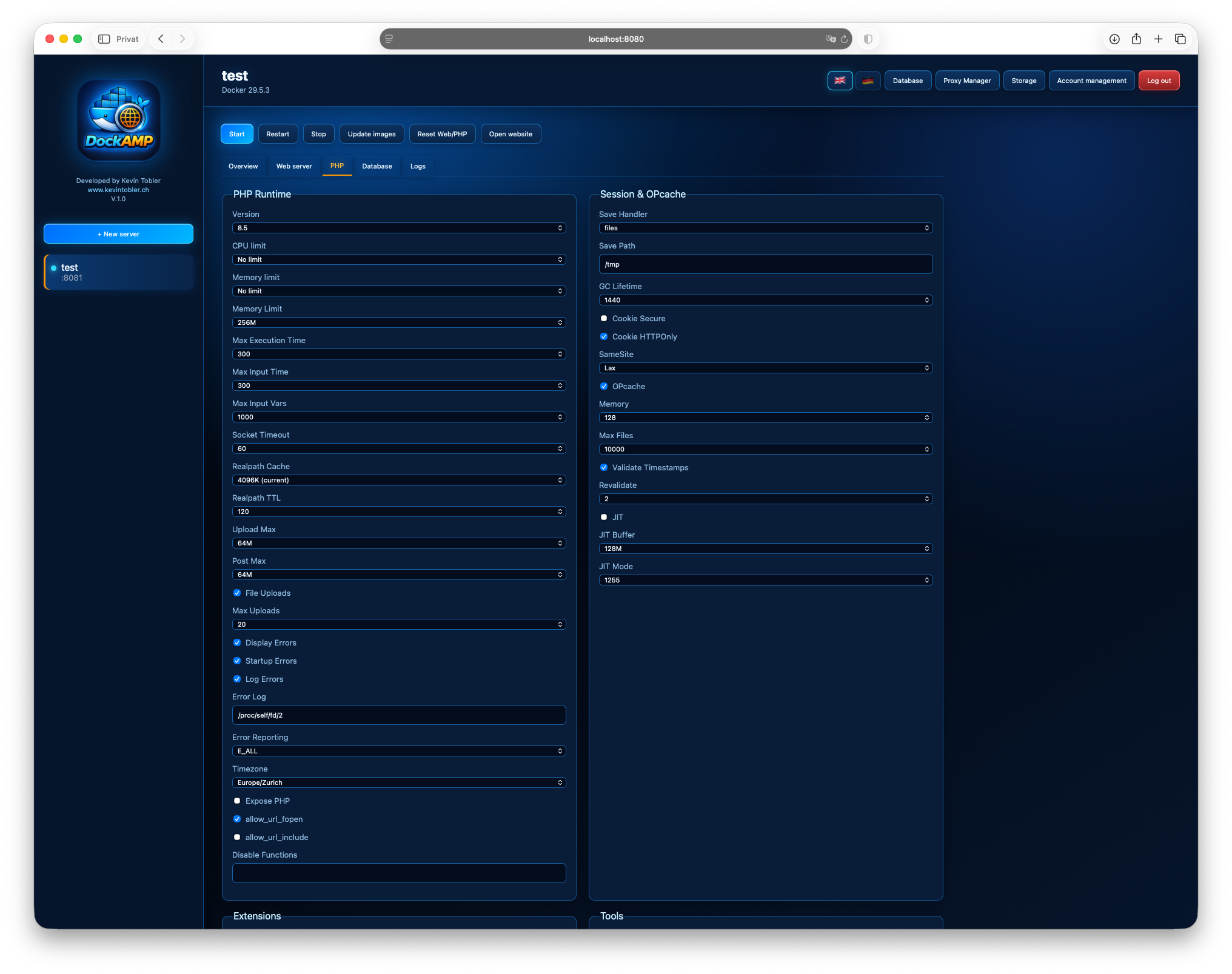
- Extensive PHP settings (performance, errors, sessions, OPcache, directives)
- Optional extension/tool toggles with custom PHP runtime image build
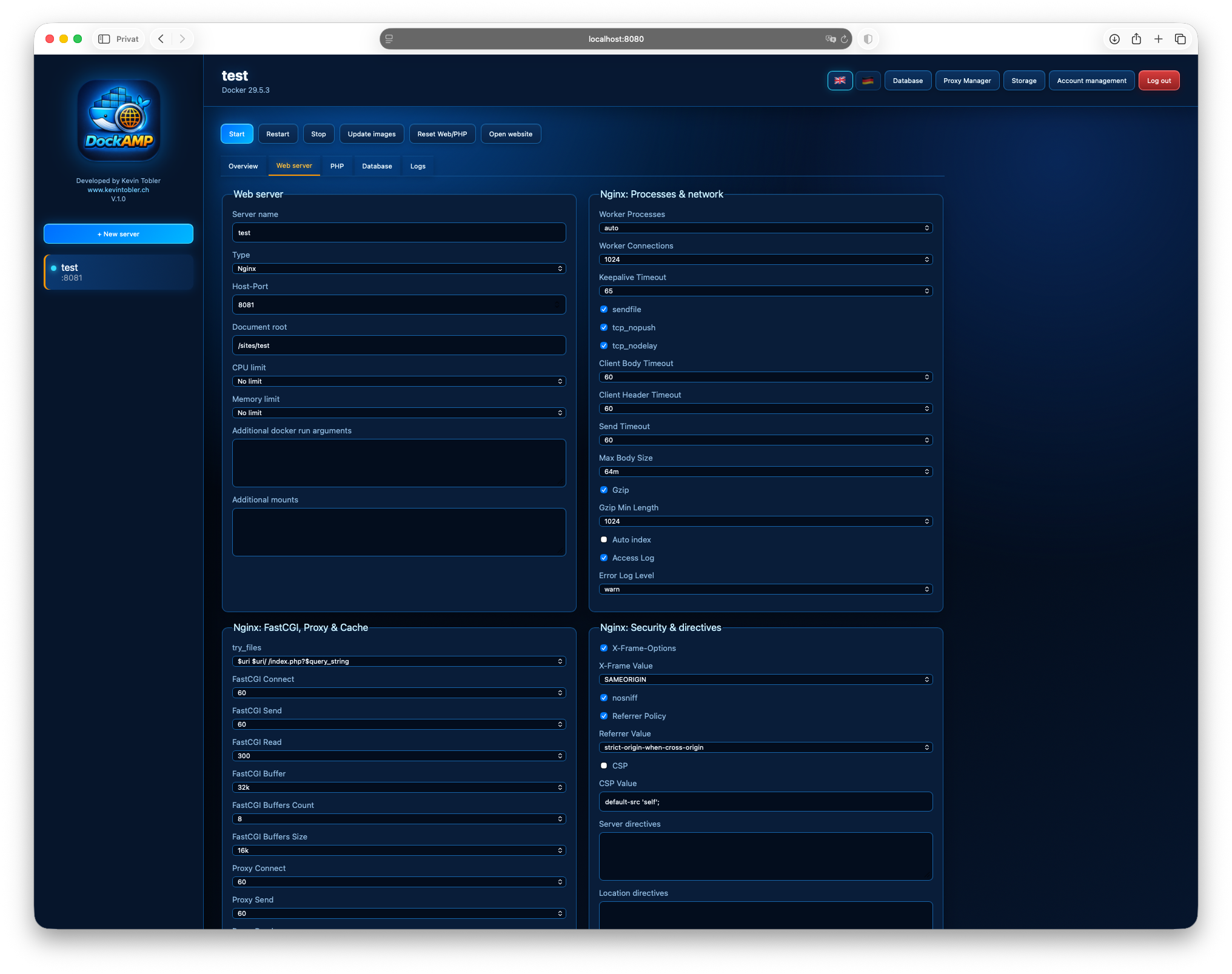
- Web server settings for Apache and Nginx
- Update images for the current server stack
- Reset Web/PHP containers from image defaults
- Additional bind mounts (with add/remove rows and read-only toggle)
- Menu bar app with server list and status dots
- Menu bar actions: open app, start/restart/stop all, quit
- Main window only in Dock when visible; menu bar mode when closed
- Live activity indicator for long-running actions
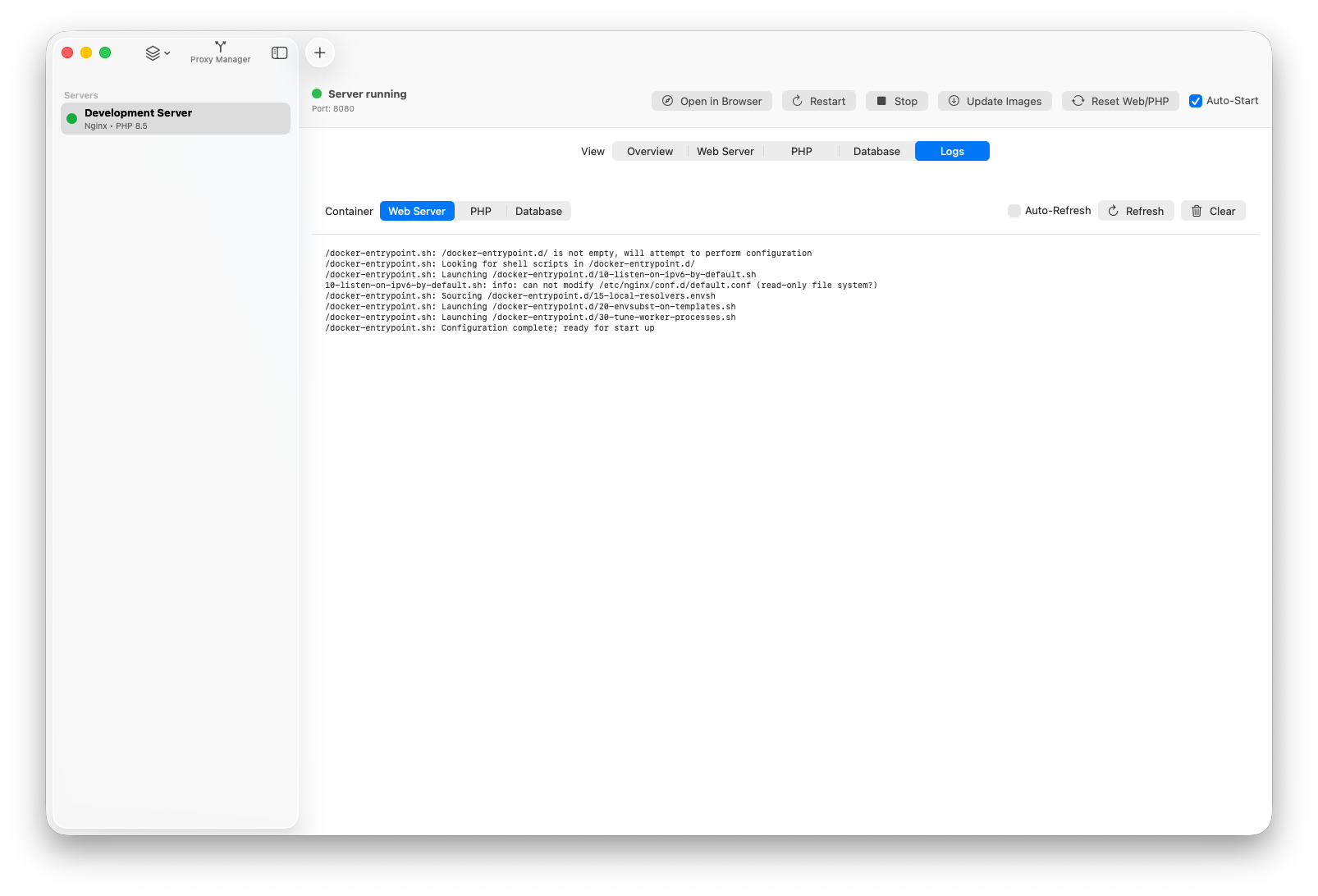
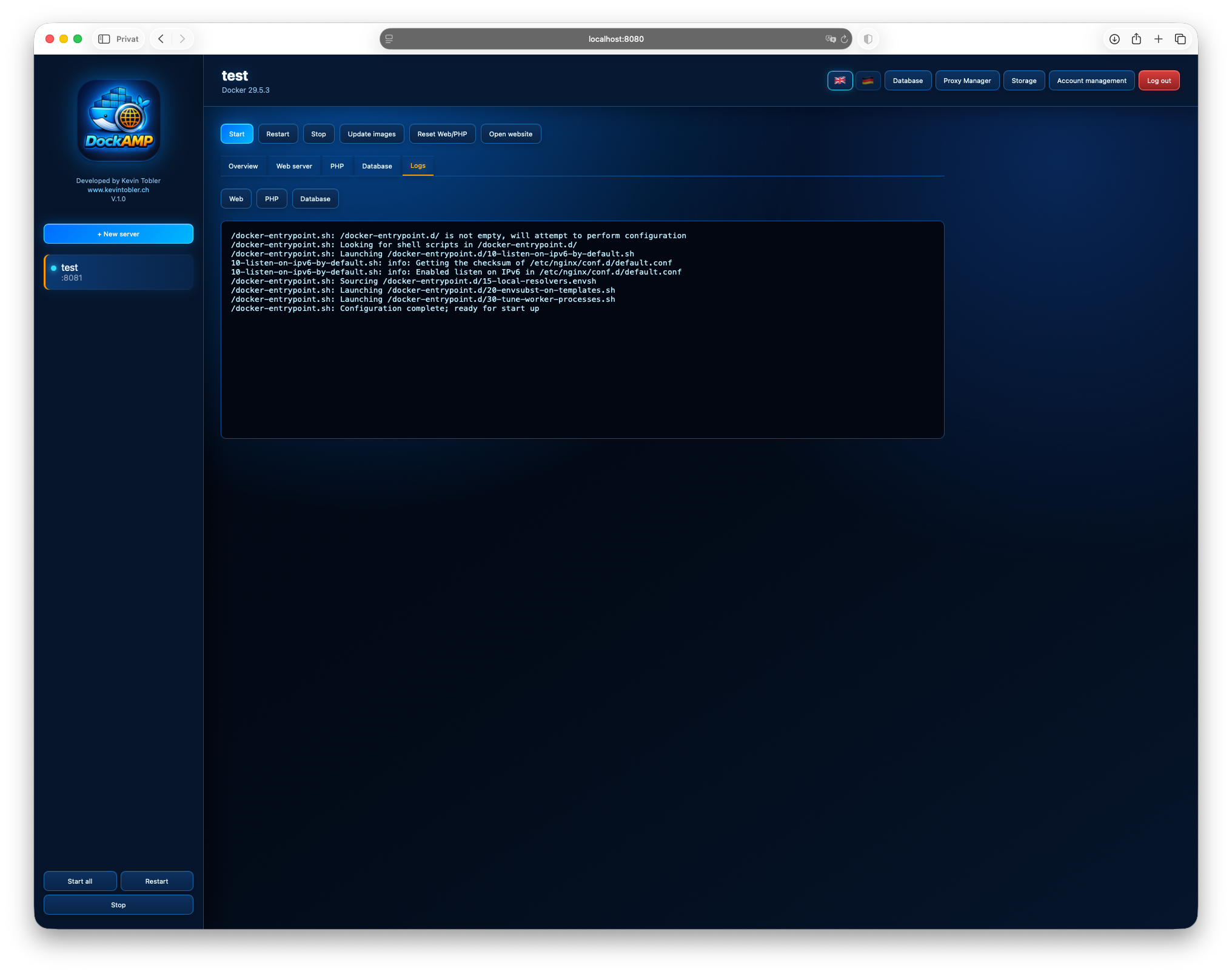
- Container logs for web, PHP, database
- Quick DB actions:
- Open in Sequel Pro/Ace
- Open in phpMyAdmin (starts container automatically)
- phpMyAdmin auto-stops when no database container is running
- macOS 14.6 Sonoma or newer
- Docker Desktop or OrbStack (OrbStack recommended for faster network speed)
- Install Docker Desktop or OrbStack (OrbStack recommended for faster network speed).
- Open DockAMP.app
- Open DockAMP.app
- Click
+(or useFile -> New Server...) - Configure server name, web server, PHP version, ports, and document root
- Choose database mode (
No Database,Global Database,Dedicated Container) - Save/create
- Use
Start,Stop,Restartin the server detail header - Use
Update Imagesto pull latest images for the selected stack - Use
Reset Web/PHPto recreate only web and PHP containers from image defaults
For DB tools use:
- Host:
host.docker.internal - Port: shown in the Database tab
- Database/user/password: from server database settings
Inside containers, service names/network aliases are used automatically by DockAMP runtime config.
DockAMP stores configuration JSON files under ~/Documents/DockAMP/:
servers/<server-id>.json(server settings)databases/global_database.json(global DB settings + shared entries)databases/<server-id>.json(dedicated DB server entries)- Proxy Manager settings in the DockAMP app directory (managed by
ProxyManagerStore)
- Credentials are stored in JSON config files
- Custom PHP runtime images are tagged and reused by signature
- On server removal, related containers/resources are cleaned up (including dedicated DB containers)
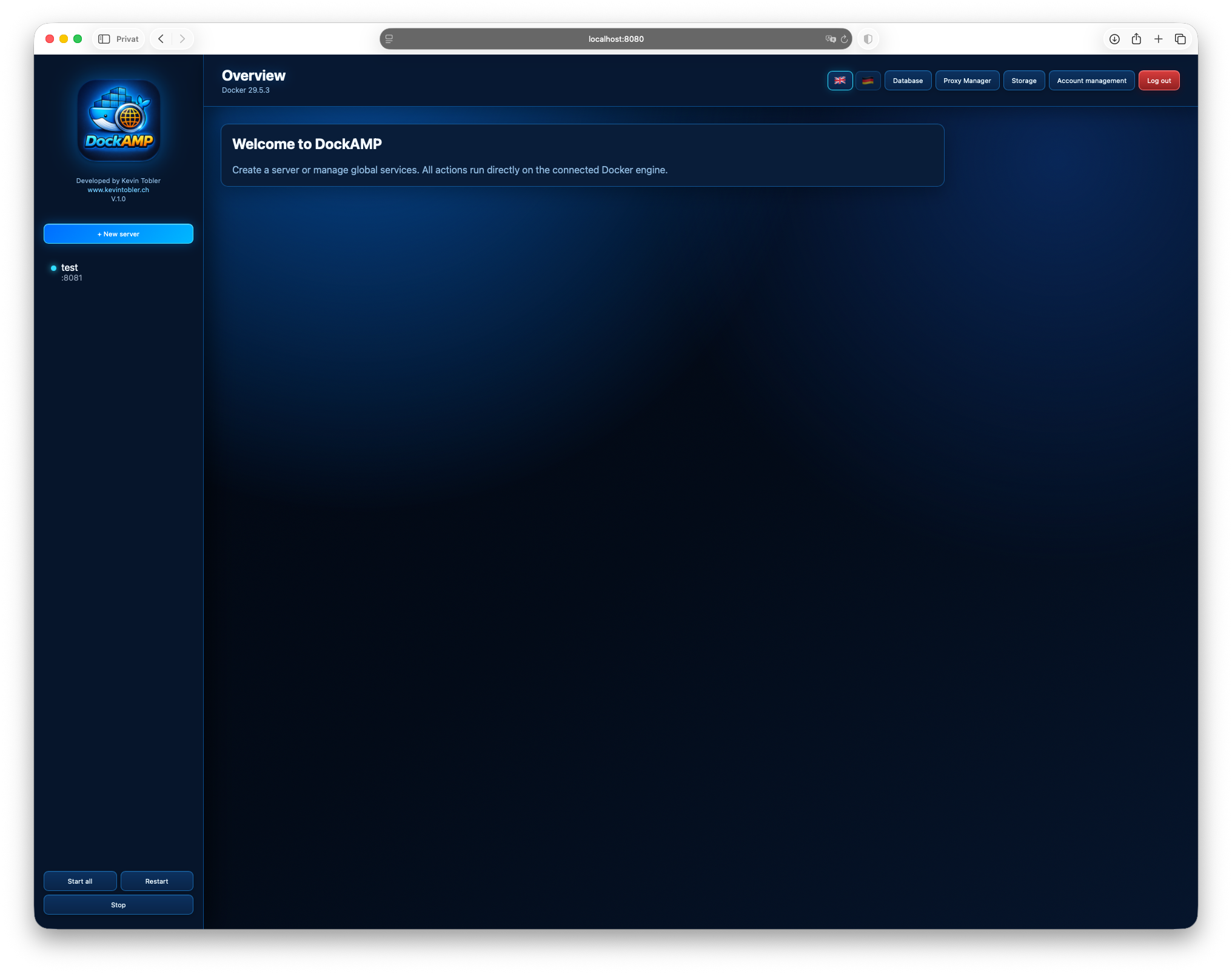
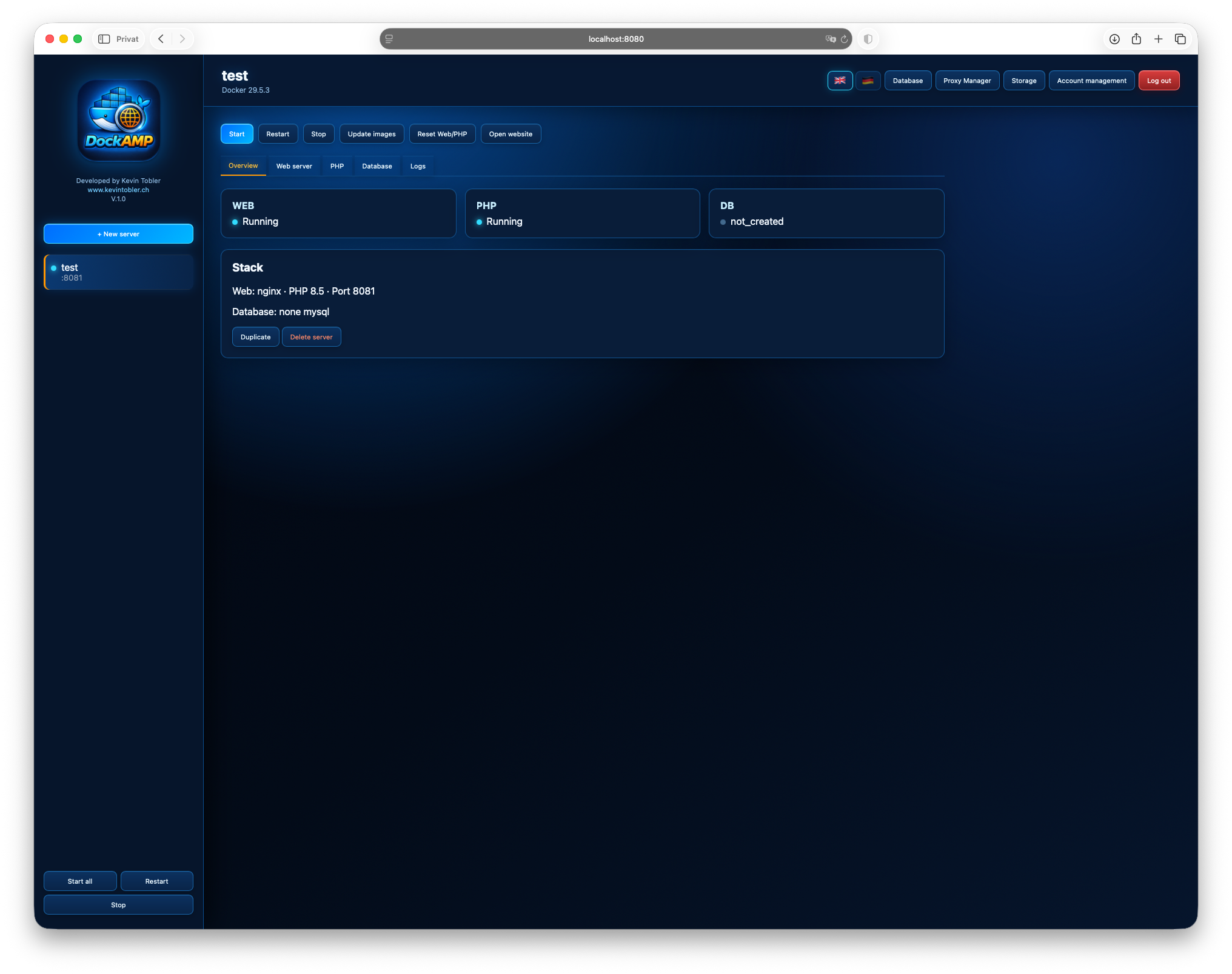
DockAMP is now also available as a self-hosted Docker image with a responsive web interface. This version can run on Linux servers, macOS, Docker Desktop, OrbStack, supported NAS systems, and other Docker-compatible environments.
The image includes support for both linux/amd64 and linux/arm64.
- Docker Hub: keepcoolch/dockamp
- Image:
keepcoolch/dockamp:latest
docker pull keepcoolch/dockamp:latestAfter startup, open:
http://localhost:8080
On a remote server or NAS, replace localhost with the IP address or hostname
of the Docker host. The first visit opens the administrator account setup.
- Browser-based management interface in English and German
- Apache or Nginx for each server
- Automatic PHP version discovery with legacy PHP versions available
- Advanced PHP, Apache, and Nginx configuration
- MySQL, MariaDB, and PostgreSQL
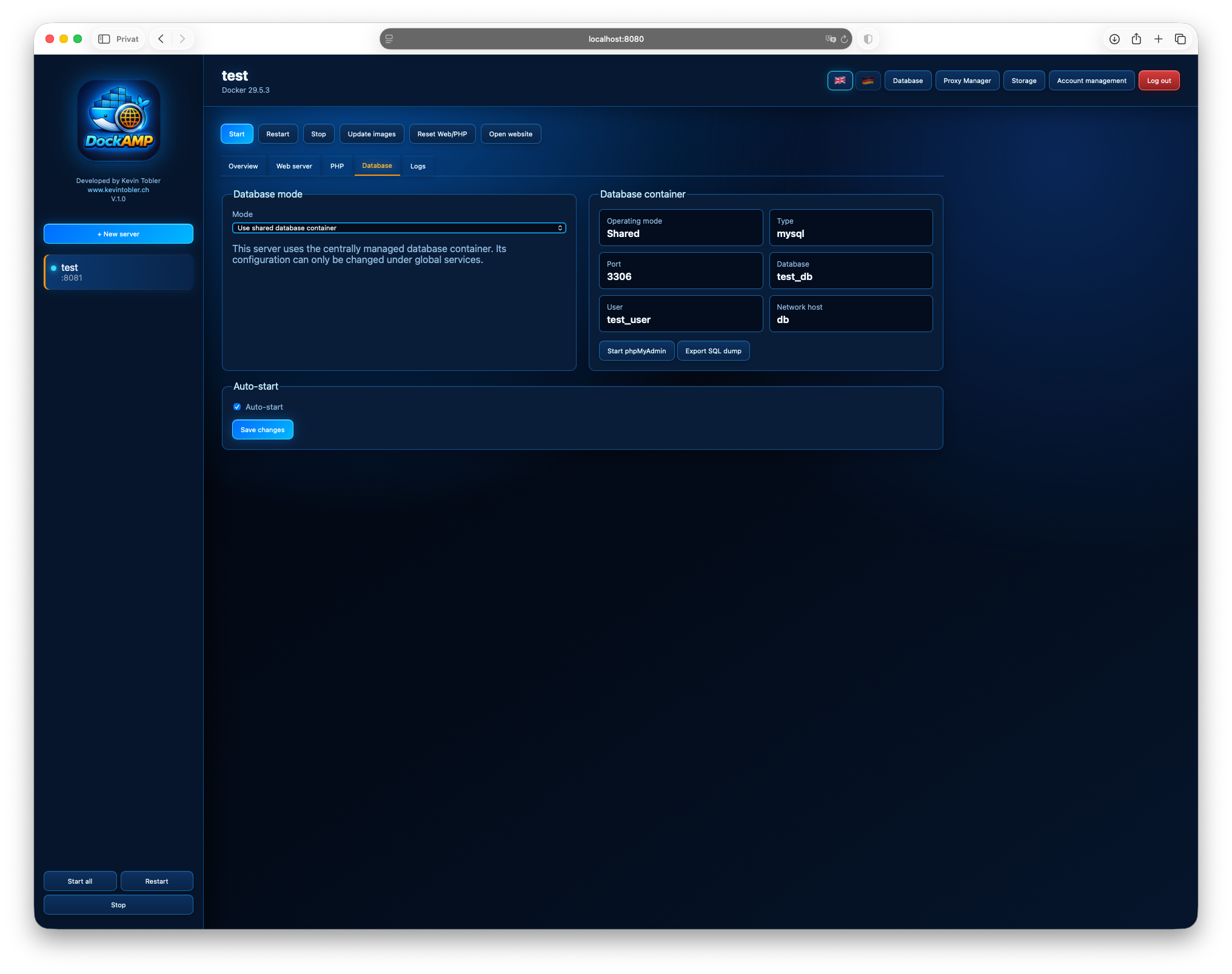
- Shared global or dedicated per-server database containers
- Automatic database image and data migration checks
- Nginx Proxy Manager integration
- phpMyAdmin integration
- SQL dump exports
- Container logs and status overview
- Automatic free web-port selection starting above DockAMP's own port
- CPU and memory limits based on the available Docker host resources
- Docker volumes or host paths for persistent storage
- Storage migration between Docker volumes and host mounts where supported
- User login and account management
- Automatic container restart and auto-start options
The following command stores DockAMP configuration and website data in named Docker volumes:
docker run -d \
  --name dockamp \
  --restart unless-stopped \
  -p 8080:8080 \
  -v /var/run/docker.sock:/var/run/docker.sock \
  -v dockamp_data:/data \
  -v dockamp_sites:/sites \
  --add-host host.docker.internal:host-gateway \
  keepcoolch/dockamp:latest
This is also the recommended starting point for Docker-capable NAS systems. The Docker socket may need to be selected through the NAS Docker Manager.
docker run -d \
  --name dockamp \
  --restart unless-stopped \
  -p 8080:8080 \
  -v "$HOME/.docker/run/docker.sock:/var/run/docker.sock" \
  -v dockamp_data:/data \
  -v dockamp_sites:/sites \
  --add-host host.docker.internal:host-gateway \
  keepcoolch/dockamp:latest
Host directories selected later as document roots must be shared with Docker
Desktop under Settings -> Resources -> File Sharing.
docker run -d \
  --name dockamp \
  --restart unless-stopped \
  -p 8080:8080 \
  -v "$HOME/.orbstack/run/docker.sock:/var/run/docker.sock" \
  -v dockamp_data:/data \
  -v dockamp_sites:/sites \
  --add-host host.docker.internal:host-gateway \
keepcoolch/dockamp:latestCreate a compose.yaml file:
services:
  dockamp:
    image: keepcoolch/dockamp:latest
    container_name: dockamp
    restart: unless-stopped
    ports:
      - "8080:8080"
    volumes:
      - /var/run/docker.sock:/var/run/docker.sock
      - dockamp_data:/data
      - dockamp_sites:/sites
    extra_hosts:
      - "host.docker.internal:host-gateway"

volumes:
  dockamp_data:
  dockamp_sites:
Start DockAMP:
docker compose up -dOn macOS, replace /var/run/docker.sock in the Compose file with:
${HOME}/.docker/run/docker.sock
For OrbStack use:
${HOME}/.orbstack/run/docker.sock
Individual server document roots can also point to absolute paths on the Docker host. Those paths must be accessible to the Docker daemon.
/data: DockAMP configuration, users, sessions, and application state/sites: website files and generated runtime configuration- Database and Proxy Manager data: separate named volumes by default
Do not remove these volumes when updating or recreating the DockAMP container. To update DockAMP:
docker pull keepcoolch/dockamp:latest
docker rm -f dockamp
Then run the appropriate command above again with the same volumes.
Important
DockAMP requires access to the Docker socket because it creates and manages
other containers. Access to docker.sock effectively grants Docker host
administration privileges. Only expose DockAMP on trusted networks and use
a strong administrator password.
Kevin Tobler
🌐 www.kevintobler.ch
This project is licensed under the MIT License – feel free to use, modify, and distribute.