






Simple plugin to support enabling a dark theme for swagger docs in a FastAPI application.
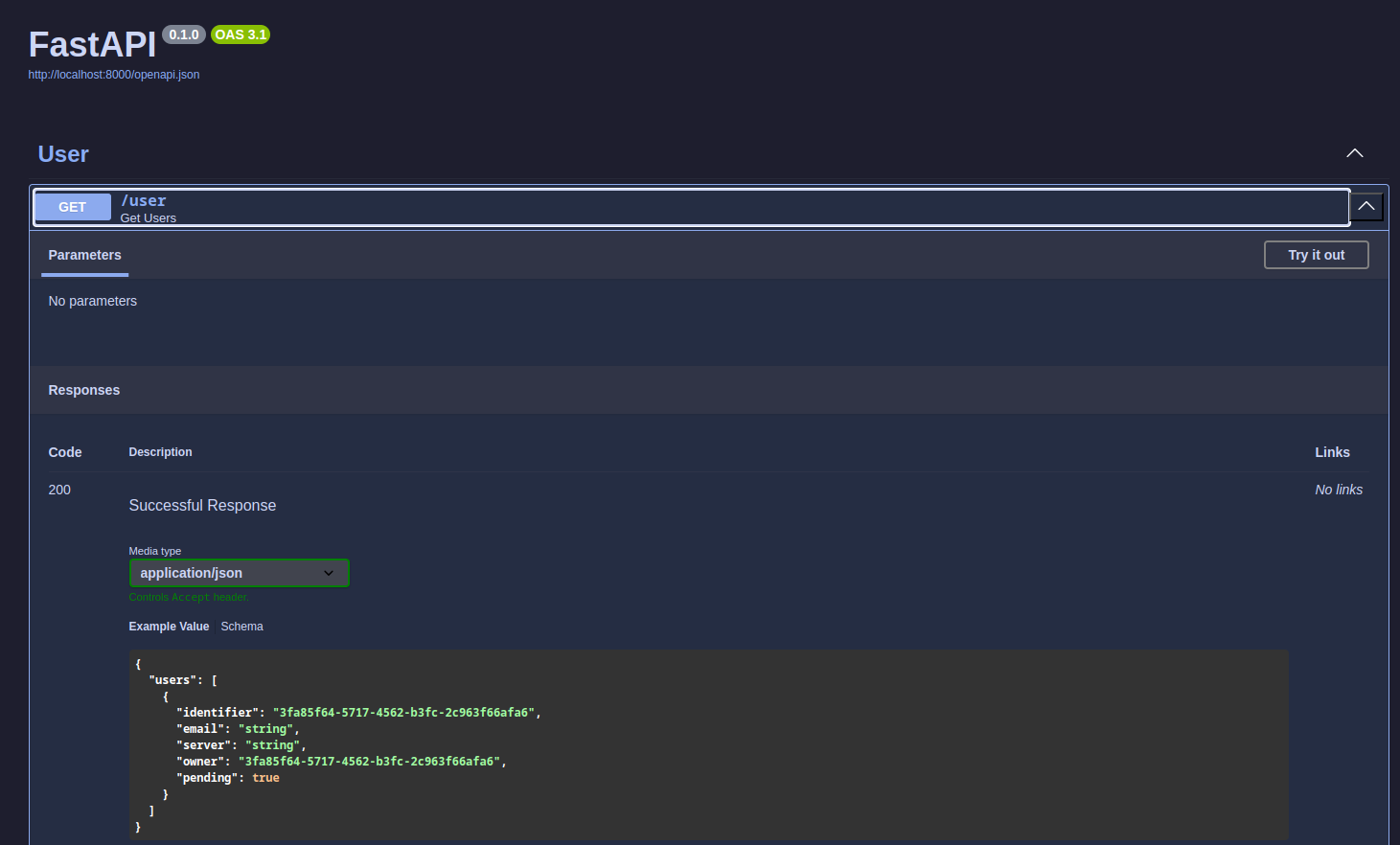
The simplest usage with default /docs endpoint can be achieved with something like:
import fastapi
import fastapi_swagger_dark as fsd

app = fastapi.FastAPI(docs_url=None)
router = fastapi.APIRouter()

fsd.install(router)
app.include_router(router)
To install using a custom path:
import fastapi
import fastapi_swagger_dark as fsd

app = fastapi.FastAPI(docs_url=None)
router = fastapi.APIRouter()

fsd.install(router, path="/swagger-docs")
app.include_router(router)
To install using a custom prefix:
import fastapi
import fastapi_swagger_dark as fsd

app = fastapi.FastAPI(docs_url=None)
router = fastapi.APIRouter(prefix="/api/v1")

fsd.install(router, path="/docs")
app.include_router(router)
To install using custom swagger_ui_parameters:
import fastapi
import fastapi_swagger_dark as fsd

app = fastapi.FastAPI(docs_url=None)
router = fastapi.APIRouter()

fsd.install(router, swagger_ui_parameters={...})
app.include_router(router)
If you are customising the documentation endpoints, for example with authorization, you can replace fastapi's default get_swagger_ui_html with the custom one using the dark theme. Ensure the dark_theme route is also included.
import typing

import fastapi
import fastapi_swagger_dark as fsd

app = fastapi.FastAPI(docs_url=None)


def auth_validation(...) -> None:
    ...


async def swagger_ui_html(
    request: fastapi.Request,
    _docs_auth: typing.Annotated[None, fastapi.Depends(auth_validation)],
) -> fastapi.responses.HTMLResponse:
    return fsd.get_swagger_ui_html(request)


app.get("/docs")(swwagger_ui_html)
app.get("/dark_theme.css", include_in_schema=False, name="dark_theme")(fsd.dark_swagger_theme)Thanks go to @georgekhananaev and their repository darktheme-auth-fastapi-server for the basis of the stylesheet used here.