

A Chrome extension to disable moodle force downloading files. View them in your browser instead.
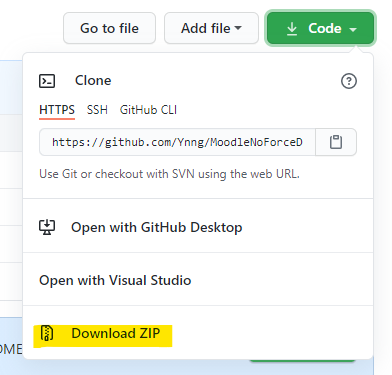
Download as zip by clicking download zipped, then un-zip the files.
The files won't be copied else-where, they'll stay where you put them. So make sure you don't delete it.
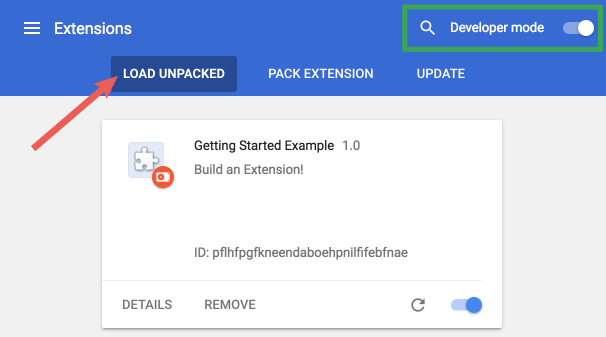
- Open the Chrome extensions page
- Turn on developer mode
- Click on "Load Unpacked"
- Select the folder you unzipped the files into
- Profit
The extension has my school's moodle url hard-coded. Change the URL on this line to ones your school is using.
Copyright 2021-2021, Kevin Huang.
Released under the MIT License. See LICENSE for details.