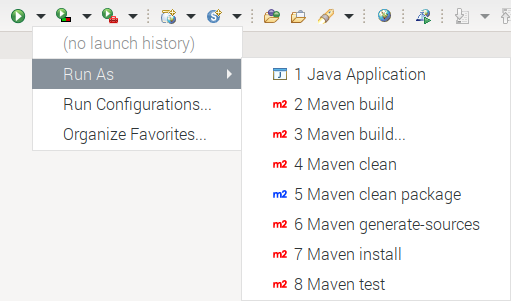
Add Maven presets in Eclipse "Run As" menu.
- Clone or download this repository (you can also fork it if you want to commit your customizations later);
- Edit
plugin.propertiesand configure the presets you need (up to 9), e.g.:1.enabled=1 1.class=org.eclipse.m2e.actions.ExecutePomAction:clean package 1.label=Maven clean package
- Launch
./mvnw clean verify - Close Eclipse and copy
target/*.jarto the Eclipsepluginsdirectory; - Restart Eclipse with
-cleanoption; - Select a Maven project or a
pom.xmlfile and check what's new in the "Run As" menu.