Releases: arshc0der/XFile_Manager
v1.0.1 Release

XFile Manager v1.0.1

Release Notes
Full Changelog: https://github.com/arshc0der/XFile_Manager/commits/v1.0.1
Version 1.0.1
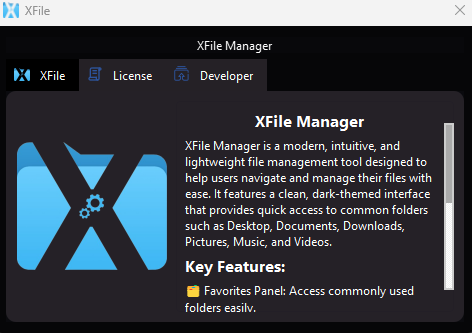
Welcome to the first official release of XFile Manager! This modern, intuitive, and lightweight file management tool is crafted to help you navigate and manage your files effortlessly. With a sleek dark-themed interface, XFile Manager offers quick access to essential folders and powerful features tailored for your convenience.
Key Features
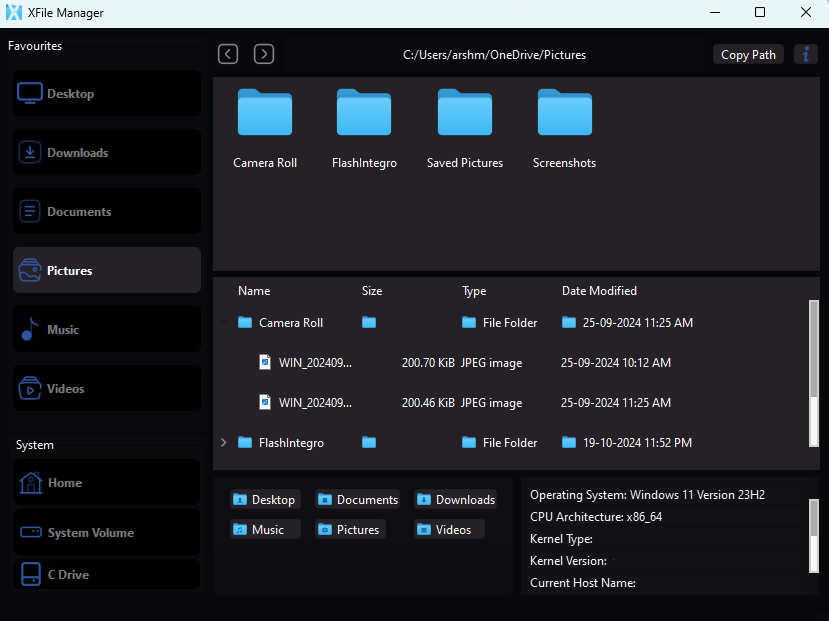
- 🗂️ Favorites Panel: Easily access your most-used folders for quick navigation.
- 💻 System Info Panel: View crucial details like OS version, CPU architecture, and kernel version at a glance.
- 📁 Folder Navigation: Browse through local drives with detailed information including name, size, type, and date modified.
- 📋 Copy Path Function: Quickly copy folder or file paths for easy sharing with others.
- 🌙 Dark Mode: Enjoy a stylish dark theme designed for comfortable use, especially in low-light environments.
XFile Manager combines simplicity and power, making it an essential tool for efficient file and directory management.
XFile Manager v1.0.1 Preview
Installation Instructions
To install XFile Manager:
- Download the executable file (XFile_Manager.exe) from the releases section.
- Run the installer. You may see a warning indicating "Publisher Unknown." Click on Install to proceed.
- Follow the prompts to complete the installation.
Usage
Once you launch XFile Manager, you can:
- Navigate through your file system using the Favorites Panel.
- Access system information via the System Info Panel.
- Browse local drives and view detailed file information.
- Copy paths for quick sharing with just a click.
- Enjoy a comfortable dark mode experience.
Contributing
We welcome contributions! If you'd like to help improve XFile Manager:
- Fork the repository.
- Create a new branch for your changes.
- Commit your updates.
- Push your branch and submit a pull request.
License
This project is licensed under the MIT License. See the LICENSE file for more details.
Acknowledgments
Thank you for using XFile Manager! Your feedback and contributions are greatly appreciated.
Contact
For questions, suggestions, or issues, please open an issue on GitHub or reach out to us directly.