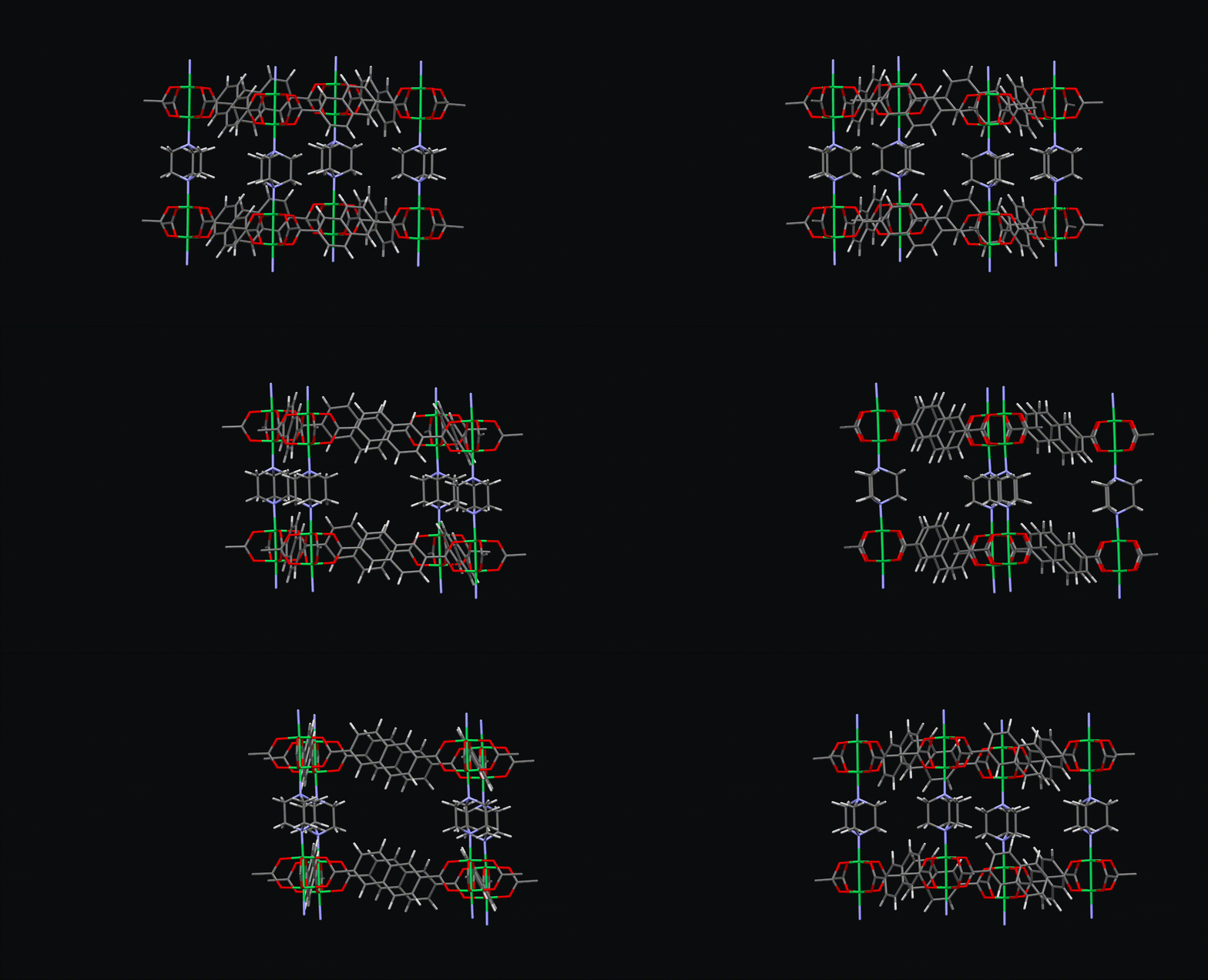
This is an elaborate python module that provides simple functions for manipulation metal-organic frameworks and other porous systems such as COFs and Zeolites. Some uses of the module involves
mofstructure provides tools for:
-
Topology identification
- Compute framework topology using Systre and RCSR-style net naming when available.
-
Porosity analysis
- Compute geometric properties such as PLD, LCD, ASA, accessible volume, and channel information.
- Uses Zeo++/pyzeo-style workflows in the background.
-
Guest removal
- Automatically remove unbound guest molecules from porous frameworks.
-
Framework deconstruction
- Deconstruct MOFs into chemically meaningful building units, including:
- metal clusters
- organic ligands
- metal SBUs
- organic SBUs
- Deconstruct MOFs into chemically meaningful building units, including:
-
Cheminformatics for building units
- Compute identifiers such as:
- SMILES
- InChI
- InChIKey
- Compute identifiers such as:
-
SBU characterization
- Identify SBU type and the coordination number of the central metal.
-
Periodic wrapping / reconstruction
- Rebuild or wrap structures across periodic boundaries to remove visualization artefacts caused by PBC fragmentation.
-
Region-based framework partitioning
- Separate frameworks into regions to support targeted substitution or building-unit manipulation.
-
Open metal site analysis
- Detect open metal sites and characterize the local metal environment.
pip install mofstructure git clone https://github.com/bafgreat/mofstructure.git mofstructure
cd mofstructure
pip install .Simply run the following command on a cif file or any ase readable file format containing a MOF.
mofstructure cif_fileThe script will deconstruct the MOF present in the cif file and load the output in a folder called 'MOF_building_units' in the current directory/folder. If you wish to load the output in a specific folder, simply add the path to the folder as follows:
mofstructure cif_file path_to_result_folderFor multiple cif files. Simply run a loop and all the Results will be saved in the
for cifs in ciffiles:
mofstructure cifs path_to_resultIf you have a folder containg many cif files for different MOF, you could easily create a database. To create such a database, simply run the following command.
mofstructure_database ciffolderHere the 'ciffolder' is the folder containing the cif files. The ouput will be saved in the default folder called 'MOFDb' in the current folder. Again you can choose the path to the save folder by simply listing it at the end of the command.
mofstructure_database ciffolder path_to_resultYou can easily compute the topology of a MOF from the commandline. The code will work for both files (cifs, cgd or any ASE input) folders containing files. Still testing the robustness of topology
mofstructure_topology net.cgd mofstructure_topology structure.cif mofstructure_topology ./folderYou can also decided how the topology should be computed by
defining which deconstruction you want. At the moment we have
three major methods [all_nodes, sbus and ligand_cluster].
Note that the topology from each could be thesame or different since
these methods determines how the topological graph is constructed.
mofstructure_topology structure.cif --method all_nodels mofstructure_topology ./folder ligand_clusterFor a very large dataset you can choose to write files to
disk in small batches. for that you can use the --flush-every keyword
as follows.
mofstructure_topology ./folder ligand_cluster --flush-every 100from mofstructure import structure
"""
you can parse in a filename or an ase atom
"""
mof_object = structure.MOFstructure(filename=cif_file)
# once and also directly parse an ASE atom object
# mof_object = structure.MOFstructure(ase_atoms)
guest_free_ase_atoms = mof_object.remove_guest()
# compute porosit and write output to csv
pores = mof_object.get_porosity(probe_radius=1.86, number_of_steps=5000, rad_file=None,high_accuracy=True)
df = pd.DataFrame(pores, index=[0])
df.to_csv('pore.csv')Compute sbus and linkers
metal_sbus, organic_sbus = mof_object.get_sbu(wrap_system=True, cheminfo=True, add_dummy=False)

organic_ligands = mof_object.get_ligands(wrap_system=True, cheminfo=True, add_dummy=False)openbabel is called to compute all chemifomatic information, which are all stored on the ase_atom.info metal_sbus and organic_sbus list that contains all the unique instances of the metal sbus and organic sbus.
For each instance in a building unit the various chemiformatic informations are as follows.
for i,  sbu in enumerate(metal_sbus):
    smi = sbu.info['smi']
    inchi = sbu.info['inchi']
    inchikey = sbu.info['inchikey']
    # for sbus only
    number_of_point_of_extension = sbu.info['point_of_extension']
    #for metal sbus only
    sbu_type = sbu.info['sbu_type'] # sbu_type :rodlike, irmof, uoi66, paddlewheel e.t.c
    # write
sbu.write('metal_sbu_'+str(i)+'.cif')oms = mof_object.get_oms()
print(oms)topology = mof_object.get_topology()
print (topology )You can also compute topology directly from systre module incase you wish to have more autonomy
from ase.io import read
from mofstructure.systre import identify_topology

# 1) From a CGD file
res = identify_topology("net.cgd", input_is_cgd=True)
print(res.topology)

# 2) From a CIF (generate CGD then run systre)
res = identify_topology("UiO-66.cif", method="all_node")
print(res.topology)

# 3) From ASE Atoms
atoms = read("UiO-66.cif")
res = identify_topology(atoms)
print(res.topology)You can access the full project documentation on docs
If you find mofstructure helpful please kindly cite the following manusrcipts
@article{wonanke2026fairmofs,
  title={FAIR-MOFs: Structure-centred synthesis inference from three-dimensional structures of metal-organic frameworks},
  author={Wonanke, Dinga and Heine, Thomas and Longa, Antonio and others},
  year={2026},
  doi={10.21203/rs.3.rs-8375247/v1}
}
In the future the code should be able to:
- We are currently working on SBU deconstruction and topological analysis of COFs.
This release introduces a major upgrade to the topology analysis workflow in mofstructure, providing a more robust, reproducible, and information-rich framework for topological characterization.
Topology determination is now handled through a high-level interface built on top of Systre, enabling:
- Direct support for:
.cgdfiles- CIF and all ASE-readable structure formats
- Batch processing of folders
- Automatic generation of CGD representations when needed
- Improved robustness for complex and multi-component frameworks
The get_topology() method now returns a structured dictionary containing:
topology→ Identified RCSR net (orUNKNOWN)dimension→ Periodicity of the net (0D, 1D, 2D, 3D)td10→ Topological density descriptor from Systretopology_hash→ Stable hash of the relaxed topologycgd_crystal2text→ CRYSTAL2 representation of the relaxed net
This enables reproducible identification and easy downstream storage/indexing.
A deterministic topology hash is now available:
- Based on normalized relaxed coordinates
- Independent of atom ordering and numerical noise
- Suitable for:
- database indexing
- duplicate detection
- large-scale screening workflows
The topology pipeline now supports:
- Direct generation of CRYSTAL2-style CGD text from relaxed Systre output
- Optional inclusion of edge-center metadata
- Fallback conversion from original CGD when relaxed output is unavailable
The topology computation has been redesigned to be lightweight:
- Uses a single Systre call per structure
- Avoids redundant parsing and data duplication
- Only extracts the most informative component by default
This makes it suitable for large MOF datasets and high-throughput workflows.
Topology tools now:
- Work seamlessly on files and folders
- Support CSV/JSON export of results
- Provide optional verbose output for debugging
- Maintain backward compatibility with legacy flags
from mofstructure import structure

mof = structure.MOFstructure(filename="UiO-66.cif")
topo = mof.get_topology()

print(topo)- Implemented a robust CI/CD using git actions
- Included add_dummy key to add dummy atoms to point of extension. This is important to effectively control the breaking point. This dummy atoms can then be replaced with hydrogen to fully neutralize the system.
Be please don't use add dummy when deconstructing to ligands and clusters. The add dummy argument should be used only for sbus. e.g
connected_components, atoms_indices_at_breaking_point, porpyrin_checker, all_regions, breaking_pairs = MOF_deconstructor.secondary_building_units(ase_atom)
metal_sbus, organic_sbus, building_unit_regions = MOF_deconstructor.find_unique_building_units(
    connected_components,
    atoms_indices_at_breaking_point,
    ase_atom,
    porpyrin_checker,
    all_regions,
    cheminfo=True,
    add_dummy=True
    )

metal_sbus[0].write('test1.xyz)Added new command line tools to expedite calculations especially when working on a quite large database.
If you wish to only compute the deconstruction of MOFs without having to compute their porosity and open metal sites. Then simply run the following command
mofstructure_building_units cif_folderIf you wish to only compute the porosity using default values. i.e probe radius = 1.86, number of gcmc cycles = 10000 and default csd atomic radii, then run the following command:
mofstructure_porosity cif_folderHowever, if you wish to use another probe radius of maybe 1.5 and gcmc cycles of 20000 alongside custom atomic radii in a file called rad.rad, run the following command:
mofstructure_porosity cif_folder -pr 1.5 -ns 20000 -rf rad.radIf you are only interested in computing the open metal sites, then running the following command
mofstructure_oms cif_folderThe new update enables users to include a Rad file when computing porosity using pyzeo. This allows users to specify the type of radii to use. If omitted, the default pyzeo radii will be used, which are covalent radii obtained from the CSD.
Currently, this functionality can only be used when using mofstructure as a library. This can be done as follows:
from mofstructure.porosity import zeo_calculation
from ase.io import read

ase_atom = read(filename)

pore_data = zeo_calculation(ase_atom, rad_file='rad_file_name.rad')Note that filename is any ASE-readable crystal structure file, ideally a CIF file. Moreover, rad_file_name.rad is a file containing the radii of each element present in the structure file. This should be formatted as follows:
element radiiFor example, for an MgO system, your Rad file should look like this:
Mg 0.66
O 1.84
Also note that of the radii file does not have the .rad extension like rad_file_name.rad the default radii will be used.
The new update enables the computation of open metal sites in cifs To use this functionality run the following on the command line
mofstructure_database ciffolder --omsHere ciffolder corresponse to the directory/folder containing the cif files.
After the computation the metal information will be found in a json file called metal_info.json. This file is found in the output folder that defaults to MOFDb incase none is provided.
NB
Note that computing open metal sites is computationally expensive, especially if you intend to run it on a folder with many cif files. There I recommend that if you are not interested in computing the open metal sites simply run command without the --oms option.
mofstructure_database ciffolderThis command will generate a MOFDb folder without the metal_info.json file. But the code will run very fast.
Also note that the --oms option is provided on for the mofstructure_database command. This is not available for mofstructure command which targets a single cif file. If you have a single cif file wish to compute open metal sites, simply put the cif file in a folder and rin mofstructure_database command on the folder (mofstructure_database ciffolder --oms).
