|
This plugin collection includes multiple practical nodes covering JSON processing, image generation, translation, LLM dialogue, image segmentation, OSS storage, HTML/Markdown processing, and audio synthesis functions. Suitable for ComfyUI workflow processes, it enhances creative efficiency.
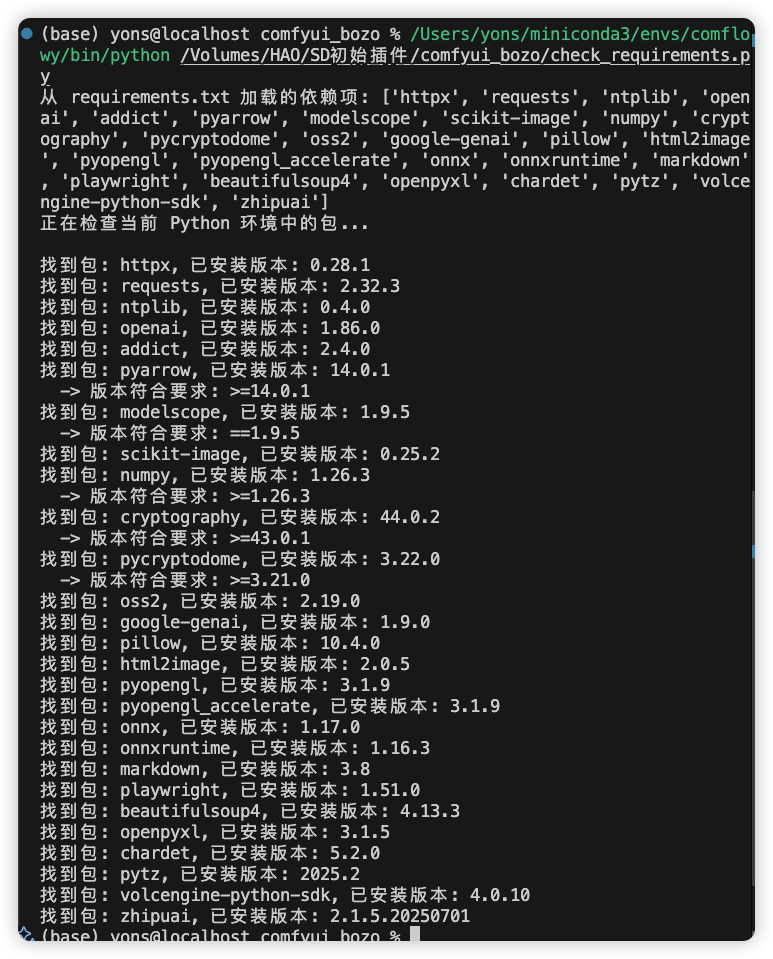
Install Python libraries from requirements.txt using pip. You can first execute
python check_requirements.py
to check if dependencies are installed completely.
- Clone the project and place this plugin folder in ComfyUI's
custom_nodesdirectory.
git clone https://github.com/bozoyan/comfyui_bozo.git- Install dependencies:
pip install -r requirements.txt- Restart the ComfyUI service. The new nodes will be visible in ComfyUI's node panel.
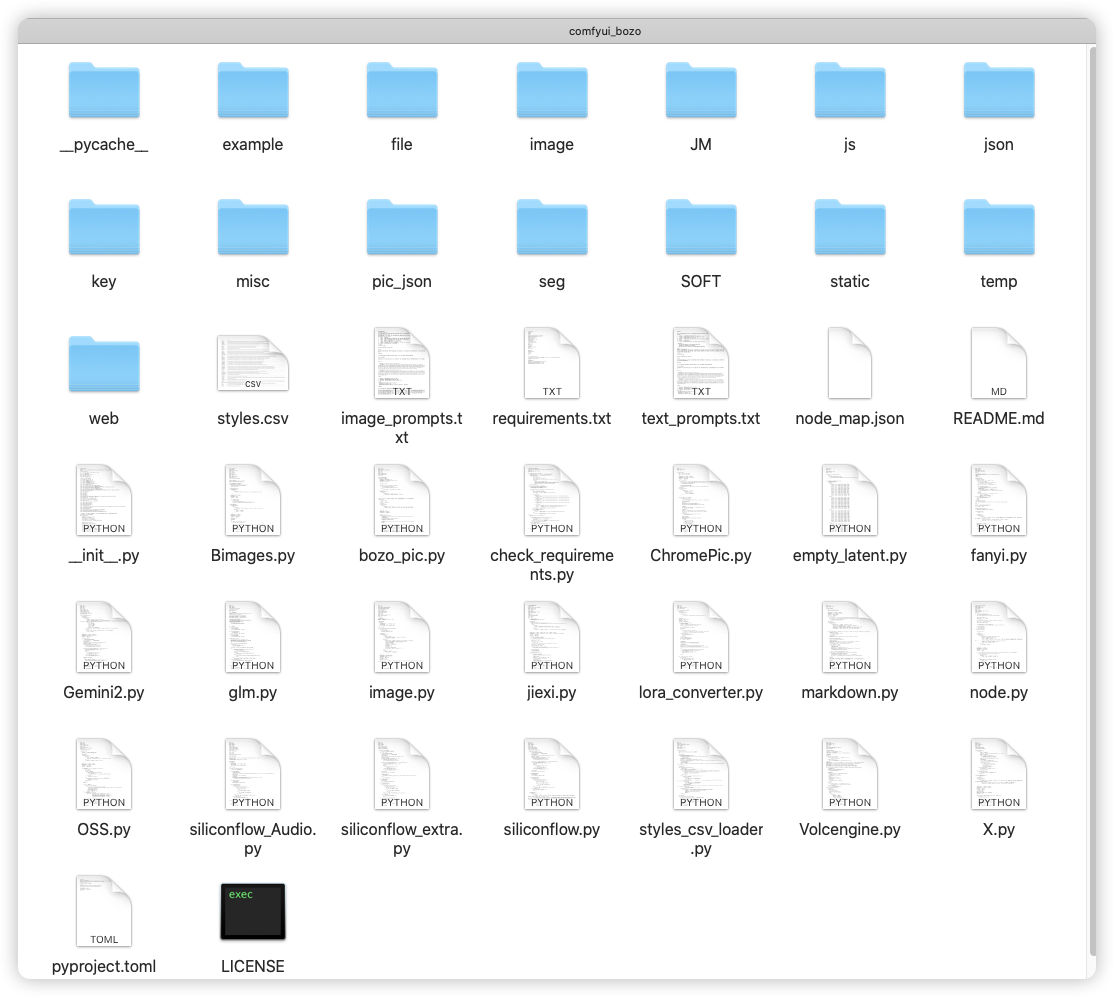
- a1基础格式
a1
Example: Demonstrates basic node format structure. - a2基础数据类型
a2
Example: Demonstrates different data type inputs and outputs. - a3基础调用流程
a3
Example: Shows basic calling logic between nodes. - a4一个可以运行的节点
a4
Complete example: A runnable node for testing basic functions. - a5最简格式
a5
Minimalist node implementation template.
- 比较数值~ 🎯BOZO
CompareInt
Compares the size relationship between two integers. - 规范数值~ 🎯BOZO
FloatToInteger
Converts floating point numbers to integers. - 生成范围数组~ 🎯BOZO
GenerateNumbers
Generates a sequence of numbers within a specified range. - 范围内随机数~ 🎯BOZO
GetRandomIntegerInRange
Generates a random integer within a specified range.
- 文本输入~ 🎯BOZO
SingleTextInput
Single-line text input node. - 文本到列表~ 🎯BOZO
TextToList
Splits text into a list by lines. - 文本拼接~ 🎯BOZO
TextConcatenator
Concatenates multiple text strings. - 多参数输入~ 🎯BOZO
MultiParamInputNode
Input node supporting multiple parameter types. - 整数参数~ 🎯BOZO
NumberExtractor
Extracts integer parameters from text. - 添加前后缀~ 🎯BOZO
AddPrefixSuffix
Adds prefix and suffix to text. - 提取标签之间~ 🎯BOZO
ExtractSubstring
Extracts substring between two tags. - 按数字范围提取~ 🎯BOZO
ExtractSubstringByIndices
Extracts substring based on start and end indices. - 分隔符拆分两边~ 🎯BOZO
SplitStringByDelimiter
Splits string into two parts using a delimiter. - 常规处理字符~ 🎯BOZO
ProcessString
Performs regular processing operations on strings. - 提取前后字符~ 🎯BOZO
ExtractBeforeAfter
Extracts content before or after a specified string. - 简易文本替换~ 🎯BOZO
SimpleTextReplacer
Simple text replacement function. - 替换第n次出现~ 🎯BOZO
ReplaceNthOccurrence
Replaces the nth occurrence of specified content in a string. - 多次出现依次替换~ 🎯BOZO
ReplaceMultiple
Replaces multiple occurrences of strings sequentially. - 批量替换字符~ 🎯BOZO
BatchReplaceStrings
Batch replaces multiple strings. - 随机行内容~ 🎯BOZO
RandomLineFromText
Randomly selects a line from text. - 判断是否包含字符~ 🎯BOZO
CheckSubstringPresence
Checks if text contains a specified substring. - 段落每行添加前后缀~ 🎯BOZO
AddPrefixSuffixToLines
Adds prefix and suffix to each line in a paragraph. - 段落提取指定索引行~ 🎯BOZO
ExtractAndCombineLines
Extracts lines at specified indices from a paragraph and combines them. - 段落提取或移除字符行~ 🎯BOZO
FilterLinesBySubstrings
Filters lines based on whether they contain substrings. - 段落字数条件过滤行~ 🎯BOZO
FilterLinesByWordCount
Filters text lines based on word count conditions. - 按序号提取分割文本~ 🎯BOZO
SplitAndExtractText
Extracts split text by specified sequence number. - 文本出现次数~ 🎯BOZO
CountOccurrences
Counts occurrences of a substring in text. - 文本拆分~ 🎯BOZO
ExtractLinesByIndex
Splits text by index. - 提取特定行~ 🎯BOZO
ExtractSpecificLines
Extracts specific lines from text. - 删除标签内的内容~ 🎯BOZO
RemoveContentBetweenChars
Deletes content between specified tags. - 随机打乱~ 🎯BOZO
ShuffleTextLines
Randomly shuffles the order of text lines. - 判断返回内容~ 🎯BOZO
ConditionalTextOutput
Returns different text content based on conditions. - 文本按条件判断~ 🎯BOZO
TextConditionCheck
Checks if text meets specified conditions. - 文本组合~ 🎯BOZO
TextConcatenation
Combines multiple text strings. - 提取多层指定数据~ 🎯BOZO
ExtractSpecificData
Extracts specified data from multi-layer structures. - 指定字符行参数~ 🎯BOZO
FindFirstLineContent
Finds the first line containing specified characters and extracts parameters. - 获取整数~ 🎯BOZO
GetIntParam
Gets integer parameters. - 获取浮点数~ 🎯BOZO
GetFloatParam
Gets floating point parameters. - 视频指令词模板~ 🎯BOZO
GenerateVideoPrompt
Generates video prompt templates.
- 加载图像(按大小)~ 🎯BOZO
LoadAndAdjustImage
Loads and adjusts images according to specified size. - 加载图像(按路径)~ 🎯BOZO
GenericImageLoader
Loads images via file path. - 调整图像(比例)~ 🎯BOZO
ImageAdjuster
Adjusts image proportions and dimensions. - 裁剪图像(宽高)~ 🎯BOZO
CustomCrop
Crops images by specified width and height. - 保存图像(本地)~ 🎯BOZO
SaveImagEX
Saves images to local storage. - 文件操作~ 🎯BOZO
FileCopyCutNode
File copy or move operations. - 替换文件名~ 🎯BOZO
FileNameReplacer
Replaces specified content in filenames. - 文本写入TXT~ 🎯BOZO
WriteToTxtFile
Writes text to TXT files. - 清理文件~ 🎯BOZO
FileDeleteNode
Deletes specified files. - 加载文件(路径列表)~ 🎯BOZO
FileListAndSuffix
Gets file path list. - 图像层叠加~ 🎯BOZO
ImageOverlayAlignment
Overlays one image onto another. - 文字图像~ 🎯BOZO
TextToImage
Converts text to images.
- 读取表格数据~ 🎯BOZO
ReadExcelData
Reads data from Excel files. - 写入表格数据~ 🎯BOZO
WriteExcelData
Writes data to Excel files. - 图片插入表格~ 🎯BOZO
WriteExcelImage
Inserts images into Excel files. - 查找表格数据~ 🎯BOZO
FindExcelData
Finds data in Excel files. - 读取表格数量差~ 🎯BOZO
ReadExcelRowOrColumnDiff
Reads Excel row/column quantity differences.
- 当前时间(戳)~ 🎯BOZO
GetCurrentTime
Gets current timestamp. - 随机整数~ 🎯BOZO
SimpleRandomSeed
Generates random integer seed. - 选择参数~ 🎯BOZO
SelectionParameter
Parameter selector. - 读取页面~ 🎯BOZO
ReadWebNode
Reads web page content. - 解码预览~ 🎯BOZO
DecodePreview
Decodes and previews images.
-
JSON解析器~ 🎯BOZO
B_JSONParserNode
Parses JSON strings into Python dictionaries. -
Input:
json_string: JSON string- path: Data path (optional)
-
Output:
parsed_data: Parsed JSON or specific valuearray_size: Length when result is an array
-
JSON 随机值~ 🎯BOZO
B_RandomJSONValueNode
Randomly selects a value from a JSON object. -
Input:
json_input: JSON stringmax_depth: Maximum depth for random selection
-
Output:
random_value: Randomly selected value
-
JSON 合并~ 🎯BOZO
B_JSONMergeNode
Merges two or more JSON objects. -
Input:
json_input_1: First JSONjson_input_2: Second JSONmerge_strategy: Merge strategy (overwrite/preserve/concatenate)
-
Output:
merged_json: Merged JSON
-
JSON 修改~ 🎯BOZO
B_JSONModifierNode
Modifies values in JSON objects based on paths. -
Input:
json_input: JSON to be modified- path: Modification path
new_value: New value
-
Output:
modified_json: Updated JSON
-
JSON 字典~ 🎯BOZO
B_JSONGeneratorNode
Generates standard JSON dictionaries from input. -
Input:
key_value_pairs: Key-value pairsis_array: Whether to generate an array instead of an object
-
Output:
generated_json: New JSON structure
-
JSON 长度~ 🎯BOZO
B_JSONLengthNode
Gets the length of JSON arrays or objects. -
Input:
json_input: JSON input
-
Output:
length: Number of items
-
JSON Key值~ 🎯BOZO
B_JSONKeyCheckerNode
Checks if a specified key exists. -
Input:
json_input: JSON objectkey: Key to check
-
Output:
exists: Boolean resultvalue: Value when it exists
-
JSON 字符串生成~ 🎯BOZO
B_JSONStringifierNode
Converts JSON objects to formatted strings. -
Input:
json_input: JSON inputindent: Number of indentation spacessort_keys: Whether to sort keys alphabetically
-
Output:
json_string: Formatted JSON string
-
JSON Object对象~ 🎯BOZO
B_JSONObjectIteratorNode
Traverses key-value pairs of JSON objects. -
Input:
json_input: JSON object- index: Current index
mode: Iteration mode (fixed/increment/decrement)
-
Output:
key: Current keyvalue: Current valuecurrent_index: Current positiontotal_items: Total items
-
JSON Array数组~ 🎯BOZO
B_JSONArrayIteratorNode
Traverses elements of JSON arrays. -
Input:
json_input: JSON array- index: Current index
mode: Iteration mode (fixed/increment/decrement)
-
Output:
item: Current itemcurrent_index: Current positiontotal_items: Total items
- Nested objects:
object.nestedObject.property - Array elements:
array[0]orarray.0 - Complex structures:
object.array[2].property
# Input JSON
{
    "users": [
        {"name": "Alice", "age": 30},
        {"name": "Bob", "age": 25}
    ]
}

# Using array iterator, mode="incr"
# Will output each user object sequentially
# First input
{"name": "John", "age": 30}

# Second input
{"age": 31, "city": "New York"}

# Result using overwrite strategy
{"name": "John", "age": 31, "city": "New York"}
# Input JSON
{
    "colors": ["red", "blue", "green"],
    "sizes": {"S": 10, "M": 20, "L": 30}
}

# May return any color or size value
-
新建噪点图片~ 🎯BOZO
Bozo_Pic
Generates noise images of specified dimensions. -
自定义Latent尺寸~ 🎯BOZO
BOZO_Custom_Image
Adjusts the dimensions of latent space images. -
图片增强GPEN~ 🎯BOZO
BOZO_GpenImage
Enhances image quality using ModelScope's GPEN model. -
图片放大GPEN~ 🎯BOZO
B_GpenImage
Enlarges images using the GPEN model. -
图片运算~ 🎯BOZO
BImageYunSuan
Performs basic mathematical operations on images. -
图片区域对比~ 🎯BOZO
B_quyu
Compares image regions. -
图片羽化~ 🎯BOZO
B_yuhua
Feathering processing on images. -
图片渐变透明化~ 🎯BOZO
B_touming
Adds gradient transparency effects to images. -
图片合成合并~ 🎯BOZO
B_hebin
Synthesizes and merges multiple images. -
图片URL反推(ModelScope)~ 🎯BOZO
ImageJiexi
Parses image information from URLs. -
文生图(ModelScope)~ 🎯BOZO
PicRun
Text-to-image generation. -
保存图像(URL)~ 🎯BOZO
BImageSave
Saves images to specified URLs. -
保存图片元数据~ 🎯BOZO
BImageSaveWithExtraMetadata
Saves images with additional metadata. -
图片预览~ 🎯BOZO
PreviewPic
Previews generated images. -
单图片浏览器~ 🎯BOZO
PicChrome
Views single images in Chrome browser. -
多图片浏览器~ 🎯BOZO
PicSChrome
Views multiple images in Chrome browser. -
加载图像(多图)~ 🎯BOZO
B_ImagesInput
Supports input of multiple images. -
加载图像(批量)~ 🎯BOZO
Bozo_ImagesInput
Supports batch input of images. -
加载图像(网络)~ 🎯BOZO
ImagePathLoader
Loads images from network paths. -
图片读取器~ 🎯BOZO
ImageLoader
Reads image files. -
元数据读取器~ 🎯BOZO
PNGInfoReader
Reads metadata of PNG images. -
元数据提取器~ 🎯BOZO
PNGInfoExtractor
Extracts specific metadata from PNG images.
-
百度翻译~ 🎯BOZO
ComfyUI_FanYi
Performs text translation using Baidu Translation API (requires API key configuration). -
API接口~ 🎯BOZO
BOZO_LLMAPI_NODE
Universal LLM API calling interface. -
LLM文本提示词~ 🎯BOZO
BOZO_LLM_Node
Engages in text dialogue with large language models. -
思考型LLM~ 🎯BOZO
BOZO_Node
Engages in thinking-style dialogue using ModelScope's Qwen model, outputting thought processes and final answers. -
字符串合并拼接~ 🎯BOZO
Bhebin
Merges multiple strings. -
文本预览~ 🎯BOZO
Bozo_preview_text
Previews text content. -
文本MD读取~ 🎯BOZO
BOZO_TXT_MD
Reads Markdown text. -
调用文本行数据~ 🎯BOZO
Bozo_SplitNode
Extracts specific lines from multi-line text. -
输出OS系统变量~ 🎯BOZO
BozoPrintOS
Prints operating system environment variables. -
GLM文本提示词~ 🎯BOZO
GLM_Text_Chat
Engages in text dialogue using GLM model. -
GLM识图生成提示词~ 🎯BOZO
GLM_Vision_ImageToPrompt
Generates prompts through images using GLM model. -
GLM文本翻译~ 🎯BOZO
GLM_Translation_Text
Performs text translation using GLM model.
-
Markdown转HTML~ 🎯BOZO
MarkmapNode
Converts Markdown to HTML format. -
读取Markdown~ 🎯BOZO
ReadHtmlNode
Reads Markdown files. -
HTML转图片~ 🎯BOZO
HtmlToImageNode
Converts HTML content to images. -
保存Markdown~ 🎯BOZO
BozoSaveMd
Saves Markdown content to files. -
保存HTML~ 🎯BOZO
BozoSaveHTML
Saves HTML content to files and optionally opens in browser.
- First configure Alibaba Cloud Image Segmentation Service, obtain
AccessKey IDandAccessKey Secret. - Save the keys to the plugin directory's AssetKey.json file (refer to example for format).
-
衣服Seg分割-Cloth~ 🎯BOZO
ALY_Seg_Cloth
Performs image segmentation on clothing. -
物体Seg分割-Obj~ 🎯BOZO
ALY_Seg_Obj
Performs image segmentation on general objects. -
头部Seg分割-head~ 🎯BOZO
ALY_Seg_head
Performs image segmentation on head regions. -
皮肤Seg分割-Skin~ 🎯BOZO
ALY_Seg_Skin
Performs image segmentation on skin regions.
-
OSS上传器~ 🎯BOZO
OSSUploader
Uploads files to Alibaba Cloud OSS storage. -
OSS链接输出~ 🎯BOZO
OSSUrlOutput
Generates and outputs access links for OSS files. -
文字推理~ 🎯BOZO-X
X_API_Node
Performs text reasoning using X platform API. -
图片推理~ 🎯BOZO-X
X_API_Image
Performs image reasoning using X platform API. -
图片生成~ 🎯BOZO-X
X_API_Images
Generates images using X platform API. -
Gemini 单图生成~ 🎯BOZO
Google-Gemini
Generates images using Google Gemini model.
-
文生图~ 🎯BOZO SiliconFlow
BOZO_SiliconFlow_Txt2Img
Converts text to images using SiliconFlow service. -
LLM对话~ 🎯BOZO SiliconFlow
BOZO_SiliconFlow_LLM
Engages in dialogue using SiliconFlow's LLM service. -
图像分析~ 🎯BOZO SiliconFlow
BOZO_SiliconFlow_ImageAnalysis
Analyzes image content using SiliconFlow service. -
JSON代码生成~ 🎯BOZO SiliconFlow
BOZO_SiliconFlow_JSONGenerator
Generates JSON data using SiliconFlow service.
-
音频-上传Base64~ 🎯BOZO
BOZO_SiliconFlow_Audio_UploadBase64
Uploads Base64 encoded audio data. -
音频-复刻声音~ 🎯BOZO
BOZO_SiliconFlow_Audio_UploadFile
Uploads audio files for voice cloning. -
音频-音色列表~ 🎯BOZO
BOZO_SiliconFlow_Audio_ListVoices
Gets list of available voices. -
音频-删除音色~ 🎯BOZO
BOZO_SiliconFlow_Audio_DeleteVoice
Deletes custom voices. -
音频-自定义音色~ 🎯BOZO
BOZO_SiliconFlow_Audio_CustomVoice
Synthesizes speech using custom voices. -
音频-系统音色~ 🎯BOZO
BOZO_SiliconFlow_Audio_SystemVoice
Synthesizes speech using system preset voices. -
音频-文件筛选~ 🎯BOZO
BOZO_SiliconFlow_Audio_FileSelector
Filters audio files. -
音频-文字转录~ 🎯BOZO
BOZO_SiliconFlow_Audio_FilePicker
Selects audio files and performs text transcription.
-
加载CSV~ 🎯BOZO
StylesCSVLoader
Loads and parses style data from CSV files. -
Qwen-Image LoRA转换器~ 🎯BOZO
B_QwenLoraConverterNode
Converts ModelScope-trained Qwen-Image LoRA files to ComfyUI recognizable format. -
Nunchaku LoRA转换器~ 🎯BOZO
B_NunchakuLoraConverterNode
Nunchaku LoRA converter. -
多图分析~ 🎯BOZO
B_KontextDuoImageAnalyzer
Multi-image analysis. -
豆包生图~ 🎯BOZO
DoubaoImageGenerator
Doubao image generation. -
豆包改图~ 🎯BOZO
B_DoubaoImageEdit
Doubao image editing. -
豆包文生图SeeDream~ 🎯BOZO
volcengine-seedream-v3
Doubao text-to-image SeeDream. -
豆包文生视频T2V~ 🎯BOZO
volcengine-t2v
Doubao text-to-video T2V. -
豆包图片编辑ImgEditV3~ 🎯BOZO
volcengine-img-edit-v3
Doubao image editing ImgEditV3. -
豆包首尾帧视频Seedance~ 🎯BOZO
volcengine-doubao-seedance
Doubao first-and-last-frame video Seedance.
- Create Alibaba Cloud AssetKey.json file in the plugin key directory.
- Example content:
{
  "access_key_id": "your_access_key_id Access Key ID for identifying user identity.",
  "access_key_secret": "your_access_key_secret Access Key Secret for verifying user identity."
}
- Create corresponding API key files in the plugin key directory, just put the key text directly:
- ModelScope API:
modelscope_api_key.txt - Siliconflow API:
siliconflow_API_key.txt - Other API key files
- ModelScope API:
- Create
AssetKey_Baidu.jsonfile in the plugin key directory. - Example content:
{
  "appid": "your_appid Baidu Translation API appid",
  "appkey": "your_appkey Baidu Translation API appkey"
}
- Create AssetKey_OSS.json file in the plugin key directory.
- Example content:
 {
   "access_key_id": "your_access_key_id Access Key ID for identifying user identity.",
   "access_key_secret": "your_access_key_secret Access Key Secret for verifying user identity.",
   "bucket_name": "your_bucket_name Your selected Bucket name",
   "oss_domain": "your_oss_domain OSS access address, recommended to configure as https://",
   "directory": "your_directory/ Relative path to save OSS files in Bucket, needs trailing slash",
   "name_prefix": "your_prefix File name prefix"
 }
- Create Volcengine.json file in the plugin key directory.
- Example content:
 {
   "api_key": "your_api_key Volcengine API Key",
   "model": "your_model_name Text-to-image model name",
   "model_edit": "your_edit_model_name Image editing model name",
   "model_id": "your_model_id Image understanding model ID",
   "base_url": "your_base_url Volcengine base URL"
 }
- Create glm.json file in the plugin key directory (if not already created).
- Example content:
 {
   "ZHIPUAI_API_KEY": "your_zhipu_api_key Zhipu AI API key",
   "from_translate": "zh Source language, default Chinese",
   "to_translate": "en Target language, default English",
   "model": "your_model_name Model name"
 }
Text Input -> BOZO LLM Text Dialogue -> Text-to-Image -> Image Enhancement GPEN -> Image Save
Image Loader -> Object Seg Segmentation -> Image Operations -> Save Image with Metadata
Text Input -> SiliconFlow LLM Dialogue -> Markdown to HTML -> HTML to Image -> OSS Uploader -> OSS Link Output
Text Input -> Audio-System Voice -> Audio File Selection -> Audio-Voice Cloning -> Audio-Custom Voice
- 2024.12: Initial version released, including basic JSON processing and image processing nodes
- 2025.01: Added Alibaba Cloud image segmentation and OSS storage functions
- 2025.02: Added LLM dialogue and HTML/Markdown processing functions
- 2025.03: Added SiliconFlow nodes and audio processing functions
- 2025.04: Optimized documentation and user interface, added more examples
- 2025.05: Added Baidu Translation API function and other LLM interface support
- 2025.06: Fixed audio file upload issues, added ModelScope text-to-image node functions, added other utility node functions
- 2025.07: Added cloud model API support for GLM, Grok, Qwen, etc., fixed empty line and line break issues in dialogue, added streaming reply function for dialogue
- 2025.08: BizyAIR cloud API nodes development
- 2025.09: Short Video API - Cloud Platform
- Issues: Submit Issues
Thank you for using comfyui_bozo! 🎉
The related calls and GUI page functions of the project are still being continuously improved...
Hope this tool brings convenience to you. 😊
MIT License