


Fork of the original - ejnij/Godot-DialogGraphPlugin
- Create an 'addons' folder in your project folder if one doesn't already exist.
- Clone repository under 'addons' folder
- In the editor - Project -> Project Settings -> Plugins -> Change the status to 'Active'.
*Note: the Graph Editor is on the bottom of Godot's editor, next to the Animation tab. It appears when a Manager node is selected.
The plugin has two parts, the editor and the manager, but before that is explained, lets go over the different nodes.

Conversation is the starting point of a dialog graph. You can have multiple Conversations in a single file, but each of them has to have its own unique name. In every file there's only one Conversation that's set as the default one. This means it would be the default dialog graph that would start in that specific file, unless the Manager node is provided with a name of a different Conversation.
Speech is your NPCs' 'voice'. This is what they'd say in your dialog.
Choice is where your player replies. It lets you have multiple answers, with each being able to branch according to the response.
Condition is used when you want a branching point to depend on a variable. It uses the following format - "path/property", where path can be relative, or absolute. When you use a relative path, it is relative to the PARENT of the manager node. To use a parent's property, the path should be ".". (This is exactly how it works with get_node())
Mux is used as a many-to-one converter. Because the plugin doesn't allow multiple connections connecting to the same slot, this is the solution when you want to route multiple outcomes to the same point.
Jump allows you to 'jump' to another Conversion, within the same file. This is used to simplify the graph, and lets you set different 'checkpoints' you can return to, or start from, using Conversations.
These are all the available nodes for now!
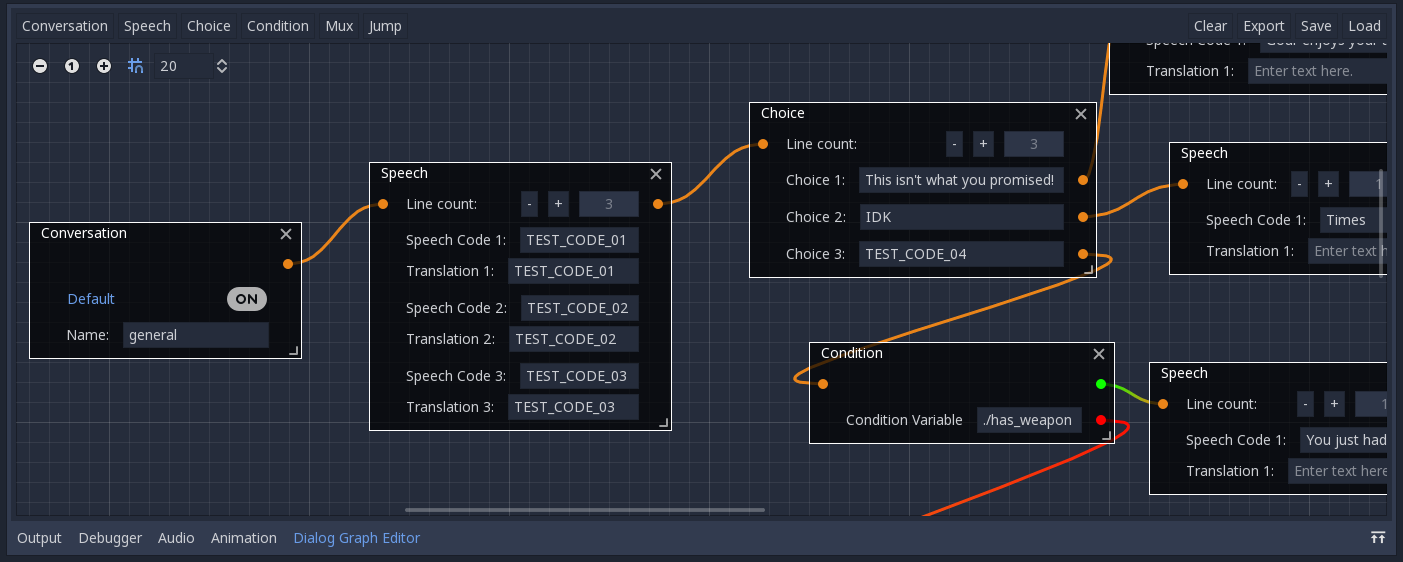 The editor is used for designing dialog graphs which can then be exported and used by the manager node.
The buttons on the left create graph nodes. The buttons on the right let you load/save the dialog graph, export it for the Manager node, or clear the view.
The editor is used for designing dialog graphs which can then be exported and used by the manager node.
The buttons on the left create graph nodes. The buttons on the right let you load/save the dialog graph, export it for the Manager node, or clear the view.
*Clarification: Save and Load use a different file format from Export. The former holds the visual data for the Editor, and the latter holds less information and is used by the Manager node.
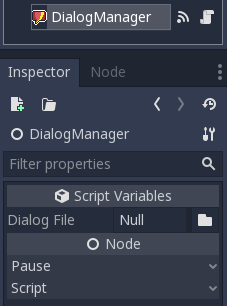
The manager node is used to manage and communicate with the dialog graph you exported, while your game is running. You can choose the exported dialog you created in the Manager node's view. It has signals for when it reaches a Speech node or a Choice node. Each providing the relevant dialog data as an Array of Strings. To inform it when a choice was chosen, you can use choice_picked(choice_index).