Installing Software
All the assignments and example source code provided at
https://github.com/douglascraigschmidt/CS891
are designed for use with modern Java and IntelliJ.
The latest version of IntelliJ is available for download from here. You'll need to download/install the Java 19 SDK (which should be available for download via IntelliJ). You can download all the Java 19 source code here.
You will be required to make a GitLab account. You may do so here (see 'New User' if you do not yet have an account). Once you have created your account and have logged in you will find a screen that looks like this:
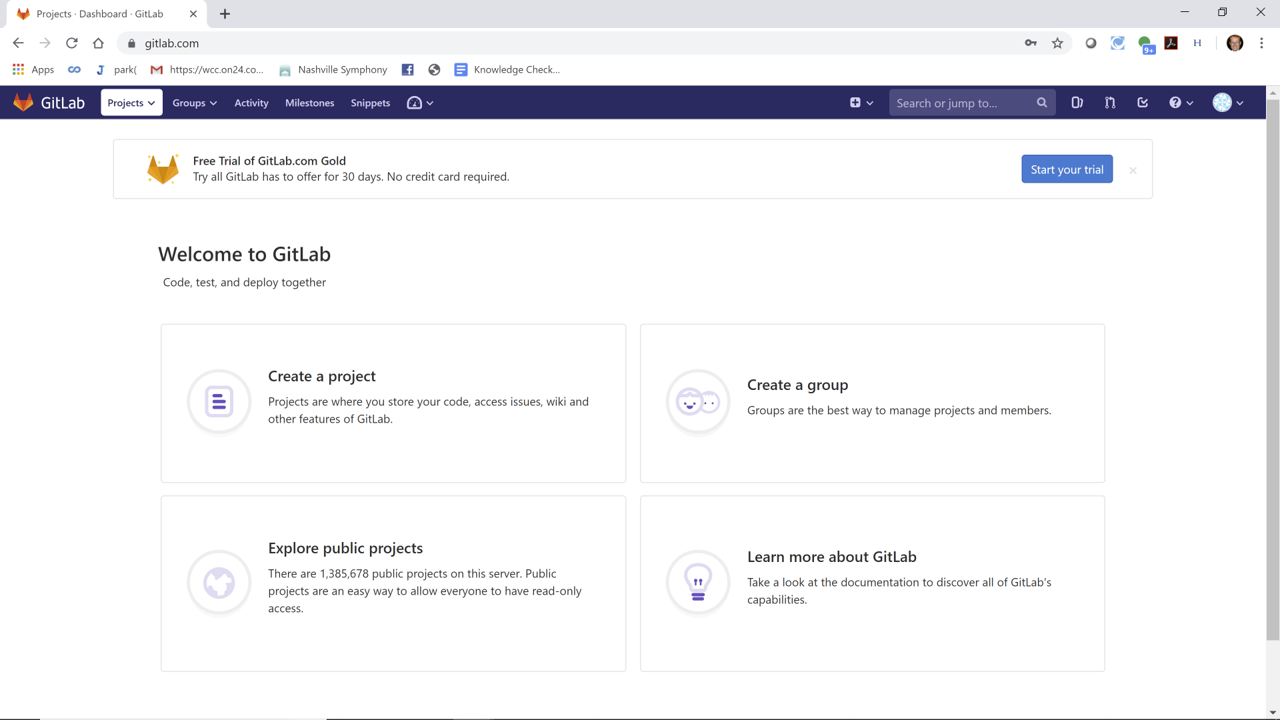
Click the 'Create a project' button to create your own repository for your coursework. Please update the Project name box to read "CS-891-spring-2024" and make sure the Visibility Level is set to "private", as shown in the following screenshot:
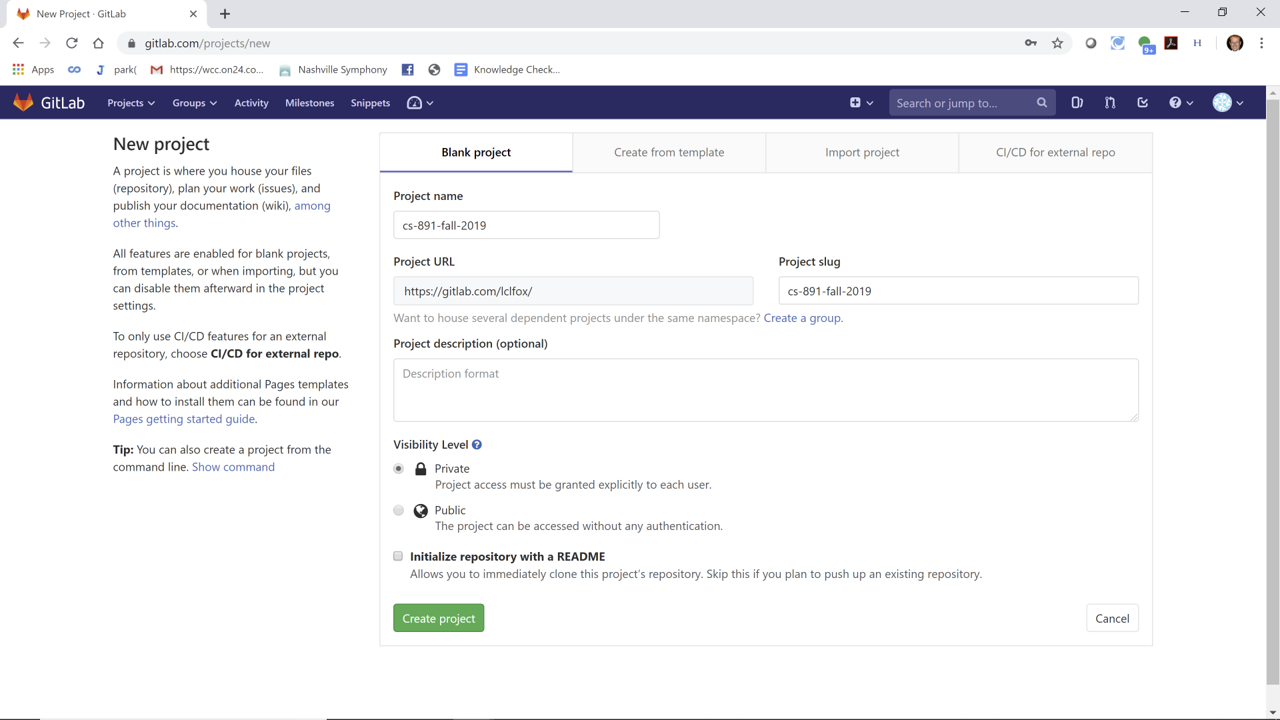
Once that is complete, you should click on the "Create project" button, which will taken you to your repository, as shown in the following screenshot:
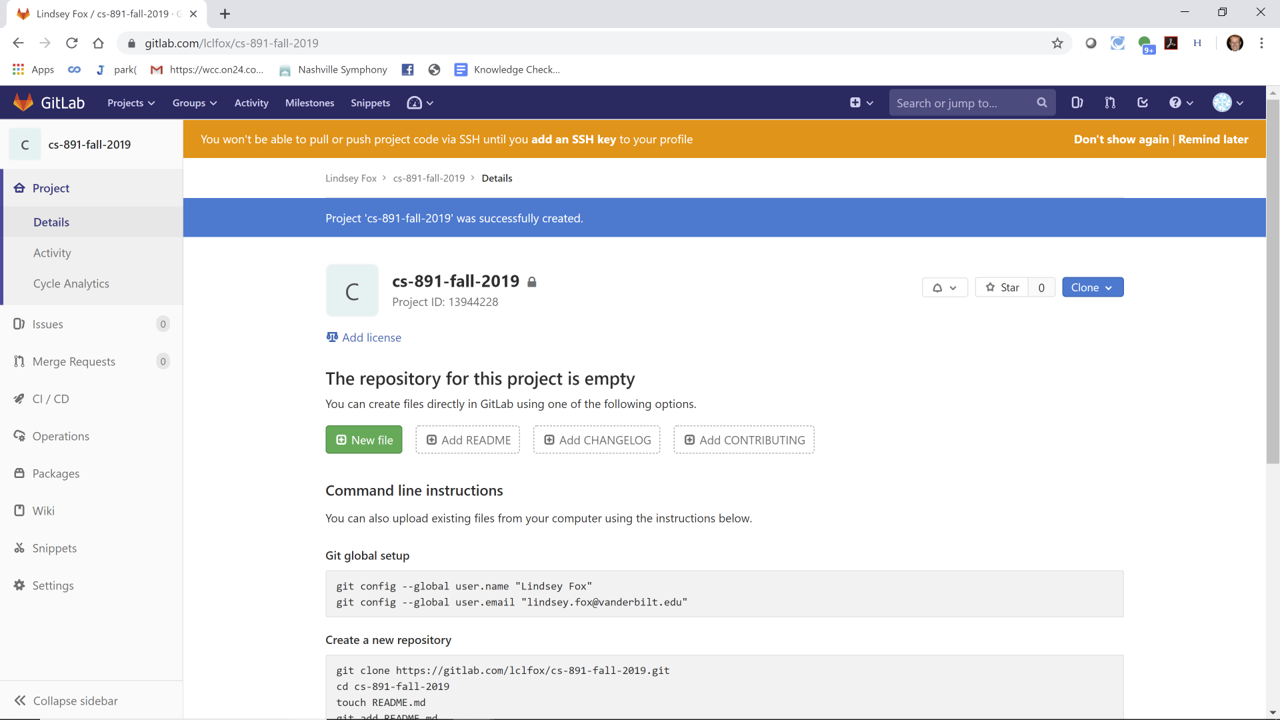
At this point, please click on the 'Settings' button on the left-hand side of the page, which should show the following screenshot:
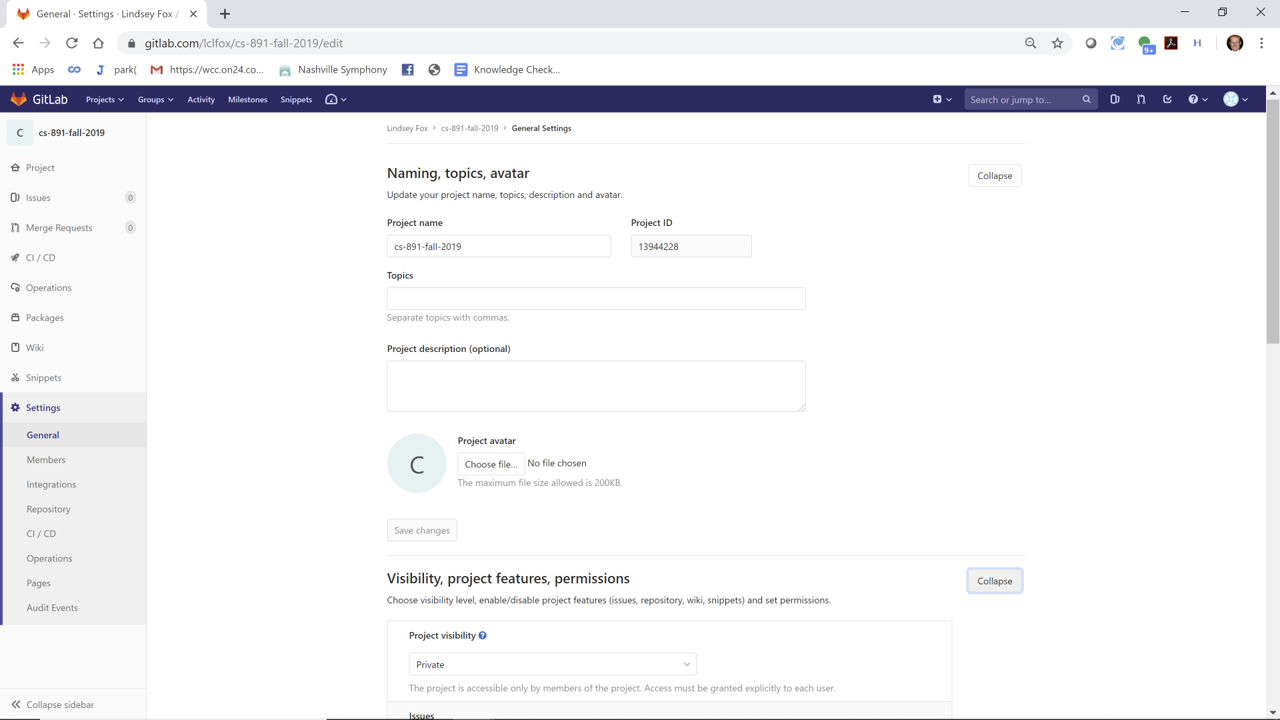
On the Settings page, please make sure that Project visibility is set to 'private' is selected.
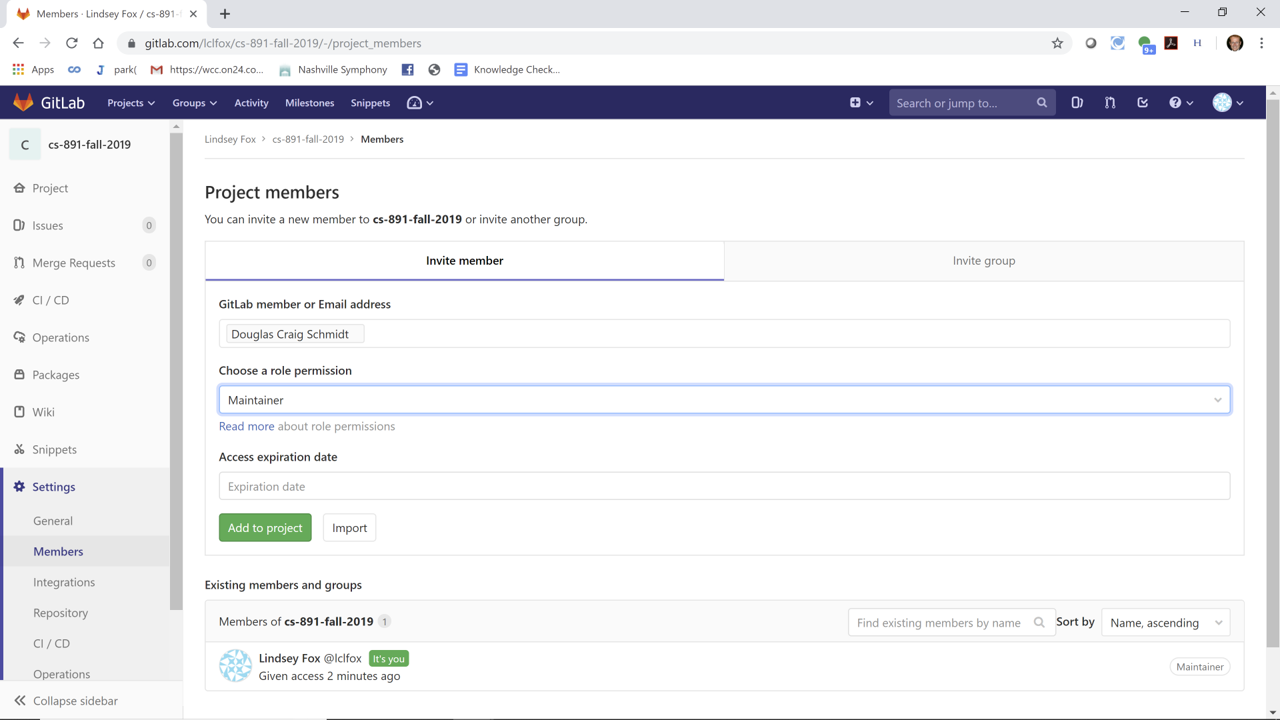
Finally, please click on the 'Members' button under 'Settings' and then add my GitLab ID and the GitLab IDs for the various TAs/graders in the course as "Maintainers," as shown in the following screenshot:
If you have any questions please make sure to post them to the course discussion forum on Piazza.