A mod that adds theme support and quality-of-life features, such as window resizing, to Voicemeeter.


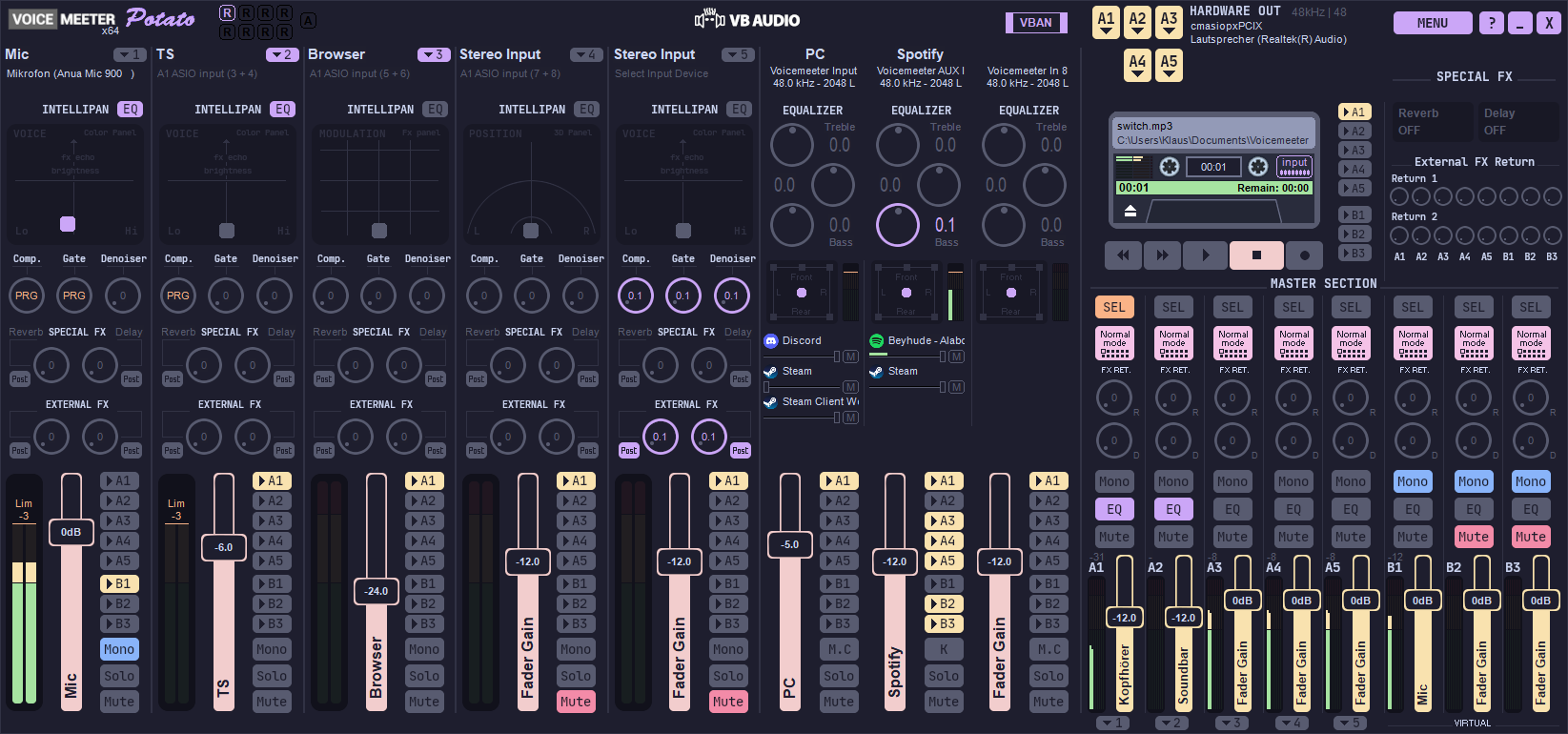
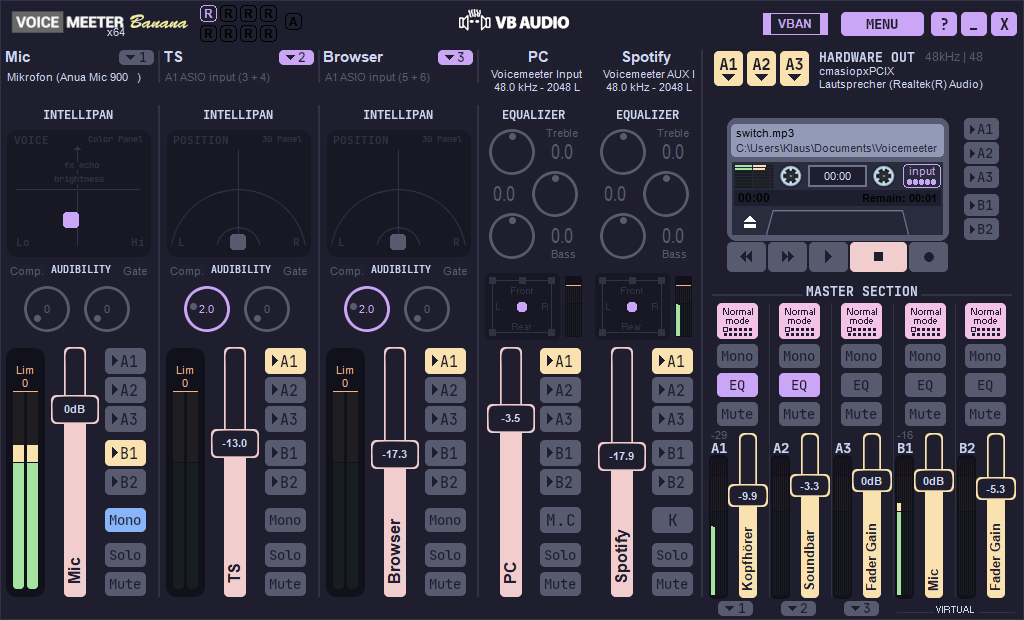
Caution
This project is an unofficial, third-party, independent modification of Voicemeeter. It is not affiliated with, endorsed by, or in any way officially connected to VB-Audio Software or any of its subsidiaries or affiliates. All trademarks, service marks, and copyrights related to Voicemeeter are the property of VB-Audio Software. If you have any problems related to or caused by this mod, you will not get any support whatsoever on the Voicemeeter forums or the Voicemeeter Discord.
For any problems or bug reports, please create an issue here on Github or ask on the dedicated Discord server.
This mod replaces default UI elements and colors of Voicemeeter by hooking certain Windows API and Voicemeeter functions responsible for drawing on the application window surface.
It creates a copy of the Voicemeeter executable and patches its import table so that it loads the mod DLL on start-up, which performs the theme initialization.
Supported themes are placed in the Documents/Voicemeeter/themes directory and consist of bitmap images for the UI elements and a single .yaml file for color mappings.
Themes can be easily created, modified and adapted using regular image editing software.
Contains the core functionality of theme initialization by hooking theming related functions using the Microsoft Detours library.
It is copied to the C:\Program Files (x86)\VB\Voicemeeter directory and loaded by Voicemeeter on every start-up.
Patches the import table of the Voicemeeter executable by adding an entry for vmchroma32.dll / vmchroma64.dll. This is only done once, when you run the patching script. Voicemeeter will from then on load the DLL when it starts.
Runs addimport32.exe and addimport64.exe to patch the 32bit and 64bit versions of Voicemeeter.
It creates new executables with _vmchroma suffix and only patches these copies.
It then copies vmchroma32.dll and vmchroma64.dll into the Voicemeeter installation directory.
Tested on Windows 10 & Windows 11 for the following Voicemeeter versions:
- ✅
Default 1.1.1.9 - ✅
Banana 2.1.1.9 - ✅
Potato 3.1.1.9
(Older versions may work as well).
(For more detailed instructions with screenshots, check out the wiki)
- Download the mod from the Release page and extract the .zip folder.
- Open the extracted folder and
Shift + right-clicksomewhere inside the folder. - Select
Open PowerShell window here. - Run the following command to unblock and execute the script:
powershell -ExecutionPolicy Bypass -File .\vmchroma_patcher.ps1- Press enter to run the script. You should see
Voicemeeter patching complete!at the end. - Choose a supported theme, copy it to
C:\Users\<USER>\Documents\Voicemeeter\themes\and set the name in the config file as described in the theme readme. - Change other settings in the config file to your liking.
- Start Voicemeeter VMChroma using the newly created shortcuts in the windows start menu (press Windows key and search for
VMChroma)
Catppuccin Mocha (Banana & Potato)
Catppuccin Macchiato (currently only Banana)
Install the following toolchain if you don't have it installed already (older versions of the toolchain may work as well).
- Download and run Build Tools for Visual Studio 2022.
- Under "Individual components" search for and select the following:
- ☑️
MSVC v143 - VS 2022 C++ x64/x86 build tools (Latest) - ☑️
Windows 11 SDK (10.0.22621.0) - ☑️
C++ CMake tools for Windows
- ☑️
- Make sure only these 3 options are selected and then click install.
- Download and unzip or clone the repository.
- In the start menu, search and run
Developer PowerShell for VS 2022and navigate to the downloaded folder usingcd. - Run the following command:
cmake -S . -B build32 -G "Visual Studio 17 2022" -A Win32; `
cmake -S . -B build64 -G "Visual Studio 17 2022" -A x64; `
cmake --build build32 --config Release; `
cmake --build build64 --config Release
- The build artifacts are now located in the
outfolder.
No, this is a completely unofficial mod that is not affiliated with Voicemeeter or VB-Audio Software in any shape or form, the moderators won't be able to help you, see Support.
Yes, you can use this mod without a theme. For example, you might want to keep the default UI but still be able to resize the window or change the mouse scroll behaviour. Simply leave the theme setting in the config file blank for all three Voicemeeter versions.
It patches the Voicemeeter executable so that it loads the mod DLL on start-up. The mod then hooks (= intercepts) some Windows API functions responsible for drawing on the application surface. This includes: CreatePen, CreateBrushIndirect and SetTextColor, among others.
To make the window resizable, VMChroma modifies the rendering logic by tricking the application to use a Direct2D compatible, fixed-size memory device context, instead of rendering to the window directly. The content of the memory device context is then scaled and rendered to the actual window using Direct2D with high quality cubic interpolation. The WndProc function is hooked to intercept messages containing mouse coordinates, which are mapped to the original window size, so that Voicemeeter can process them normally.
Hooking is done using the Microsoft Detours library: https://github.com/microsoft/Detours/wiki
It doesn't modify or delete the original executable. It creates a copy with _vmchroma appended to its name that loads the mod when executed.
I have Voicemeeter configured to run on Windows startup, how can I autostart Voicemeeter with the theme applied?
Create a backup of the original executable and rename the mod executable by removing the _vmchroma suffix.
- Untick
Run on Windows Startupin the Voicemeeter menu - Create a shortcut to the mod executable in
C:\Users\<USER>\AppData\Roaming\Microsoft\Windows\Start Menu\Programs\Startup
No, this mod only enables theme support. You also need to download a supported theme separately, see Supported themes.
Get a supported theme and edit the bitmaps with image editing software. You'll also need to adapt the color mapping in the colors.yaml file to match the background bitmaps.
If you want the original background images embedded in the Voicemeeter executable, you need to extract them yourself, as described in this guide I wrote on the official Voicemeeter Discord.
- Microsoft Detours https://github.com/microsoft/Detours
- For hooking Windows API and custom functions.
- spdlog https://github.com/gabime/spdlog
- For log file functionality.
- yaml-cpp https://github.com/jbeder/yaml-cpp
- for parsing configuration files.
- capstone https://github.com/capstone-engine/capstone
- to find some instructions needed for patching
The dependencies are pulled and built from source in the build step via the CMakeLists.txt file.