Help
Suntimes can perform user-defined actions when a widget is clicked, or when an alarm or notification is shown or dismissed.
To add an action... create an Intent by declaring:
| Intent | (leave fields empty for an implicit intent) |
|---|---|
| Action | An action string. e.g. android.intent.action.ACTION_VIEW |
| Class | A fully qualified class name (case-sensitive). This must be a complete definition that includes both the package and class name. The class is required for explicit intents - leave it blank to allow the system to decide which class to launch. e.g net.osmand.plus.activities.MapActivity
|
| Data | A Uri that contains or points to attached data. e.g. geo:30,31. Limited %substitutions are supported. e.g. geo:%lat,%lon
|
| Mime | The mime type of attached data (if applicable). Leave blank for most types of data. |
| Extras | An & delimited string containing key-value pairs. Values may be Strings, int, long, double, float, or boolean. Limited %substitutions are supported. e.g. key1="some string" & key2=1 & key3=1L & key4=1D & key5=1F & key6=true & key7=%dm
|
An app that displays package info is useful for discovering Activities, which can then be launched with an explicit intent.
Suntimes must be not optimized for alarms to work reliably.
Settings > Apps > Suntimes > Battery > Unrestricted
On most devices the optimized setting may delay alarms up to 15 minutes. Other devices may restrict alarms without special configuration.
The following devices are affected: Asus, Blackview, Huawei, LENOVO, Meizu, OnePlus, OPPO, realme, Samsung, Sony, Unihertz, Vivo, WIKO, and Xiaomi. Check https://dontkillmyapp.com/ for solutions.
Notifications must be enabled for alarms to display correctly.
Settings > Apps > Suntimes > Notifications > Show Notifications
Suntimes uses third-party libraries to perform astronomical calculations.
The data source settings allow for choosing between different libraries (or choosing between different algorithms offered by those libraries). These are advanced settings that affect the speed and accuracy of calculations, and may limit which features are available.
| Library | Description | |
|---|---|---|
sunrisesunsetlib |
Not Recommended | Somewhat inaccurate and sometimes buggy. Does not support altitude, seconds-based calculation, solstice, equinox, or sun position. Based on "Almanac for Computers" by the USNO. github.com/mikereedell/sunrisesunsetlib-java |
ca.rmen.sunrisesunset |
Partially Recommended | Similar to sunrisesunsetlib but with reasonable precision. Does not support altitude, solstice, equinox, or sun position. Based on the algorithms published by NOAA. github.com/caarmen/SunriseSunset
|
time4a-simple |
Not Recommended | Somewhat inaccurate. Does not support altitude. Based on "Almanac for Computers" by the USNO. |
time4a-noaa |
Partially Recommended | Same algorithm used by ca.rmen.sunrisesunset with reasonable precision. Does not support altitude. Based on the algorithms published by NOAA. |
time4a-cc |
Recommended | Good precision taking the altitude of locations into account. Based on "Calendrical Calculations" by Dershowitz/Reingold. Supports all features. |
time4a-time4j |
Recommended Default | Best precision taking the altitude of locations, the elliptic shape of the earth and typical weather conditions into account. Based on "Astronomical Algorithm" by Jean Meeus. Supports all features. github.com/MenoData/Time4A |
A few important details:
- Do not expect precision better than minutes.
The app hides seconds by default (but this can be enabled). - The precision of the USNO and NOAA algorithms tends to be very inaccurate in polar regions.
- The
time4jandccalgorithms may differ substantially (up to 10 minutes) from algorithms that do not account for altitude. - One difference between the
time4jandccalgorithms is thatcconly assumes the altitude of the observer by an approximated geodetic model, whiletime4jdoes it using a spheroid (WGS84) and the assumption of a standard atmosphere (for refraction). - None of these algorithms are able to account for local topology (a mountain directly in front of you), or deviating local weather conditions.
The app can be extended to add additional data sources by implementing the SuntimesCalculator interface.
Suntimes supports limited %substitutions, a set of tags that are replaced with values from the data set.
Substitutions may be used within widget title text, or within action data or extras.
Date/Time:
-
%tfor time zone (id) (e.g. US/Arizona) -
%dfor formatted date (e.g. February 12) -
%ddfor day (short) (e.g. Mon) -
%dDfor day (long) (e.g. Monday) -
%dYfor year (e.g. 2018) -
%dtfor formatted time (of last update) -
%dTfor formatted time with seconds (of last update) -
%dmfor time in milliseconds (of last update) -
%eotfor formatted 'equation of time' (of last update) -
%eot_mfor 'equation of time' milliseconds (of last update)
Location:
-
%locfor label (e.g. Phoenix) -
%latfor latitude -
%lonfor longitude -
%lelfor elevation (e.g. 385 meters)
Misc:
-
%sfor data source (e.g. sunrisesunsetlib) -
%idfor appWidgetID
Sun Widgets:
-
%mfor mode (short) (e.g. Civil) -
%Mfor mode (long) (e.g. Civil Twilight) -
%ofor order (e.g. Last/Next, Today) -
%em@<event>event milliseconds -
%et@<event>event formatted time -
%eT@<event>event formatted time (with seconds) -
%eA@<event>event altitude -
%eZ@<event>event azimuth -
%eD@<event>event declination -
%eR@<event>event right ascension
where <event> is:
| Sun Widgets | Sun Position Widgets | |||||||||||||||||||||||||||||
|---|---|---|---|---|---|---|---|---|---|---|---|---|---|---|---|---|---|---|---|---|---|---|---|---|---|---|---|---|---|---|
|
|
Moon Widgets:
-
%ifor moon illumination (e.g. 25%) -
%Mfor moon phase (e.g. Waxing Crescent) -
%ofor order (e.g. Last/Next, Today)
Solstice Widgets:
-
%mfor mode (short) (e.g. Solstice) -
%Mfor mode (long) (e.g. Winter Solstice) -
%ofor order (e.g. Closest Event, Upcoming Event)
%loc, %M, or %t can be used to include the location name, event name, or time zone as part of a widget's title.
%dm and %em@<event> can be used to pass time (milliseconds) as part of an action; e.g. uri content://com.android.calendar/time/%dm opens the calendar app.
%lat and %lon can be used to pass the location as part of an action; e.g. uri geo:%lat,%lon opens the map app.
Suntimes can be configured to display a custom world map background.
| Projection | Map Backgrounds (click for full-size image) |
|---|---|
| Equidistant Rectangular |
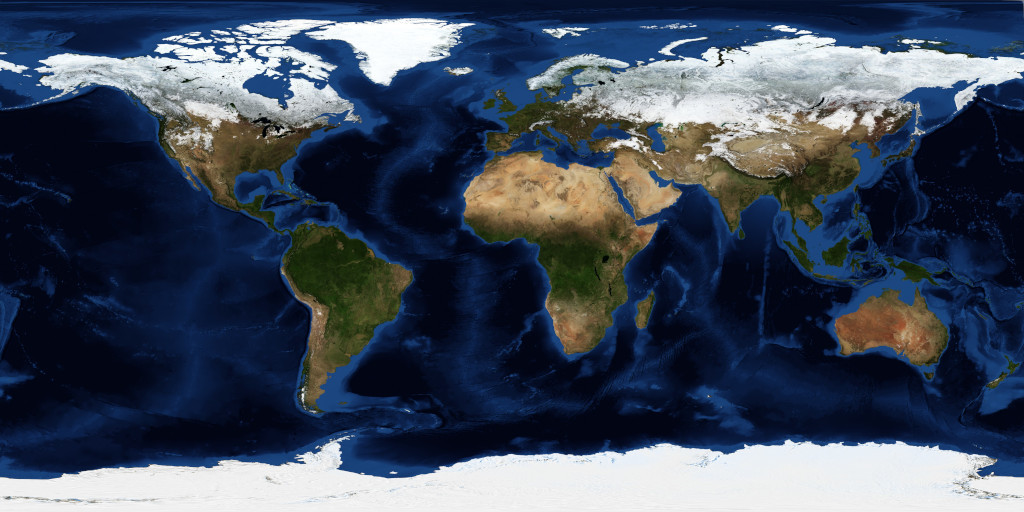 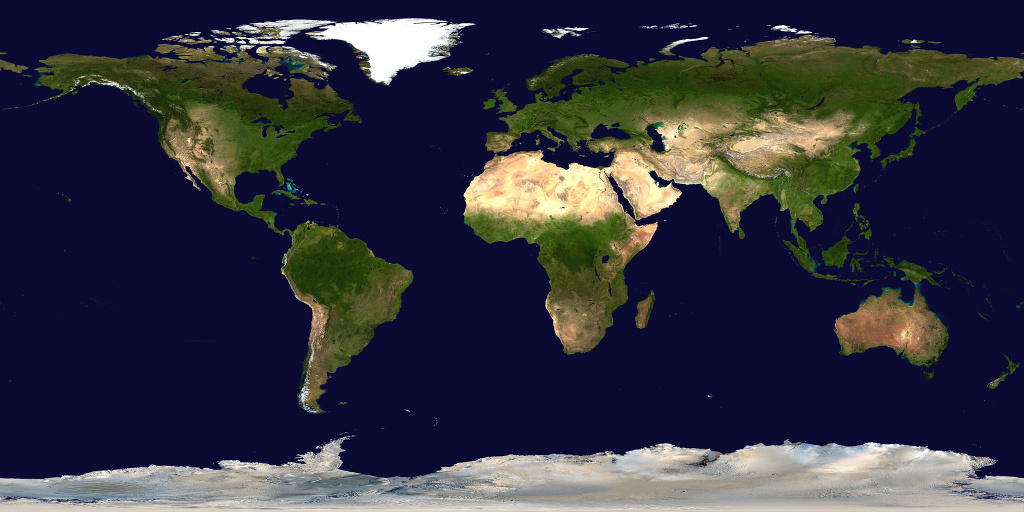 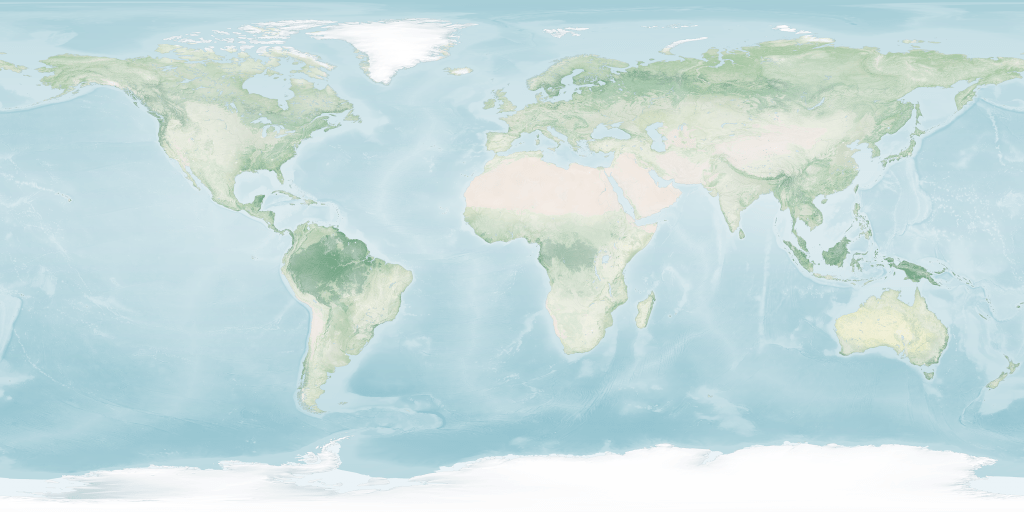
|
| Equidistant Azimuthal |
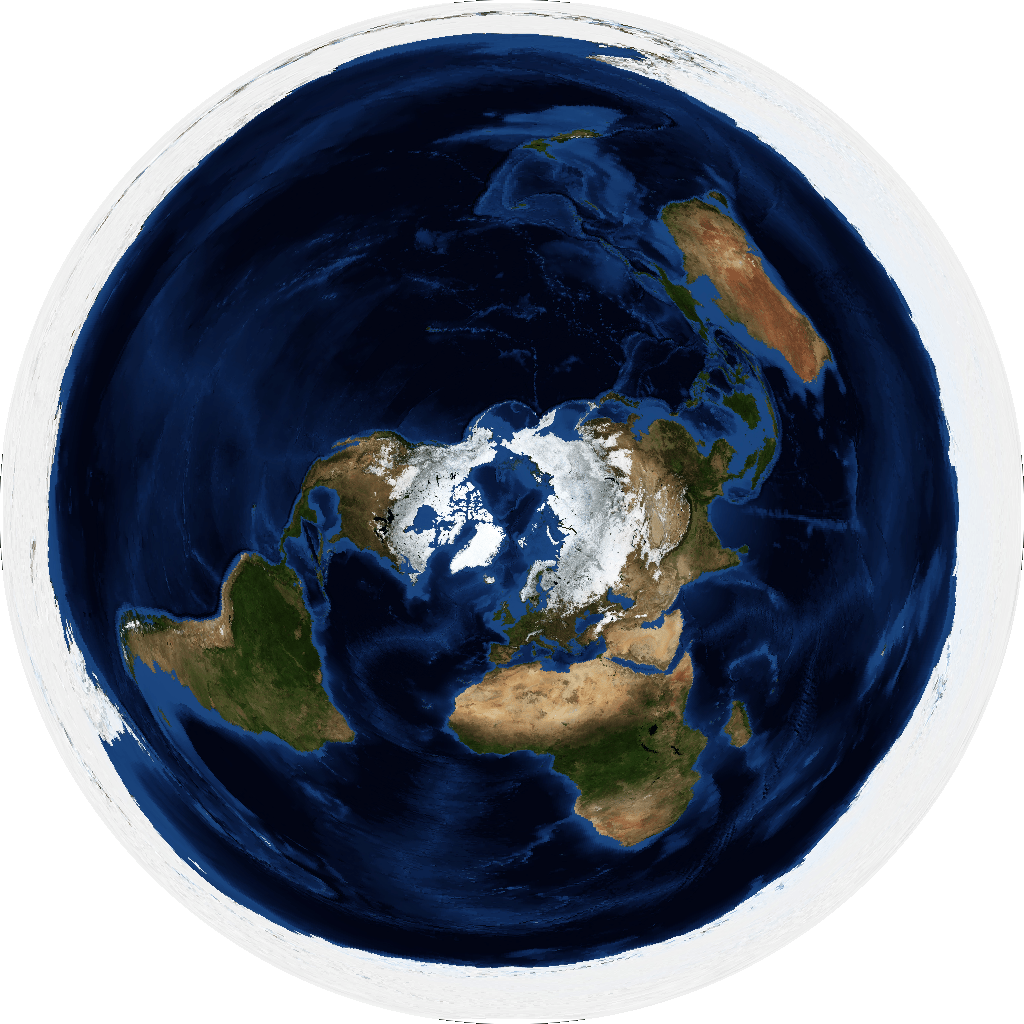 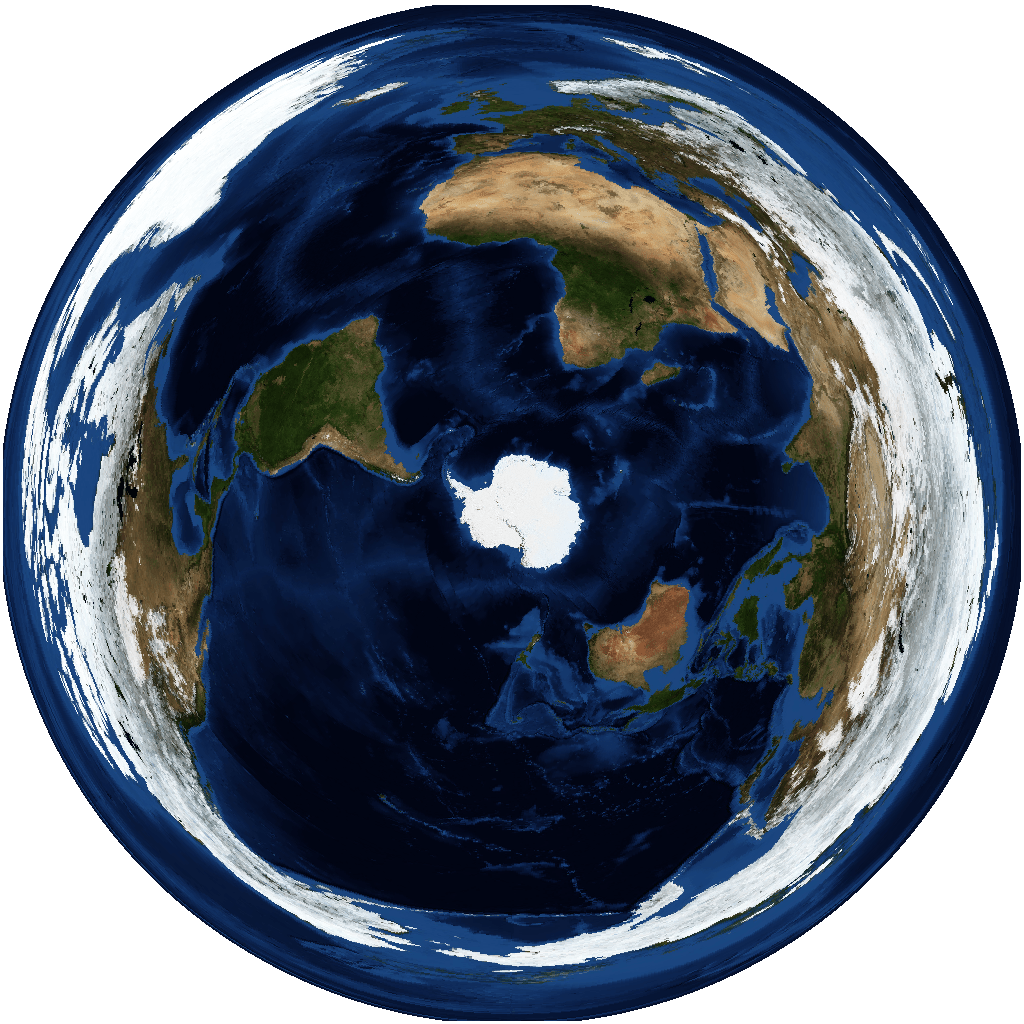 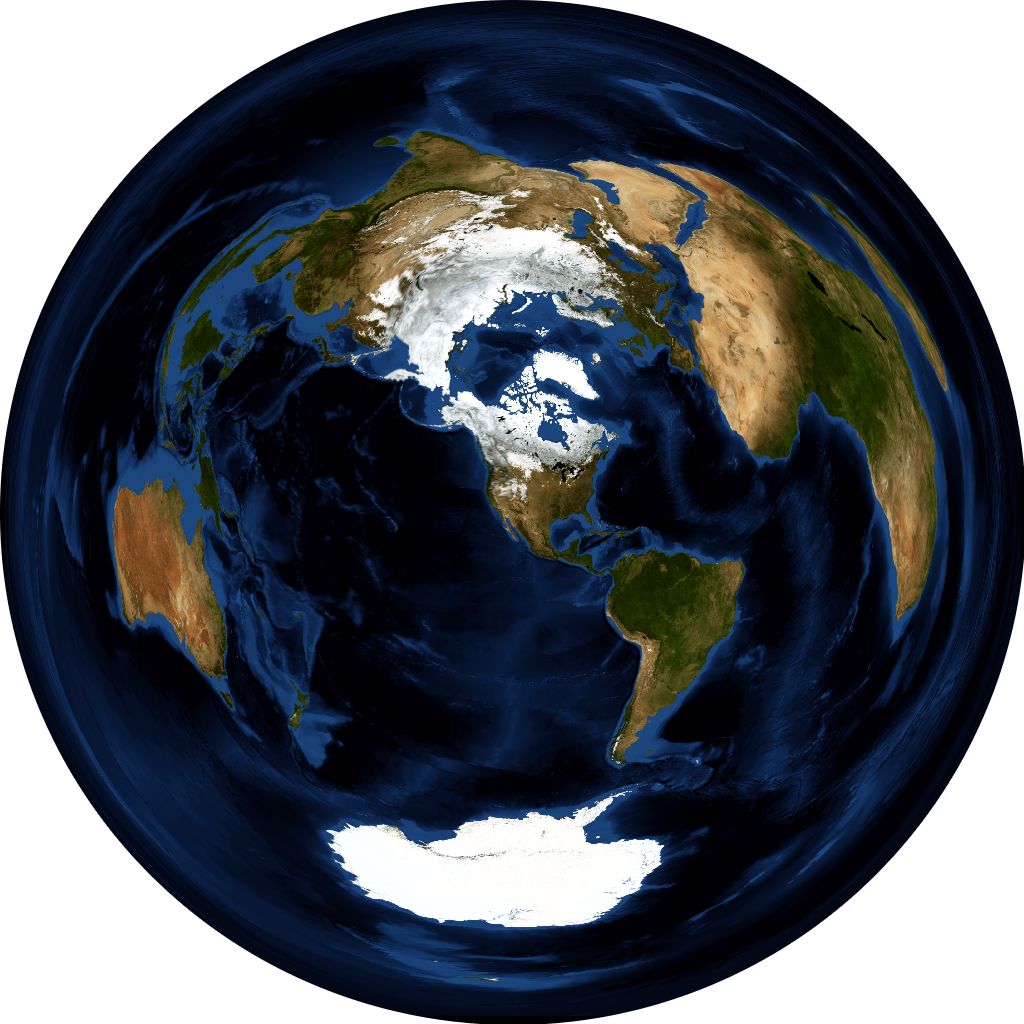  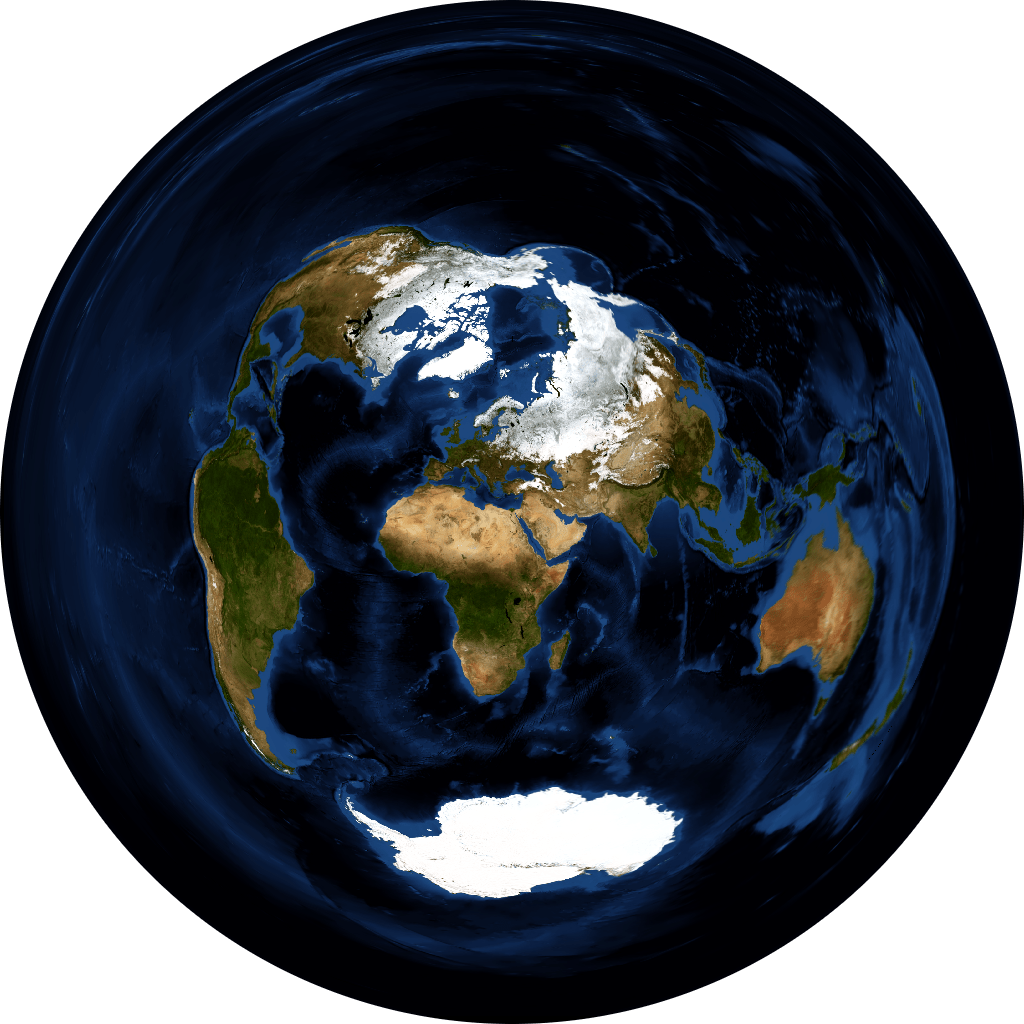
|
Made with Natural Earth. https://www.naturalearthdata.com/about/terms-of-use/
NASA Earth Observatory. Blue Marble: Next Generation. https://visibleearth.nasa.gov/view_cat.php?categoryID=1484
To use backgrounds... Save full-sized images somewhere on your device, then open with Set background. Suntimes uses URI permissions to access images stored on the sdcard.
- The background image should be a
pngorjpeg, with recommended dimensions1024 x 512or1024 x 1024or greater (will be scaled to fit the screen). - The default maps use vector data from Natural Earth, and raster data from Blue Marble: Next Generation.
- The default maps use a
white foreground(landmasses), andtransparent background(ocean). The final coloring is determined by the app's theme. - The graticule and other markings are drawn behind the background image (requires transparency).
- The background image must have the appropriate map projection, center, and aspect ratio to align correctly.

| World Map | Aspect | Projection | Center | proj4 |
|---|---|---|---|---|
| Basic | 2:1 |
Equidistant Rectangular | [0,0] |
+proj=eqc +lat_ts=0 +lat_0=0 +lon_0=0 +x_0=0 +y_0=0 +a=6371007 +b=6371007 +units=m +no_defs |
| Polar [north] | 1:1 |
Equidistant Azimuthal | [90,0] |
+proj=aeqd +lat_0=90 +lon_0=0 +x_0=0 +y_0=0 +datum=WGS84 +units=m +no_defs" |
| Polar [south] | 1:1 |
Equidistant Azimuthal | [-90,0] |
+proj=aeqd +lat_0=-90 +lon_0=0 +x_0=0 +y_0=0 +datum=WGS84 +units=m +no_defs" |
| Azimuthal Equidistant | 1:1 |
Equidistant Azimuthal | [LAT,LON] |
+proj=aeqd +lat_0=LAT +lon_0=LON +x_0=0 +y_0=0 +a=6371000 +b=6371000 +units=m +no_defs" where LAT and LON define the center of the projection. |
A GIS application (e.g. QGIS) can be used to create new map backgrounds. The map data needs to be re-projected or warped (see proj4 definitions), and exported to an image with the appropriate aspect ratio. The final image should be optimized to reduce its size (e.g. pngquant).