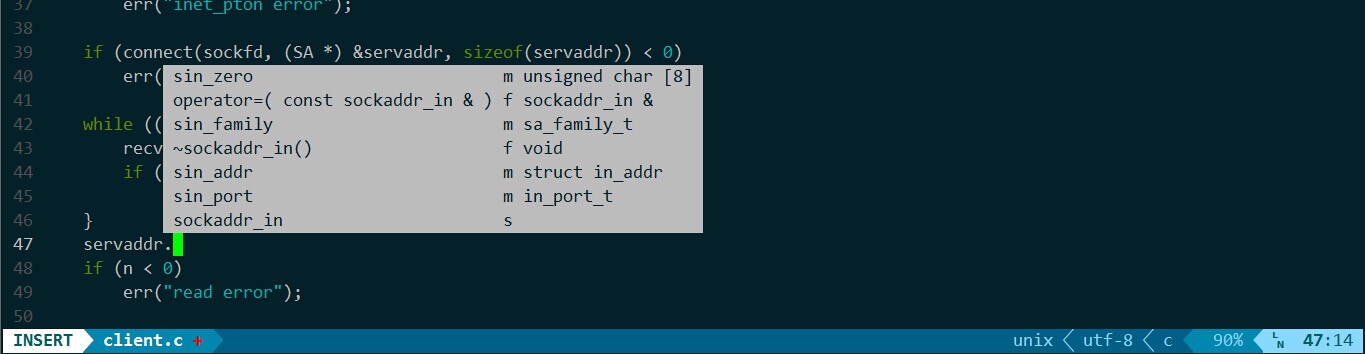
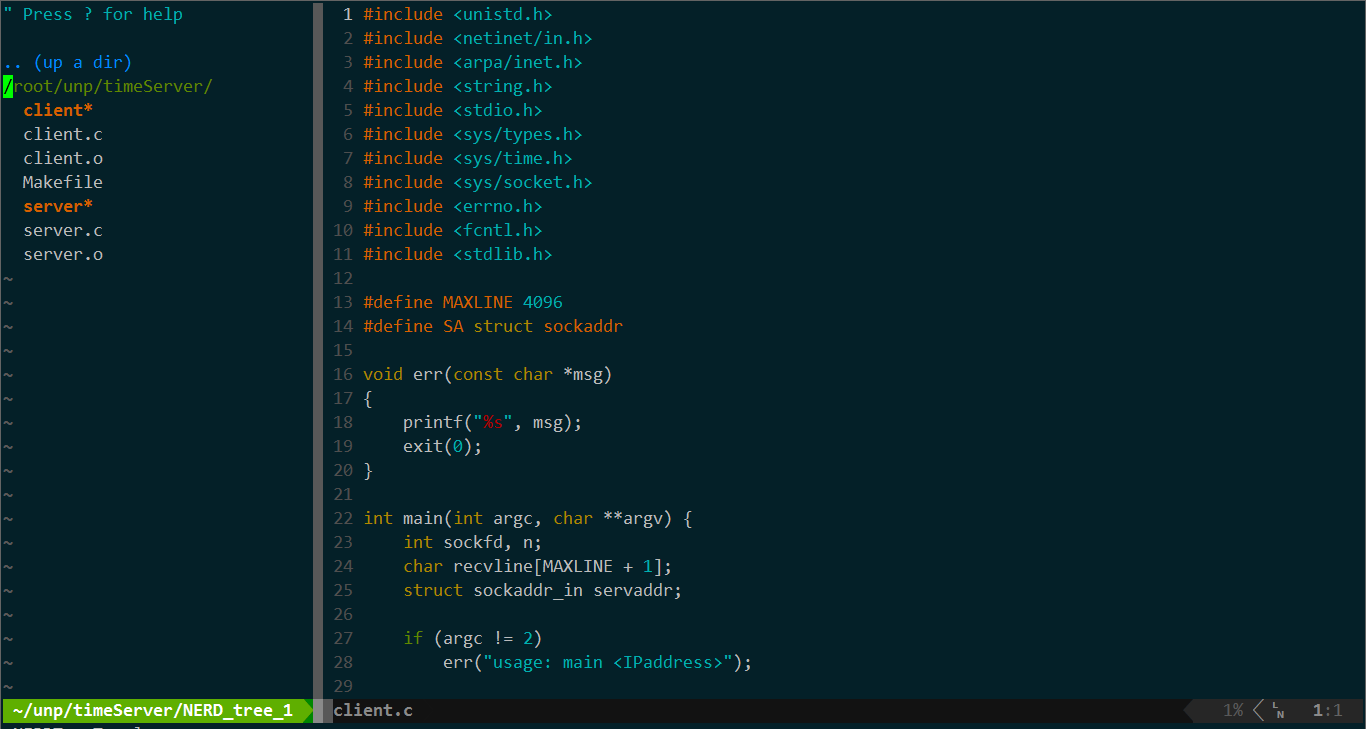
vimEnv is Jason's .vimrc and vim plugins including vim-easymotion, NERDTree, YCM, Taglist, vim-go, and CtrlP managed by pathogen located in .vim/ and used solarized colorscheme. Just take a look at the screenshots.
-
Make sure you have Vim 7.3.584 with python2 support. Ubuntu 14.04 and later have a Vim that's recent enough. You can see the version of Vim installed by running
vim --version. Then exec the following scripts.cd ~ git clone https://github.com/jas0ns/vimEnv.git cd vimEnv chmod u+x install.sh ./install.sh
-
If you want to use YCM and it's semantic support for C-family languages, make sure that you have development tools, CMake and Python headers installed. Otherwise, you can install them on Ubuntu by the following commands.
sudo apt-get install build-essential cmake
sudo apt-get install python-dev
-
Compiling YCM.
cd ~/.vim/bundle/YouCompleteMe
git submodule update --init --recursive
./install.sh --clang-completer
You can also add --system-libclang to the install script in case you already have libclang version 3.5 or higher installed.
But Valloric/YouCompleteMe STRONGLY recommended AGAINST use of the system libclang instead of the upstream compiled binaries.
See more details and the usage of YCM at Valloric/YouCompleteMe.
###Taglist
Make sure you have exuberant ctags installed on your system.
###vim-go
If you want to use plugin vim-go, please be sure all the necessary binaries are installed (such as gocode, godef,
goimports, etc..). You can easily install them with the included GoInstallBinarie.
If you failed to execute :GoInstallBinarie caused by the motherf**k wall, you'll need to get the gotools packages via gopm.io.
See more details at fatih/vim-go.
###powerline
If you want to enjoy the fancy mode like the following screenshots, you need to use an 88/256-color terminal with utf-8 charset and the font of your terminal emulator need be patched by the fontpatcher at .vim/bundle/vim-powerline/fontpatcher.
I use consolas for powerline provided by eugeneching/consolas-powerline-vim. If you like this font, copy the font files into your font library, and make your terminal emulator support this patched font. See details at Lokaltog/vim-powerline.
###colorscheme solarized If the color of your vim is not darkblue like the screenshots and your terminal emulator is type of xterm, follow the below steps.
-
execute the command
tput colors. If you saw8or something not256, then next. -
add the following code to
/etc/profileor~/.bashrc.if [ "$TERM" == "xterm" ]; then export TERM=xterm-256color fi
-
change the value of
let s:base03andlet s:base02ofsolarized.vimat the line 303 and 304 of~/.vim/bundle/vim-colors-solarizedto"NONE"like this.
```bash
let s:base03      = "NONE"
let s:base02      = "NONE"
```
- execute
source /etc/profileand try again.
- YCM:
- Powerline:
- Ctrlp:
- Nerdtree: