


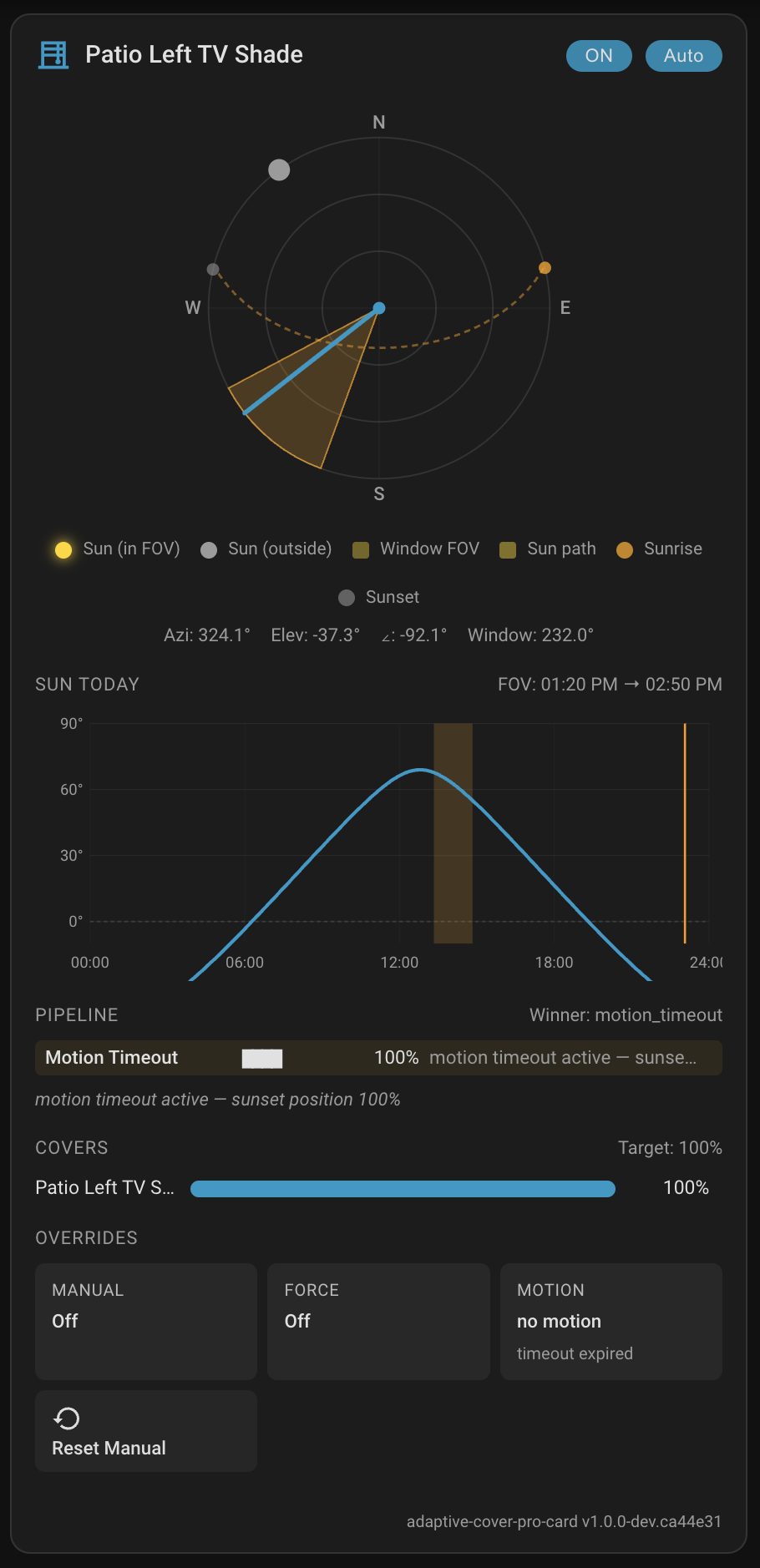
Custom Lovelace card for the Adaptive Cover Pro Home Assistant integration. One glance tells you what the integration is doing, why it decided that, and how to take over.
📖 Full documentation: Lovelace Card (full card) · Sky Compass Card (standalone multi-entry compass) on the integration wiki.
- Sky compass — live sun position vs. window FOV and blind spot, rendered as an SVG polar plot.
- Decision strip — all 10 pipeline handlers with matched/skipped state and reasons. The winning handler and its position are highlighted.
- Cover positions — live actual position per cover, with the target as a marker and mismatch warnings. Click the track to set a position.
- Overrides panel — manual override countdown, force-override status, motion timeout, and a one-click reset button.
| Card | Type | Summary |
|---|---|---|
| Adaptive Cover Pro | custom:adaptive-cover-pro-card |
The full card — pick one integration entry, get every section (sky, decisions, covers, overrides, climate). |
| Adaptive Cover Pro — Sky Compass | custom:adaptive-cover-pro-sky-compass-card |
Sky compass only. Accepts multiple integration entries; overlays each window's FOV, blind spot, and cover-closure wedge on a single compass with a shared sun dot. |
HACS (recommended):
- Add
https://github.com/jrhubott/adaptive-cover-pro-cardas a custom repository (category: Lovelace). - Install Adaptive Cover Pro Card and refresh.
- The card registers itself under the picker as "Adaptive Cover Pro".
Manual:
- Download
adaptive-cover-pro-card.jsfrom the latest release. - Copy to
config/www/community/adaptive-cover-pro-card/adaptive-cover-pro-card.js. - Add a dashboard resource:
url: /local/community/adaptive-cover-pro-card/adaptive-cover-pro-card.js
type: module
Full card:
type: custom:adaptive-cover-pro-card
entry_id: YOUR_CONFIG_ENTRY_ID   # find this under Settings → Devices & Services
# optional:
show_sections: [sky, decision, covers, overrides]
compact: false
Standalone Sky Compass (one or more entries):
type: custom:adaptive-cover-pro-sky-compass-card
entry_ids:
  - KITCHEN_ENTRY_ID
  - LIVING_ROOM_ENTRY_ID
# optional:
title: West-facing windows
compact: false
show_legend: true
show_stats: true
show_moon: false
show_blind_spot: true
show_window_arrow: true
show_cover_fill: true
show_sun_path: true
show_sunrise_sunset: true
show_cardinals: true
Find your entry_id on the integration's URL:
/config/integrations/integration/adaptive_cover_pro → click the entry → the URL bar shows entry_id=....
See the For Developers wiki hub for the full dev setup, build/release flow, and contribution guide. Quick start:
npm install
npm run dev       # rollup -c -w, rebuilds dist/ on save
npm run test      # vitest
npm run lint
Pairs with Adaptive Cover Pro, which is itself inspired by and forked from basbruss/adaptive-cover.