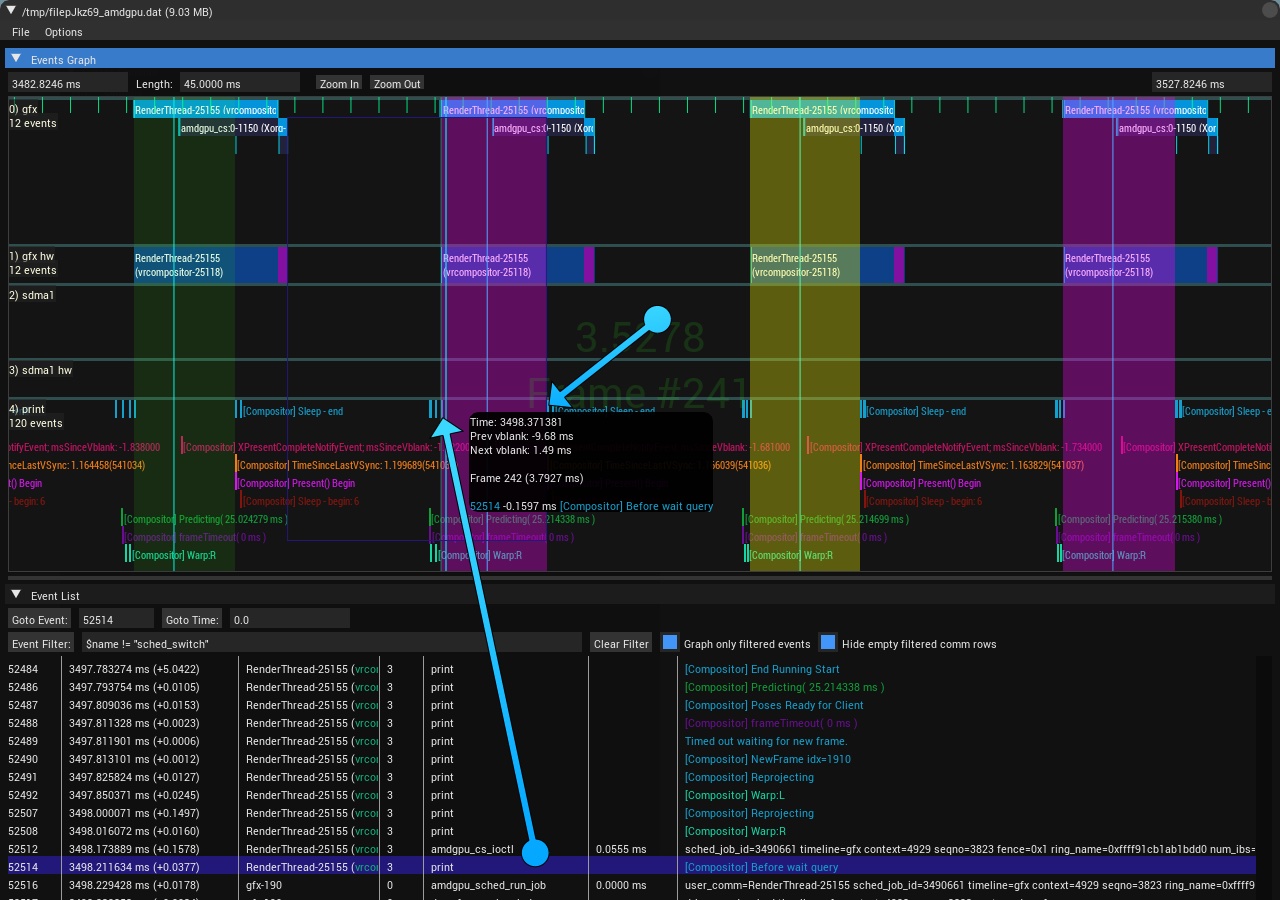
Frame Markers
- XDC 2017 Talk
- Focus on specific frames that are defined using filters
- A simple frame marker is to use vblanks. Ie:
- Right click on graph, select
Edit Frame Markers..., click on$name = drm_vblank_event && $crtc = 1 - Hit Check Filters and it should show you information about vblank 1. Ie:
- 212 frames, ~11ms apart
- Right click on graph, select
- Click the
Set Frame Markersbutton - Control+Left and Control+Right will now go through those frames and scale them to fit in the graph window
- If you zoom out, you can see the frames in yellow or pink, and the left frame you're focused on in a lighter green.
- Ctrl+Shift+Left/Right will move the frames without scaling them to the window
- You can do more complicated frames as well. For the sample trace, set:
- Left Frame Marker:
$buf =~ "[Compositor] Before wait query - Right Frame Marker:
$buf =~ "[Compositor] After wait query
- Left Frame Marker:
- Your Frame Markers are the areas between the
Before wait queryand theAfter wait queryprint events as in the below image.
 https://raw.githubusercontent.com/wiki/mikesart/gpuvis/images/frame_markers.jpg