Link Feature
The Link Feature in the NG Extension Manager (Chrome Extension) is a powerful tool designed to protect users from unsafe links and protocols. This feature ensures a safer browsing experience by preventing accidental access to insecure or malicious content. Here's a detailed explanation:
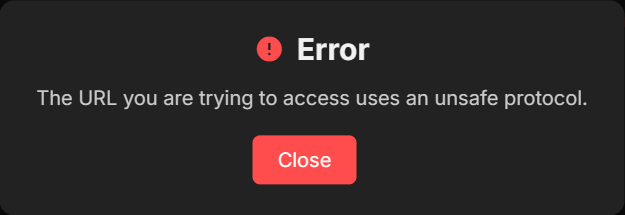
The NG Extension Manager blocks certain protocols to prevent users from accessing potentially harmful resources. If you attempt to open a URL with one of these protocols, you will see the error:
"The URL you are trying to access uses an unsafe protocol."
chrome:chrome-extension:chrome-devtools:about:javascript:data:file:ftp:mailto:view-source:ws:wss:smb:sftp:telnet:gopher:nntp:news:irc:ircs:
This restriction is in place to safeguard your browser and personal information. We do not check websites, but if the link does not contain https://, we will warn you about that too.
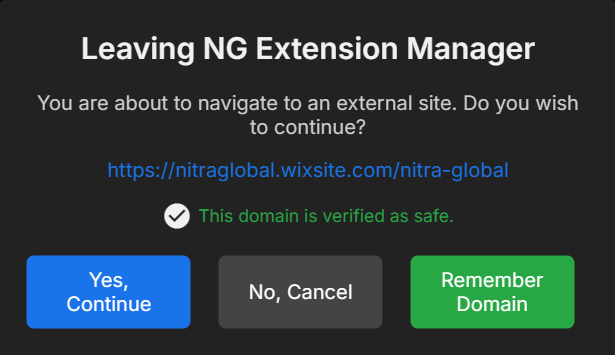
Whenever you click on an external link, the Link Feature prompts a confirmation dialog to ensure you intentionally want to navigate to the linked page. This protects against unintended redirects or phishing attempts.
- When you click a link, a popup appears, asking:
"Do you want to proceed to this external page?" - You have two options:
- Confirm: Proceed to the external link.
- Cancel: Stay on the current page.
This feature ensures that you maintain control over your browsing actions.
The NG Extension Manager includes a Verified Domain system to identify and promote trusted websites.
-
"This domain is verified as safe."
- This message is displayed when you visit a domain listed as verified in the extension's database.
-
Domain Verification Process:
- If you want your website or extension to be verified, submit a request to NGDE@WEB.DE (Nitra Global). Verified domains are periodically reviewed and updated for security compliance.
The extension allows you to save verified domains to your personal list.
- For links containing saved verified domains, you will no longer need to confirm navigation.
- This streamlines your browsing experience without compromising security.
Below are some screenshots to help you understand how the Link Feature works:
- Protocol Error Popup
-
Verified Domain Message
-
Save Domain Feature

For more information or support, please contact NGDE@WEB.DE.
Stay safe with NG Extension Manager!