Warning
This repository has moved to: https://codeberg.org/nils-soderman/vscode-motionbuilder-python
Please visit the new repository for the latest updates, to report issues or to contribute.
Editor features to assist when writing Python code for Autodesk MotionBuilder.
Run code in MotionBuilder directly from within the editor

Command: MotionBuilder: Execute
Keyboard Shortcut: Ctrl + Enter
The selected text will be executed, if nothing is selected the entire document will be executed.
This extention comes with improved stub files for the pyfbsdk module.
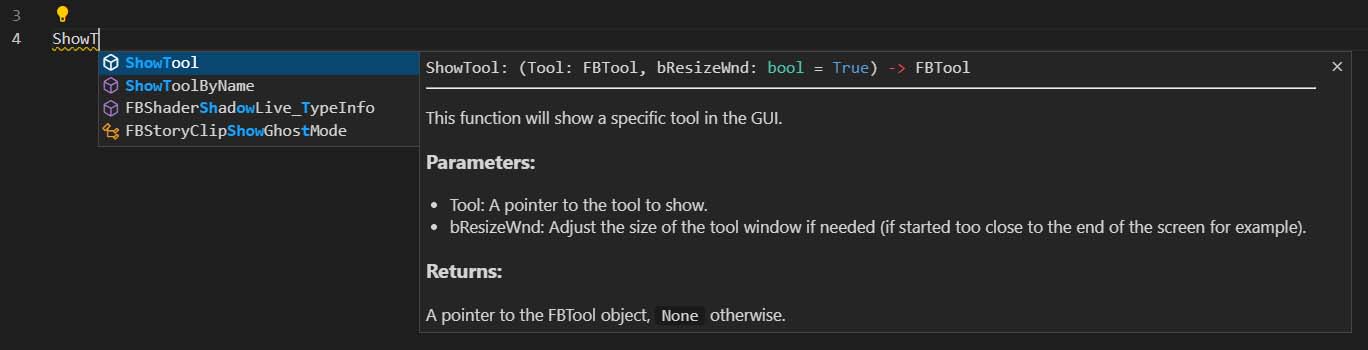
- Feature complete (contains all of the functions & classes that can be accessed in the pyfbsdk module)
- Variable type annotations
- Readable descriptions
Command (to setup code completion): MotionBuilder: Setup Code Completion
Attach VS Code to MotionBuilder to debug your scripts, set breakpoints & step through the code.
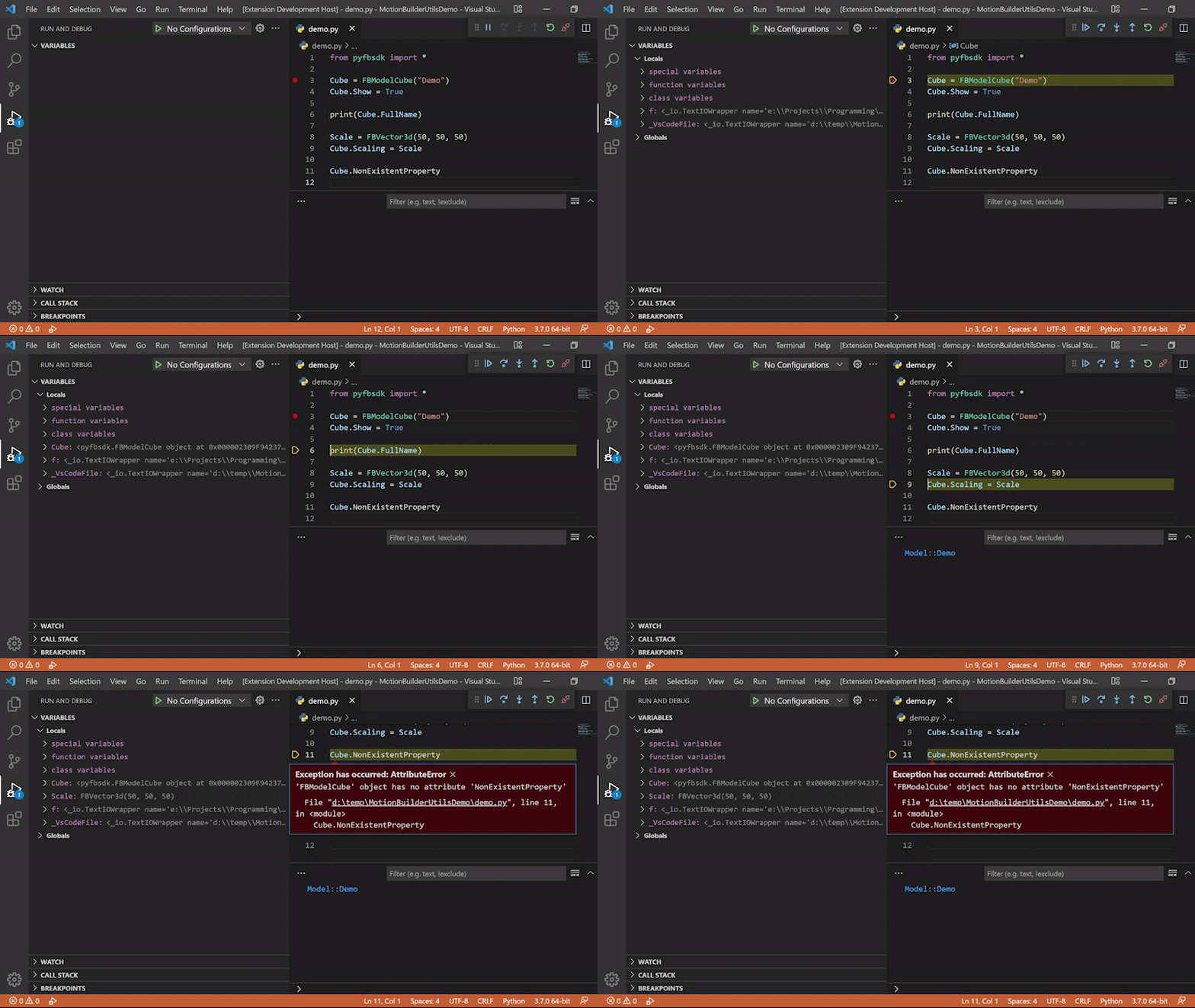
Command: MotionBuilder: Attach
Quickly search through the official sdk documentation from within the editor, and open the page in a new web-browser tab.
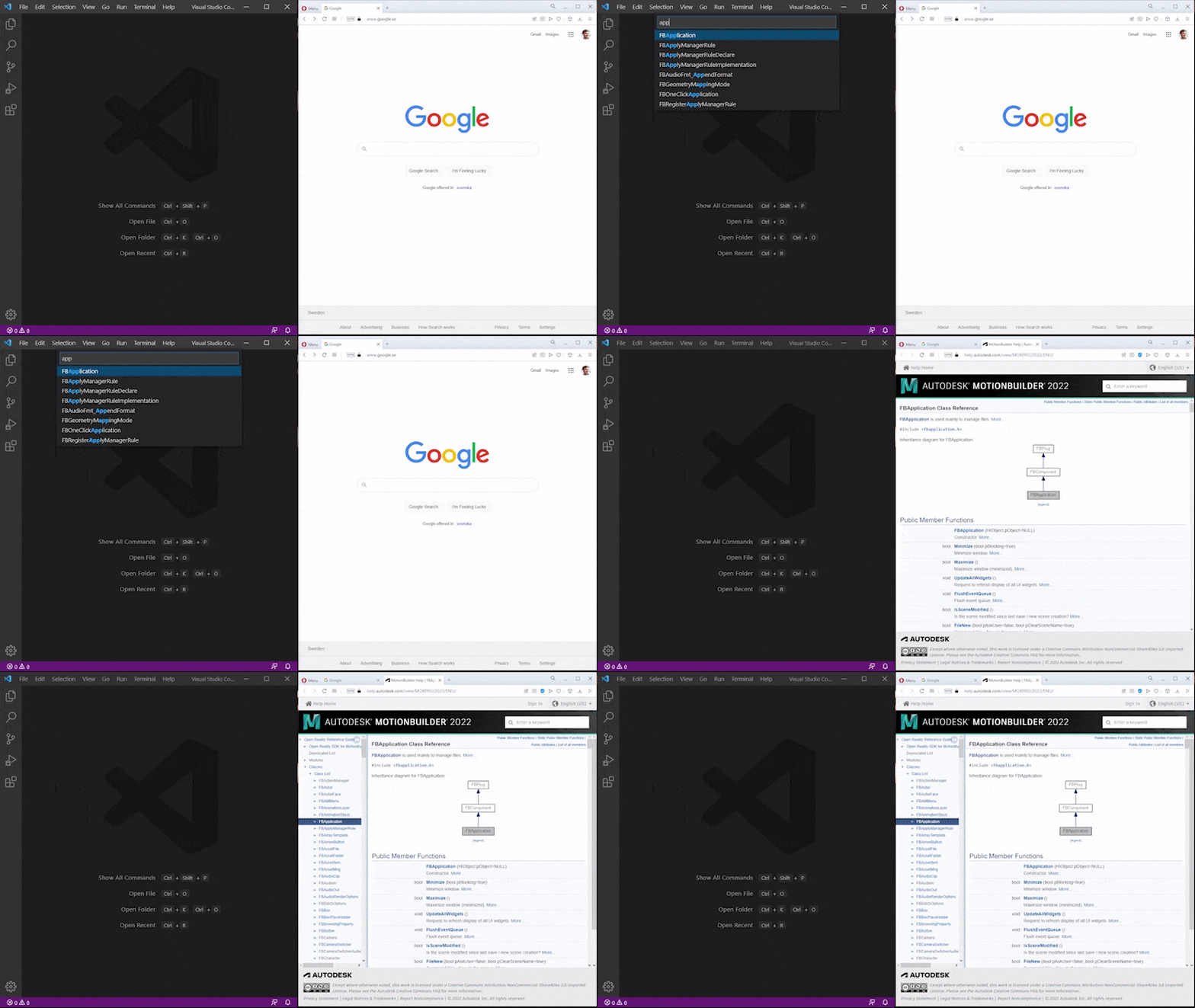
Commands:
MotionBuilder: Browse DocumentationMotionBuilder: Browse Examples
Keyboard Shortcut (to browse the Python docs): Ctrl + F1
Commands can be run from VS Code's command palette, Show All Commands (Default shortcut: Ctrl + Shift + P)
If you have any questions, suggestions or run into issues, please open an issue on the Codeberg repository.
*This is a third-party extension and is not associated with Autodesk or MotionBuilder in any way.