Project repo for M826 Space Data Processing for Space Exploration
This is a demo project for LSA-SAF satellite data processing.
The data used in LSA-SAF products are acquired by satellites operated by EUMETSAT and specifically by the:
- Geostationary satellite series Meteosat
- And the Polar-orbiting satellite series Metop
The data are processed, managed and distributed by IPMA and become available through the LSA SAF Data Service
- Process one image and produce one single outcome. Then multiple images can be processed in a linear way to produce one 1-D time-series chat
- Process multiple images together (stack one on top of the other) to create a composite 2-D image where each pixel will contain the aggregate of the pixels in the same [x, y] location
- The mean temperature and the standard deviation of the temperature in Greece per 10-day period. The outcome will be a plot indicating the progression of the temperature during this 3-year period
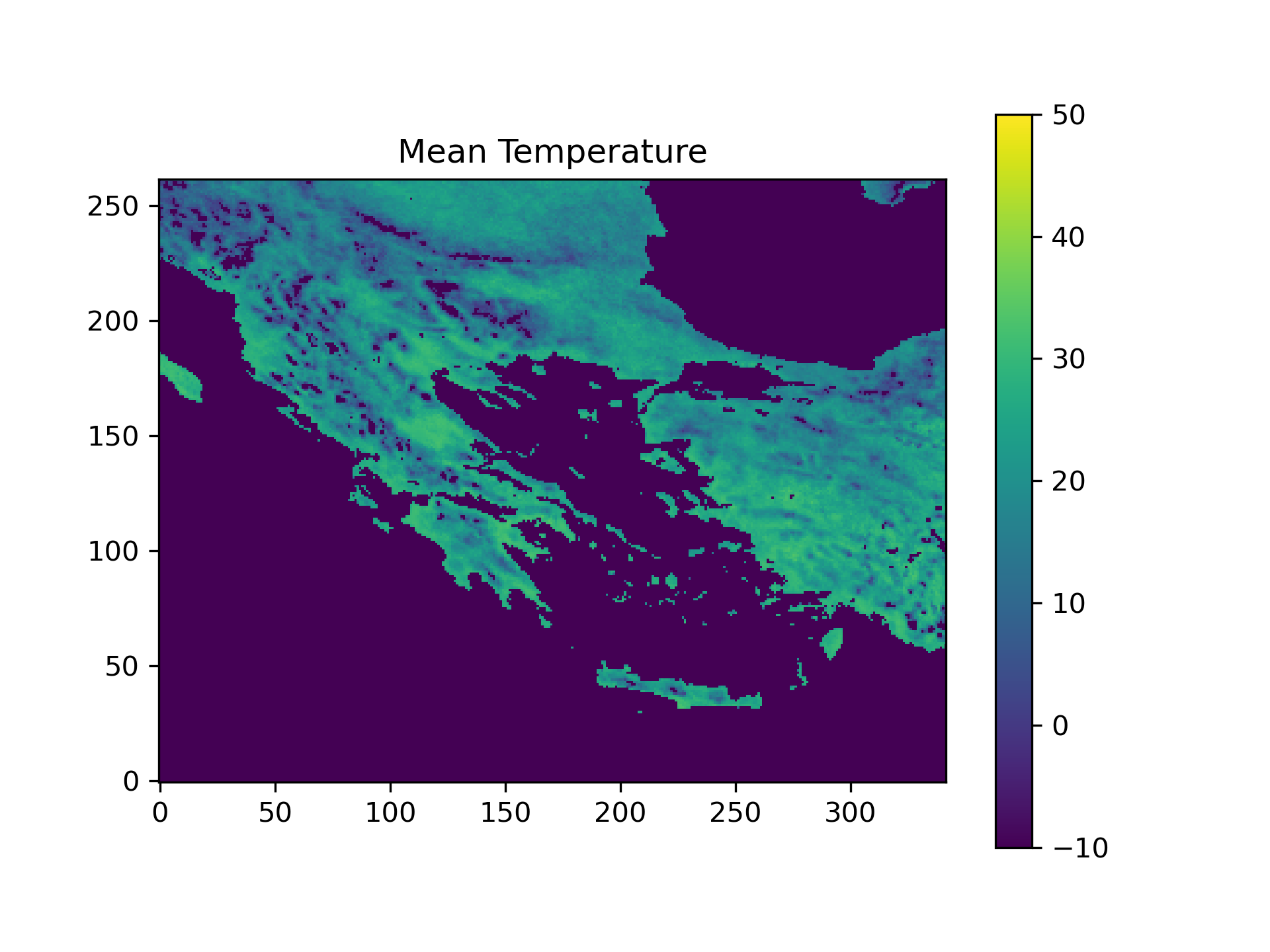
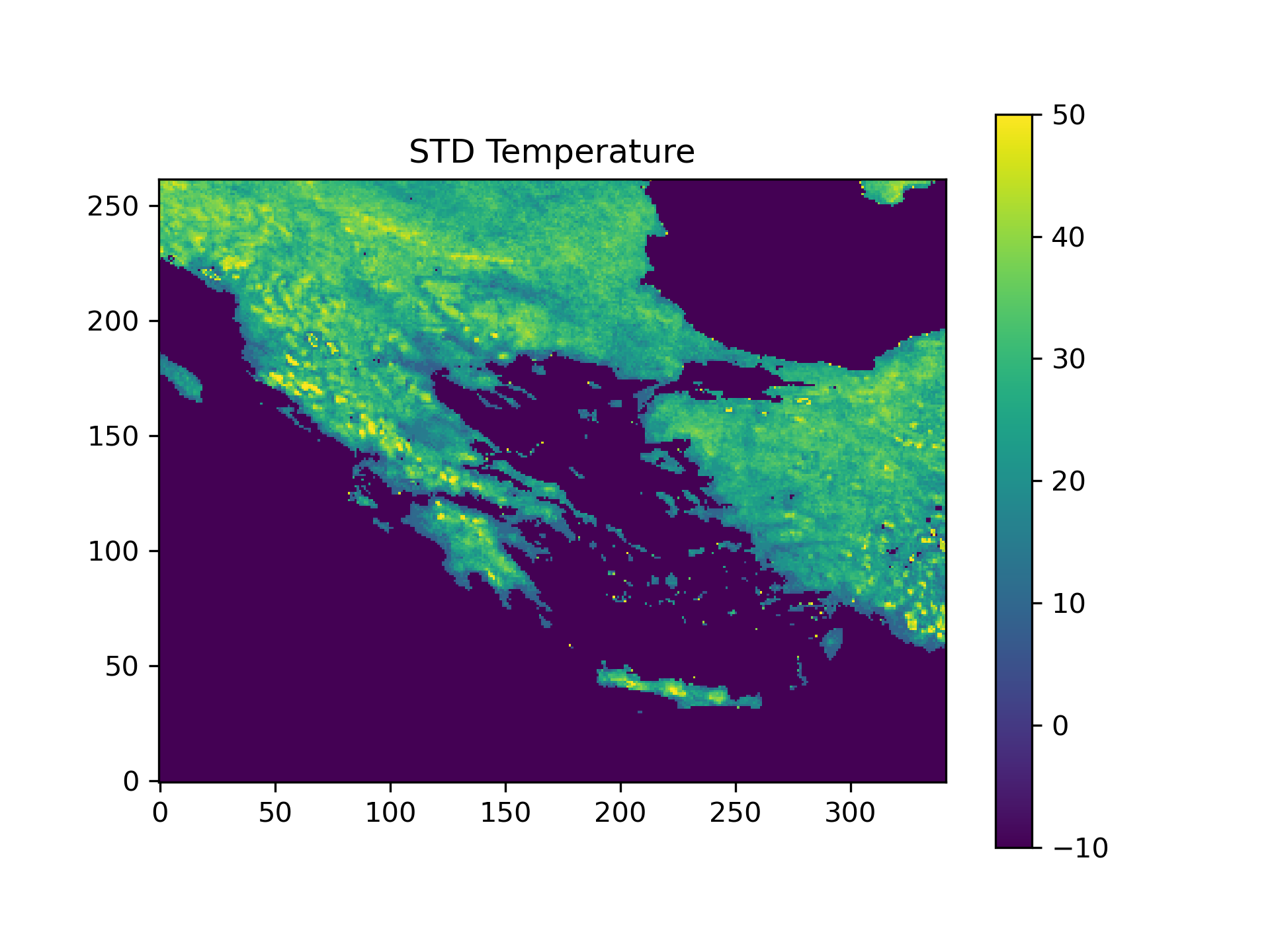
- The mean temperature and the standard deviation of the temperature per pixel. The outcome will be a new image where each pixel will contain the aggregate (mean and std) of all measurements for the same area (pixel) for this 3-year period
The dataset that will be used is the Derived LST (DLST; LSA-003)
conda install -n M826-LSA-SAF-processing -c conda-forge h5py matplotlib cartopy xarray, netCDF4, h5netcdf, pyyaml
Sometimes, the dependencies might need to be installed one by one (in the case that a "version mismatch" may occur). In this case, updating all dependencies fix the issue. This can be done with the following command:
conda update -n ENVIRONMENT --all
When using conda there is no easy way to store the dependencies in a file upon installation (like pipenv). This is why the conda env needs to be:
- exported
- committed to the repo
- import it to the new environment
conda env export -n M826-LSA-SAF-processing -f environment.conda.yaml
conda env create -n M826-LSA-SAF-processing -f environment.conda.yaml
wget -c --no-check-certificate -r -np -nH \
     --user=XXX --password=XXX \
     -R "*15, *30, *45, *.html" \
     https://datalsasaf.lsasvcs.ipma.pt/PRODUCTS/MSG/DLST/HDF5/
While wget.exe can be downloaded, the execution is not always a 1-to-1 match with the Linux version.
The execution of the download_LSA_SAF_archive.py is an easy way to download the desired files,
that also gives greater flexibility than the wget command.
To execute the scripts, the LSA-SAF DLST product needs to be accessible by the scripts, and the configuration file has to be updated.
The recommended option is to set up WebDav to "map a network drive" pointing to this URL: https://datalsasafwd.lsasvcs.ipma.pt/. With this network drive you can copy&past, drag-and-drop as any other folder in your system. Files can be also accessed directly from scripts (e.g. python script) running in the machine, pointing to the network path.
Once the WebDav connection has been established, it is advised for better performance, to download the files in the local hard drive
To execute the script, the properties file needs to be configured. The file is located in the directory ./src/resource
.
The format of the file is properties-{env}.yml
Where {env} is the environment variable that is given to the script upon execution. The properties that need to be configured are:
- base-dir - the local base directory with the different LSA-SAF collections
- input-data-dir - the directory with the collection that is going to be processed
To execute the processing the command need to run
python main.py --env local
Timeseries plot, showing the Average and STD temperature in the area of Greece from 2019 to 2022 at 12:00 UTC
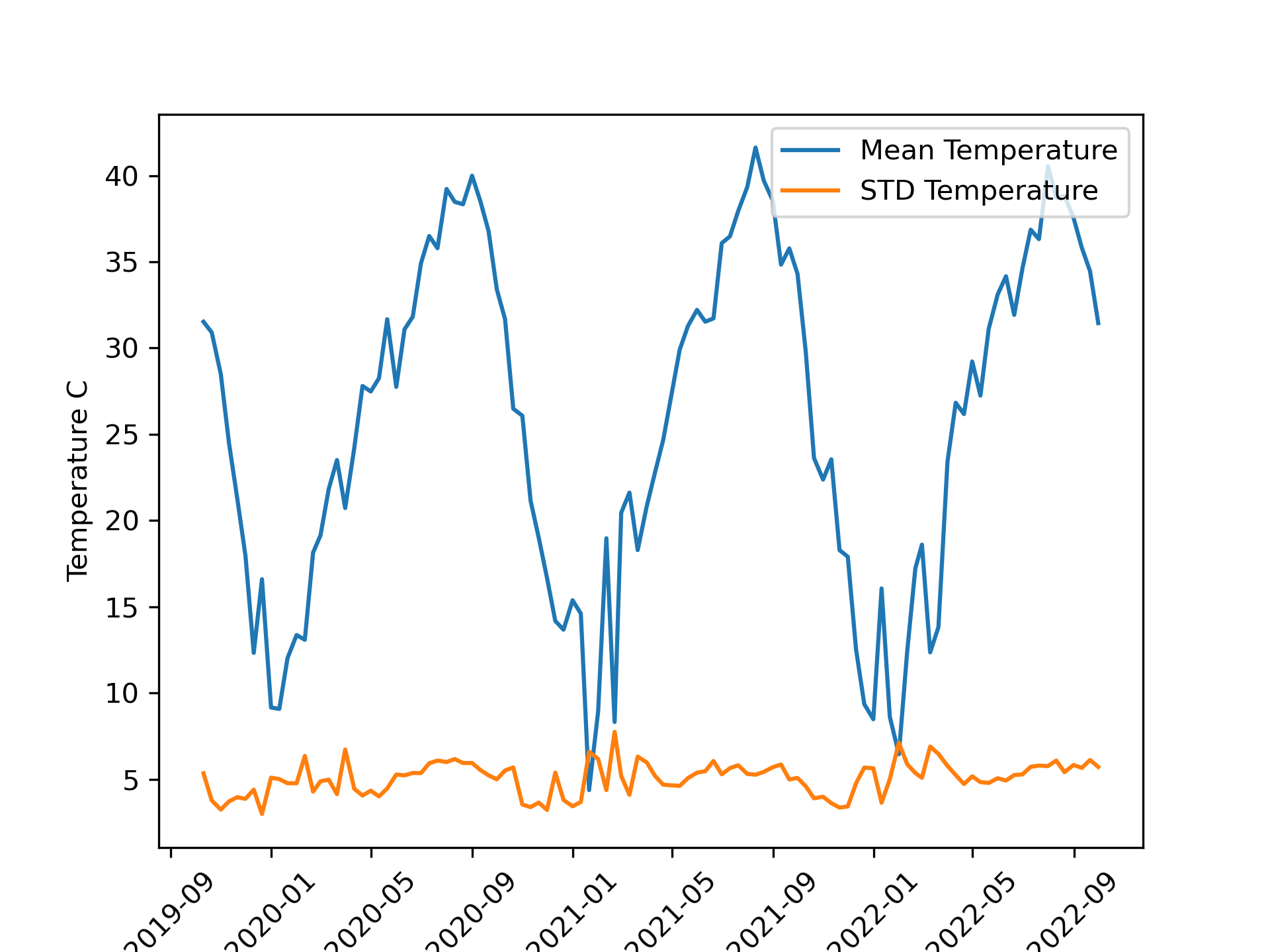
Image Composites from 108 measurements - 3 times per month - from 2019 to 2022 at 12:00 UTC