
A smart disenchanting helper for Enchanters. Scans your bags, filters out gear you want to keep, and lets you disenchant the rest with one click.
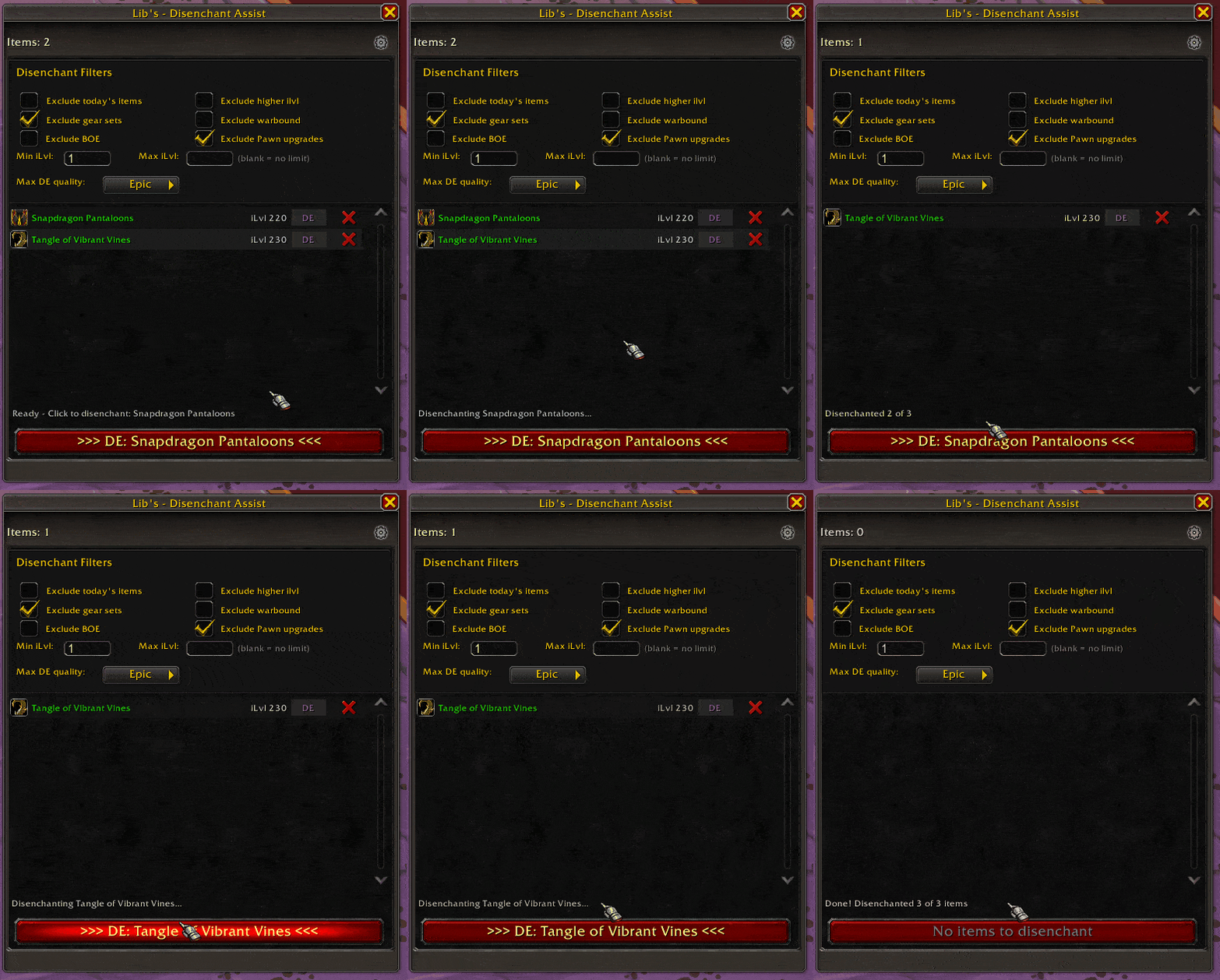
- Finds all disenchantable gear in your bags
- Filters out items you want to keep (upgrades, gear sets, high ilvl, and more)
- Disenchant one item at a time or process your whole bag at once
- Auto-loots the materials for you
- Pauses during combat and picks up where it left off
- Open the window with
/deor the minimap button - Your bags are scanned and filtered automatically
- Click "Disenchant All" to process everything, or click the DE button on a single item
- Sit back and watch your bag fill with enchanting materials!
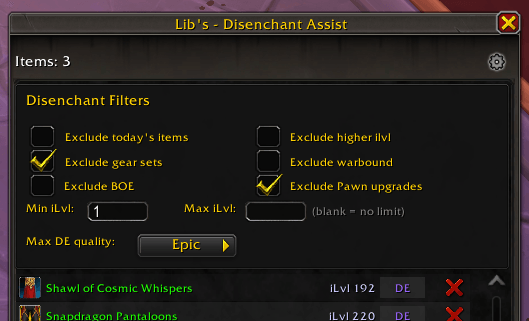
Keep your important gear safe with built-in filters:
| Filter | What It Does |
|---|---|
| Higher ilvl | Skips items stronger than what you have equipped |
| Gear Sets | Skips items saved in your Equipment Sets |
| Warbound | Skips Warbound items |
| Bind on Equip | Skips BoE items (so you can sell them instead) |
| Pawn Upgrades | Skips items Pawn says are an upgrade (if you use Pawn) |
| Looted Today | Skips items you just picked up today |
| Item Level Range | Only disenchant items within a min/max ilvl range |
| Max Quality | Set the highest quality to disenchant (Uncommon, Rare, or Epic) |
All filters can be turned on or off in the settings panel.
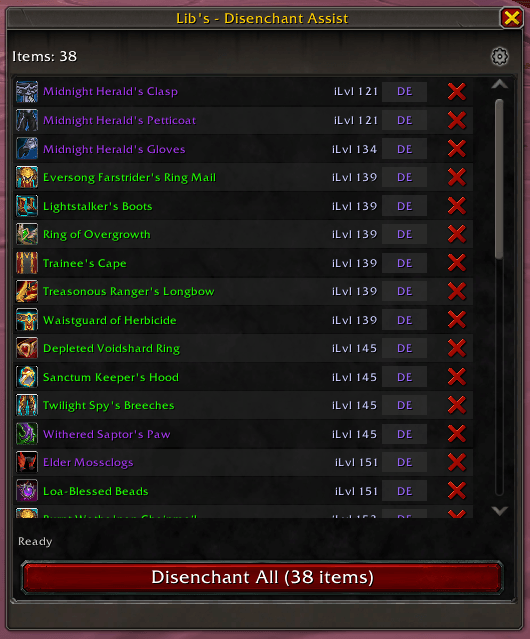
- Each row shows the item icon, name, and item level
- Hover over any item to see its full tooltip
- DE button: Disenchant just that one item
- X button: Ignore the item (left-click = this session, right-click = permanent)
| Command | Action |
|---|---|
/de or /disenchant |
Open the main window |
/de toggle |
Toggle the window |
/de scan |
Rescan your bags |
/de stop |
Stop the current disenchant queue |
/de options |
Open settings |
- Left-click: Toggle the main window
- Right-click: Open settings
- Can be shown or hidden in the options
- Only works on characters that know Enchanting
- Handles both Retail and Classic disenchanting automatically
- Remembers items that can't be disenchanted so it won't try them again
- Works great alongside SpartanUI (options show up in the SUI menu)