
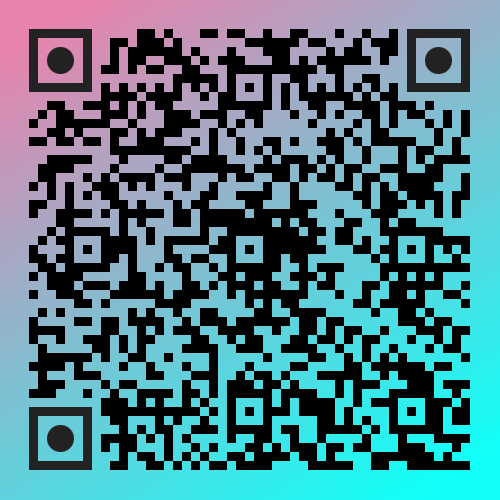
SnapQR is a lightweight and customizable React hook for generating stylish QR codes. It’s designed to work seamlessly with React based apps — offering a simple API, live updates, and flexible download options.
- ✅ Simple and modern React hook interface
- ✅ Easy integration — one line to render a QR code
- ✅ Live updates for data and styles
- ✅ Supports multiple formats (
svg,png,jpeg,webp) - ✅ TypeScript support out of the box



npm install snap-qr
# or
yarn add snap-qr
# or
pnpm add snap-qrHook Parameters
useSnapQR(initialData: string, initialOptions?: SnapQROptions)Here’s the simplest way to use SnapQR in your project.
import useSnapQR from "snap-qr";

export default function Home() {
    const { SnapQRComponent } = useSnapQR("https://paperdex.in");

    return (
        <div className='flex min-h-screen items-center justify-center border'>
            <div className='size-[500px] flex justify-center items-center'>
                <SnapQRComponent className='w-full' />
            </div>
        </div>
    );
}
✅ That’s it! You now have a fully functional QR code rendered in your React or Next.js app.
Returns a set of utilities and a ready-to-render React component.
| Return Value | Type | Description |
|---|---|---|
SnapQRComponent |
React.FC<{ className?: string }> |
The QR rendering component. |
onDataChange |
(e: ChangeEvent<HTMLInputElement>) => void |
Update QR data interactively. |
onExtensionChange |
(e: ChangeEvent<HTMLSelectElement>) => void |
Change output file type. |
onDownloadClick |
(options?: Partial<DownloadOptions> | string) => void |
Download the QR code. |
updateData |
(data: string) => void |
Update QR data manually. |
updateOptions |
(options: Partial<SnapQROptions>) => void |
Dynamically update QR options. |
applyExtension |
(ext: ExtensionFunction) => void |
Apply extra extensions. |
deleteExtension |
() => void |
Remove applied extensions. |
getRawData |
(ext?: FileExtension) => Promise<Blob | Buffer | null> |
Get QR raw data for custom use. |
appendToContainer |
(container: HTMLElement) => void |
Manually mount QR to a custom element. |
fileExt |
FileExtension |
Current QR file format. |
currentData |
string |
Current data encoded in the QR. |
error |
string | null |
Any initialization or render errors. |
qrCodeInstance |
QRCodeStyling | null |
Underlying qr-code-styling instance. |
import useSnapQR from "snap-qr";

export default function App() {
    const { SnapQRComponent, onDataChange, onExtensionChange, onDownloadClick, currentData } = useSnapQR(
        "https://paperdex.in",

        {
            //  Layout Options - Define the overall structure and embedded image
            layoutOptions: {
                type: "svg", // Output type: 'canvas' or 'svg'
                width: 500, // QR code width in pixels
                height: 500, // QR code height in pixels
                margin: 4 // Margin around the QR code
            },

            //  QR Options - Core configuration for QR code data encoding
            qrOptions: {
                typeNumber: 4, // Determines QR code complexity (1–40)
                mode: "Byte", // Encoding mode: 'Byte', 'Numeric', etc.
                errorCorrectionLevel: "Q" // Error correction: 'L', 'M', 'Q', or 'H'
            },

            // //  Image Options - Controls how the embedded logo/image behaves
            imageOptions: {
                hideBackgroundDots: true, // Hide dots behind the image
                imageSize: 0.3, // Scale of the embedded image relative to the QR
                crossOrigin: "anonymous" // Cross-origin handling for external images
            },

            // //  Dots Options - Customize the shape, color, and gradient of QR dots
            dotsOptions: {
                type: "rounded", // Dot shape: 'square', 'dots', 'rounded', etc.
                color: "#000000", // Fallback color if gradient not used
                gradient: {
                    type: "linear", // Gradient type: 'linear' or 'radial'
                    rotation: 45, // Rotation angle of gradient
                    colorStops: [
                        { offset: 0, color: "#ff7e5f" },
                        { offset: 1, color: "#4d20c9" }
                    ]
                }
            },

            // //  Corners Square Options - Controls outer square corners of QR
            cornersSquareOptions: {
                type: "extra-rounded", // Corner square shape
                gradient: {
                    type: "radial",
                    rotation: 0,
                    colorStops: [
                        { offset: 0, color: "#4facfe" },
                        { offset: 1, color: "#ff7e5f" }
                    ]
                }
            },

            // //  Corners Dot Options - Customize the small dots inside corners
            cornersDotOptions: {
                type: "dot", // Inner corner dot shape
                gradient: {
                    type: "linear",
                    rotation: 90,
                    colorStops: [
                        { offset: 0, color: "#43e97b" },
                        { offset: 1, color: "#4d20c9" }
                    ]
                }
            },
            // //  Background Options - Set the background color or gradient
            backgroundOptions: {
                round: 0, // Corner roundness of the QR background (0 = sharp, 1 = fully rounded)
                color: "#ffffff", // Background color (use gradient for more effects)
                gradient: {
                    type: "linear", // Gradient type: 'linear' or 'radial'
                    rotation: 45,
                    colorStops: [
                        { offset: 0, color: "#ffffff" },
                        { offset: 1, color: "#feb47b" }
                    ]
                }
            }
        }
    );

    return (
        <div className='flex flex-col gap-4 min-h-screen items-center justify-center p-5'>
            <div className='size-[250px] md:size-[400px] flex justify-center items-center border border-yellow-500 '>
                <SnapQRComponent className='w-full' />
            </div>
            <input value={currentData} onChange={onDataChange} className='border px-2 py-1' />
            <select onChange={onExtensionChange}>
                <option value='svg'>SVG</option>
                <option value='png'>PNG</option>
                <option value='jpeg'>JPEG</option>
                <option value='webp'>WEBP</option>
            </select>
            <button onClick={() => onDownloadClick()} className='border px-2 py-1'>
                Download
            </button>
        </div>
    );
}useSnapQR("https://example.com", {
layoutOptions: {
image: "/path/to/logo.png"
},
imageOptions: {
imageSize: 0.4,
hideBackgroundDots: true,
margin: 10
}
});function MultiFormatQR() {
const { SnapQRComponent, onExtensionChange, onDownloadClick, fileExt } = useSnapQR("https://example.com");
return (
<div>
<select value={fileExt} onChange={onExtensionChange}>
<option value='svg'>SVG</option>
<option value='png'>PNG</option>
<option value='jpeg'>JPEG</option>
<option value='webp'>WebP</option>
</select>
<SnapQRComponent className='w-full' />
<button onClick={() => onDownloadClick("my-qr-code")}>Download as {fileExt.toUpperCase()}</button>
</div>
);
}function CustomDownloadQR() {
const { onDownloadClick } = useSnapQR("https://example.com");
const handleDownload = () => {
onDownloadClick({
name: "custom-qr-code",
extension: "png"
});
};
return <button onClick={handleDownload}>Download with Custom Name</button>;
}function ProgrammaticQR() {
const { updateData, updateOptions } = useSnapQR("initial");
const handleUpdate = () => {
updateData("Updated QR code content");
updateOptions({
dotsOptions: {
color: "#ff0000",
type: "rounded"
}
});
};
return (
<div>
<button onClick={handleUpdate}>Update QR Code</button>
</div>
);
}function RawDataQR() {
const { getRawData } = useSnapQR("https://example.com");
const handleGetData = async () => {
const rawData = await getRawData("png");
if (rawData) {
// Use the raw data (Blob) for your needs
console.log("Raw data size:", rawData.size);
}
};
return <button onClick={handleGetData}>Get Raw PNG Data</button>;
}function ManualContainerQR() {
const { appendToContainer } = useSnapQR("https://example.com");
const customContainerRef = useRef<HTMLDivElement>(null);
const handleAttach = () => {
if (customContainerRef.current) {
appendToContainer(customContainerRef.current);
}
};
return (
<div>
<button onClick={handleAttach}>Attach to Custom Container</button>
<div ref={customContainerRef} style={{ width: 200, height: 200 }} />
</div>
);
}function ErrorHandledQR() {
const { SnapQRComponent, error } = useSnapQR("https://example.com");
return (
<div>
{error && <div className='error-message'>Error: {error}</div>}
<SnapQRComponent className='w-full' />
</div>
);
}function ExtendedQR() {
const { applyExtension, deleteExtension } = useSnapQR("https://example.com");
const applyCustomStyle = () => {
const customExtension: ExtensionFunction = (qrCode) => {
// Modify QR code instance here
return qrCode;
};
applyExtension(customExtension);
};
return (
<div>
<button onClick={applyCustomStyle}>Apply Custom Style</button>
<button onClick={deleteExtension}>Remove Custom Style</button>
</div>
);
}useSnapQR("https://example.com", {
dotsOptions: {
gradient: {
type: "linear",
rotation: 45,
colorStops: [
{ offset: 0, color: "#ff0000" },
{ offset: 1, color: "#0000ff" }
]
}
}
});- Memoize Options: Use
useMemofor dynamic options to prevent unnecessary re-renders - Debounce Updates: Debounce rapid data changes for better performance
- Lazy Loading: Consider dynamic imports for large QR codes
function OptimizedQR() {
    const [data, setData] = useState("initial");
    const debouncedData = useDebounce(data, 300);

    const options = useMemo(
        () => ({
            dotsOptions: {
                color: "#000000",
                type: "rounded"
            }
        }),
        []
    );

    const { SnapQRComponent } = useSnapQR(debouncedData, options);

    return (
        <div>
            <input value={data} onChange={(e) => setData(e.target.value)} placeholder='Type to generate QR code...' />
            <SnapQRComponent className='w-full' />
        </div>
    );
}- React 18+
- TypeScript
- qr-code-styling
Rohit Sutar npmjs.com/package/snap-qr github.com/rohitsutar
MIT © Rohit Sutar